

Unsolved
1 Rookie
•
2 Posts
0
716
April 21st, 2023 00:00
m15 r7, second ssd disappears when playing games
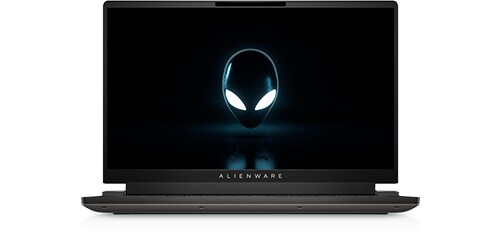
Alienware m15 R7
Hi,
Very new system, within the last few months. Have been skirting around this issue since I started playing more intensive games, like Destiny 2, Phasmophobia, etc.,
The second SSD will seemingly randomly reach 100% disk usage and crash and disappear. This is generally only noticed when playing more intensive games. Things I have tried:
1. Updating the drivers
2. Monitoring heat, which is fine
3. Having Dell support remotely check things out
4. Checking disk health, it is healthy
5. Changing from RAID to AHCI in the BIOS
6. Reseating the SSD
I have been using the second drive to utilize more space since many of these games require a lot. The SSDs are what came with the laptop, NVMe PM9A1 NVMe Samsung 512GB. Any thoughts or ideas would be appreciated! I've seen other people online having similar issues and the solutions seem varied or none at all.


0 events found
crimsom
9 Technologist
•
6.1K Posts
0
April 21st, 2023 02:00
Hi @Muntiacinae welcome to this free user-to-user Alienware laptop discussion forum.
The internal storage capacity of the OS (C:) boot drive should be the maximum for the Alienware m15 R7 laptop. Alienware | Memory RAM & SSD Upgrades | Crucial.com. The game can only be installed on the (C:) boot drive which is up to a 4TB PCIe Gen4 x4 NVMe SSD. Games require the (C:) boot drive capacity to have lots of empty space so that temporary graphic files can be quickly unpacked, used and deleted.
The second SSD can only be used for personal Data storage.
Muntiacinae
1 Rookie
•
2 Posts
0
April 21st, 2023 03:00
Oh I see! So to recap, to be sure I understand, I should only be using the (C:) drive for games? Just to double check. I'll definitely need to upgrade to a larger size since both of mine are 512 gigs.
Thank you very much! Would you happen to know if the Samsung 980 PRO PCIe® 4.0 NVMe™ SSD would work well for this slot?
crimsom
9 Technologist
•
6.1K Posts
0
April 21st, 2023 09:00
Hi @Muntiacinae thank you for sharing feedback.
To recap, the windows operating system and all applications, games, etc. are installed on the (C:) boot drive. Your OS (C:) boot drive capacity needs to be larger. The 2TB Samsung 980 PRO PCIe 4.0 NVMe SSD or the 2TB Samsung PM9A1 PCIe 4.0 x4 NVMe SSD is an excellent gaming option. Samsung Magician will update the SSD firmware. Put 2TB Samsung SSD in second slot and use Samsung Data Migration application to clone (copy) the original 512GB Samsung PM9A1 PCIe 4.0 x4 NVMe SSD. Then swap in the 2TB Samsung as the new Windows OS (C:) boot drive. There is no requirement to re‑register the Windows OS or any of the applications.
Keep the original 512GB Samsung SSD in a safe place as part of your disaster recovery plan. If Alienware m15 R7 is recalled by Dell warranty, the system must be returned to its as ordered specification, or update Dell warranty to include the 2TB SSD.