

Unsolved
1 Rookie
•
4 Posts
2
2460
December 11th, 2022 16:00
m15 R7, shutting down while gaming
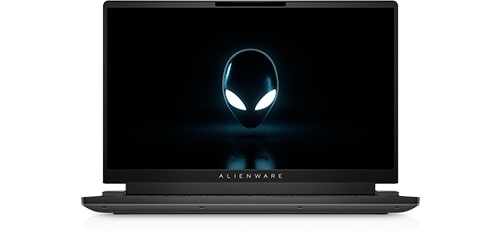
Alienware m15 R7
I recently bought an M15 R7 (RTX 3080 ti) and I am running into issues with the system randomly shutting down while gaming. I've tried it on multiple games, and it seems to vary base off of the graphics intensity of the game. I get anywhere between 5 mins or a few hours but all sessions ultimately end the same way. The system will randomly shut down requiring a hardboot to bring it back up because everything is unresponsive. They keyboard and alien head power button will be illuminated, but nothing else.
I've ran stress tests, sfc scan, tinkered with the BIOS, disabled and re-enabled the igpu and I keep hitting the same issue of random shutdowns.
I opened a support ticket and I am waiting to hear back from them, but the last ticket I put in they sent a tech out to replace my mb, which doesn't appear to have resolved this issue. Checking online, I am not finding much information regarding this and hoping I can get some help from the community.
crimsom
9 Technologist
•
6.1K Posts
0
December 11th, 2022 21:00
Hi nhrcs welcome to this free user-to-user Alienware laptop discussion forum.
Please look at Dell Knowledge Base Article Alienware System Overheats or Shuts Down | Dell US.
(edited)
John harper
2 Intern
•
346 Posts
0
December 11th, 2022 22:00
The fix for this problem is simple. Clean the dust, and check your cooling system and your thermal paste. These steps will lower the temperature and prevent your computer from overheating again
Regards,
John
nhrcs
1 Rookie
•
4 Posts
0
December 12th, 2022 06:00
Thanks for the response John.
Dust is not the issue, checked the covers/fans and they are good (its also a brand new laptop). No cooling system outside of the built in fans so can't test that. I am starting to suspect its the thermal paste, which unfortunately is beyond my technical know-how.
TimothyHarianja
1 Message
1
April 22nd, 2023 09:00
I am currently going through similar situation. Any luck on your end?
I got my laptop recently, so I assume it has nothing to do with dust.
nhrcs
1 Rookie
•
4 Posts
0
April 22nd, 2023 11:00
I ended up keeping the AWCC in Balanced mode and enable High Performance (launch AWCC, FN+F1, this also disables it when active) mode for the vast majority of games I am running to keep the fans going on the GPU.
CLOwens
1 Message
1
September 5th, 2023 00:04
I'm having the same problem with my laptop. I've ensured that the fans were cool clean I've set the fans to maximum. I still have the problem.
Additionally, I have a secondary SSD hard drive and that hard drive vanishes from windows when the system shuts down.
I have set windows logging to maximum and the only thing that I've noticed at the time of shutdown is an ACPI power off event. I validated that both hard drives, the GPU, are all operating are all within operating temperature specs. The system isn't overheating according to the to the utilities or logs. No thermal events are getting logged in the BIOS or event logs.
These are my testing results:
BIOS is current and all DELL provided items are up to date.
Also, the issue happens even if I'm using the built in display and no external devices are attached.
This feels alot like a "patch bug". It just started around the first of Aug. Given the problems with garbage MSFT patches... no surprise. Dell has told me to perform a complete reset. Honestly, if I'm going to be forced to do a complete "system reset" I'd rather just buy a different vendor's computer and set it up from scratch to eliminate possibilities.
So hopefully, this bit of information combined with someone else's will combine into a solution. It's very frustrating to pay the price for a premium/high performance laptop (and support) and not be able to use it...
Fingers crossed
Mizhaan
1 Rookie
•
3 Posts
0
January 13th, 2024 22:59
@CLOwens could you please tell me the specs / config of your machine? Along with the bios version, whether youre using your secondary ssd with raid or without, your bios being on AHCI or not?
I might have a workaround for your issue as I had been experiencing the same. Cheers!
cos04
1 Message
0
March 7th, 2024 20:51
bro I had the same issue for months , i have the same specs as you . I even paid a shop to clean my laptop and still useless , they even broke my led light in the back . Only a few days ago I found out what the actual problem was , i will let you in on a little secret from Dell , they do this on purpose just so you can send it back and they will charge you some money . Basicaly this laptop model , the cooling on the procesor is made with liquid and for the graphics card is made with thermal paste , anyway the point is the cooling system for the processor is to weak and the processor can get to 100 degrees before it even shows on your display . The solution is simple , they also made this system called tcc offset , which basicaly controlls your processor throttle so it doesnt work like mad until it gets to that temperature but guess what , they can and will in most cases turn it of to the value of 0 , through bios updates .
So the solution is , restart or turn on your laptop , press F2 when the alienware logo appears , go to performance tab and if you scroll down , you will have there TCC offset and you can choose a value , I would say choose 10 , save and restart . if you choose 10 , then when the processor reaches a temprature close to 90 or even 90 degrees , it wil basicaly throttle it down so it can cool more efficiently . i have done this and now my laptop works better then when I got it , brand new . good luck
ar.dildar
1 Rookie
•
4 Posts
0
July 28th, 2024 14:12
i have Aleinware m15 r6, and i am going on with the same issue, replaced thermal paste with multiple brands as well but nothing seems to work. i even switched of turbo mode on CPU and limited GPU to less MHZ to control temps which it did, temps on CPU & GPU never goes above 72 degress now but it still randomly shutsdown
Lank1ng
1 Rookie
•
1 Message
•
2 Points
1
October 4th, 2024 22:43
Omg I facing the same problem with you all. Dell even send engineer to change my motherboard and reinstall windows 11. but it still happened. I record a vedio when it turns to shutting down page when I play cs2. It's not even overheated. Now only way to avoid it is to close turbo boost of CPU. but that makes the FPS very low. Dell now complains about my battery. It's on the way. They said they will ask me to send back the laptop if the issue still happen. The dell support is a <Profanity is never allowed on our Forum. DELL-Admin>.
(edited)
Ejhays152
1 Rookie
•
2 Posts
•
2 Points
0
December 31st, 2024 15:47
All of the system crashes I had on my m15 R7 were due to the integrated Intel graphics card. I went into the Nvidia control panel app and selected use Nvidia GPU only under manage 3D settings and manage display mode. I also uninstalled all Intel graphics software. Laptop has been running fine ever since. Hope this helps.
Tony Gore
1 Rookie
•
1 Message
•
2 Points
0
January 8th, 2025 14:41
I have been having the same issue for about 4 weeks now. I sent it to a local shop and they are stumped.
Only difference I see from the rest of you is that my laptop isn't even recognizing my NVIDIA gpu.
I update all the drivers. When I try to install the base Nvidia drivers from this site it says that there is no nvidia GPU.
When I look in device manager it only shows up if I click show hidden devices.
If I go to BIOS there is no option for me to enable the card.
The laptop even shutdown a few times when I was in the BIOS.
I just got this in May 2022.
Alienware m15 R7 AMD
32GB (2x16GB) DDR5 4800MHz
AMD Ryzen(TM) 9 6900HX (8-Core/16 Thread, 20MB Cache, up to 4.9 GHz max boost)
NVIDIA(R) GeForce RTX(TM) 3080 Ti 16GB GDDR6
user_559f19
1 Rookie
•
1 Message
•
2 Points
0
October 3rd, 2025 13:25
I've been dealing with the same issues for a while now. I have an m15 r7, 32GBs Ram, i7 12th Gen and 3080ti.
It even got my motherboard fried and I had to replace it as I need the laptop to get work done. After getting it replaced, thermal pasted and cleaned. It still causes issues while gaming, or any intensive tasks requiring a GPU. I have tried a lot of times to run a single game but it will at max run for 20-30 mins and then crash. I am scared to run a game on this system now as this exact situation got my board fried. If anyone has any solutions please let me know. This is getting out of hand.
Ameer12
1 Rookie
•
1 Message
•
2 Points
0
November 20th, 2025 18:33
@Ejhays152 did you had shut down in the beginning of a game ?
because thats what im having right now but was running okay before
Ejhays152
1 Rookie
•
2 Posts
•
2 Points
0
November 29th, 2025 15:05
Try disabling "Hardware-accelerated GPU scheduling" if you have it enabled. Go to Settings > System > Display > Graphics then click on the menu for "Advanced Graphics Settings" and make sure "Hardware-accelerated GPU scheduling" is in the off position.