

Unsolved
1 Rookie
•
12 Posts
3
11310
April 12th, 2023 17:00
m17 R1, AWCC, the wizard was interrupted problem
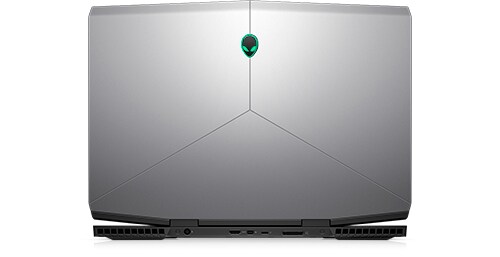
Alienware m17
"the wizard was interrupted before alienware command center package manager could be completely installed"
I tried complete uninstall of AWCC (Alienware Command Center). Reinstalled latest version from m17 R1 Dell Drivers & Downloads site. Still showing the "wizard was interrupted" issue.
System: Alienware m17 R1, 8th Gen Intel core i7
No Events found!
Abduism
1 Rookie
•
12 Posts
0
April 15th, 2023 00:00
Hi. If the problem still persists, try installing november 2022 version of command center application (v5.5.23.0) It is working for me now. Change user account control for requiring permission to update so that you can deny.
Gabvilpi
5 Posts
0
April 15th, 2023 09:00
Thank you, in my case i managed to fix it by installing the version from April 2022 (Alienware-Command-Center-Application_1NN4H_WIN_5.4.35.0_A00). The latest versions seem to have a bug on the Installation Wizard and they always fail showing "the wizard was interrupted" error. What a mess.
crimsom
9 Technologist
•
6.1K Posts
0
April 12th, 2023 20:00
Hi @Abduism welcome to this free user-to-user Alienware laptop discussion forum.
Does the @Dell-BradL solution work for you, see Solved: Re: m15 R7, wizard interrupted before AWCC installed - Dell Community.
Gabvilpi
5 Posts
1
April 13th, 2023 14:00
I have the same problem. AWCC was working correctly, it autoupdated today and FX lights stopped working. I tried to download the last AWCC Full Installer and all i get is "the wizard was interrupted before alienware command center package manager could be completely installed".
I tried to uninstall everything related to AWCC with Revo Unistaller and nothing. The installer (Alienware-Command-Center-Application-Full-Installer_3K2KJ_WIN_5.5.46.0_A00) always fails with the error "the wizard was interrupted before alienware command center package manager could be completely installed".
Abduism
1 Rookie
•
12 Posts
0
April 15th, 2023 00:00
Nope. I have tried both february and march versions.
Gabvilpi
5 Posts
0
April 17th, 2023 07:00
Try to install Alienware OC Controls. The version that goes with AWCC 5.4.35.0 is:
Alienware-OC-Controls-Application_RW4YJ_WIN64_1.3.68.1380_A01.EXE
macauf
1 Rookie
•
14 Posts
0
April 17th, 2023 07:00
I can reinstall AWCC 5.4.35.0. But when I get into AWCC, Thermal and Overclok keep loading. Any solution?
macauf
1 Rookie
•
14 Posts
0
April 19th, 2023 07:00
Yes I have installed 1.3.68.1380 but the situation remains the same.
AncestralWorm
1 Message
0
April 19th, 2023 16:00
I've tried everything in this thread so far. No luck.
Gabvilpi
5 Posts
0
April 19th, 2023 23:00
I believe you are almost there. At least you managed to install AWCC (although it is an older version). What i would do is to uninstall AWCC again with all it's related components and try to install it again (because the problem that you had in the begining may be already solved). I would use revo uninstaller and follow this instructions from Dell:
https://www.dell.com/support/kbdoc/es-es/000178439/how-to-remove-and-reinstall-the-alienware-command-center?lang=en
Once you have uninstalled everything, restart Windows and this time, try to install AWCC from the Microsoft Store following this link:
https://apps.microsoft.com/store/detail/alienware-command-center/9PMHP03NJ9QP?hl=es-mx&gl=mx
This has been the way i managed to get the very latest version of AWCC working on my Alienware m15 r6.
Good luck
Gabvilpi
5 Posts
0
April 19th, 2023 23:00
Try to uninstall everything related to AWCC using revo uninstaller and follow this instructions from Dell to clean any leftover file:
https://www.dell.com/support/kbdoc/es-es/000178439/how-to-remove-and-reinstall-the-alienware-command...
Once you have uninstalled everything, restart Windows and this time, try to install AWCC from the Microsoft Store following this link:
https://apps.microsoft.com/store/detail/alienware-command-center/9PMHP03NJ9QP?hl=es-mx&gl=mx
Good luck
Anonymous
12 Elder
•
274.2K Posts
0
April 20th, 2023 02:00
I have installed the new version 1.3.68.1380 but the problem still persists: I have installed the new version 1.3.68.1380 and it still persists.
macauf
1 Rookie
•
14 Posts
0
April 21st, 2023 07:00
The problem still persists. I search some articles saying the root cause is likely the 22H2 update will clash with AWCC. I remember before my upgrade to Win 10 22H2 there isn't such error.
c73aver
1 Rookie
•
13 Posts
0
April 21st, 2023 23:00
Update: could start AWCC now… but 2 new issues:
(1) it’s missing frequency info from CPU/RAM it seems… shows 0
(2) Also I cannot adjust any Power settings or establish any profile.
Seems like something is missing to get AWCC understand my intel hardware, right?!
please help
c73aver
1 Rookie
•
13 Posts
0
April 21st, 2023 23:00
I managed to uninstall AWCC / module mgr, etc
I also downloaded and installed v.5.5.35…. Successfully, but when I open AWW, it hangs up in installation/initialization process (circling white dots and app stays greyed out… any idea how to figure out the issue?!