


1 Rookie
•
2 Posts
0
988
January 9th, 2023 15:00
x17 R1, USB-C monitor not working
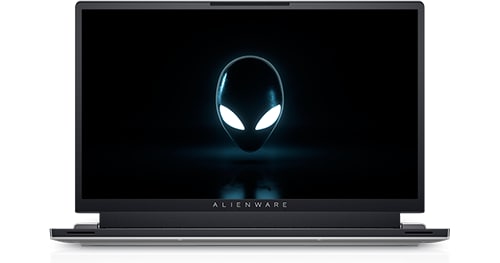
Alienware x17 R1
Today after turning on my alienware computer I just realized that my external monitor is not working. On the device manager I'm getting =
Error Code 43 on UCM-UCSI ACPI Device
I have tried getting all the latest driver updates, windows updates and bios updates. I was able to install some windows and driver updates, including latest Nvidia, however the Bios is not updating correctly. I keep getting an error message regardless of how I try to install it (via Windows or via the BIOS menu itself). Below is a picture of the error message =
Can anyone please provide some guidance?
No Events found!
DazColl
1 Rookie
•
3 Posts
1
January 29th, 2024 15:13
I managed to get a monitor working (although not sure how permanent this solution is) by uninstalling the driver, unplugging from the mains power and turning off the laptop, then holding down the power button for >50 seconds. After this I powered up the laptop (still unplugged from mains) and after boot monitor worked. Stayed working after I plugged power back in.
Will let you know if it survives a reboot.
crimsom
7 Technologist
•
6.1K Posts
1
January 9th, 2023 18:00
Hi @r4ul90 welcome to this free user-to-user Alienware laptop discussion forum.
To install BIOS. the laptop must be on ac adapter (Charger) power, Battery must have more than 10% charge, and all USB connections removed.
USB Connector Managers>UCM-UCSI ACPI Device error 43 in NUC11PAHi7 and USB-C doesn't work - Intel Communities please try Intel® Driver & Support Assistant.
Is operating system Windows 10, 64-bit version 22H2 or Windows 11 version 22H2?
DazColl
1 Rookie
•
3 Posts
0
January 29th, 2024 14:59
I managed to update the BIOS to 1.21 using the BIOS reovery file on a USB stick and booting in to BIOS recovery (CTRL + ESC).
However I've still got the Error Code 43 on UCM-UCSI ACPI Device error and nothing works when plugged in to the USB C ports
DazColl
1 Rookie
•
3 Posts
1
January 30th, 2024 08:09
So far so good - survived a couple of reboots - no error 43 and monitor still working....
VVern
1 Rookie
•
2 Posts
0
July 31st, 2025 12:10
Thanks for the Update DazColl. I'm about to try the same fix. Just glad it's not a permanent hardware issue. I'll report back also.
(edited)
VVern
1 Rookie
•
2 Posts
0
August 1st, 2025 08:16
Reporting back. Success.!
I fixed the USB-C monitor issue thanks to DazColl's solution, however, in reverse.
I initially could not update the BIOS from 1.24 to 1.30. I attempted every way possible also getting the PD Firmware failure every attempt. I even created a USB boot disk. It was very frustrating. So I tried the reverse order. Uninstalling the UCM-UCSI ACPI Device first. (As DazColl explains above) After rebooting and confirming the fix in Device Manager, the BIOS Update worked.
(edited)