


Unsolved
1 Rookie
•
13 Posts
0
17
January 3rd, 2026 01:33
16 DC16251, Realtek Audio
Hi,
First of all, why is the Dell setup so complicated and time-consuming?
I need some assistance with this, please. I am having trouble with the Realtek HD audio. I install it, and then it uninstalls. It's so confusing. Can someone please guide me with this? It's been a constant problem.
Thank you.
No Events found!
carolineharper
1 Rookie
•
21 Posts
0
January 3rd, 2026 06:19
Try these steps in order.
First, uninstall the Realtek audio driver from Device Manager and restart the laptop.
After restart, download the audio driver for your exact laptop model from Dell Support, not from Windows Update.
Install the driver and restart again when prompted.
Then open Windows sound settings and make sure the correct output device is selected.
If the driver keeps uninstalling, disable automatic driver updates temporarily and reinstall it once more.
This usually fixes repeated Realtek audio issues on Dell systems.
Dell4Dell16
1 Rookie
•
13 Posts
0
January 3rd, 2026 12:37
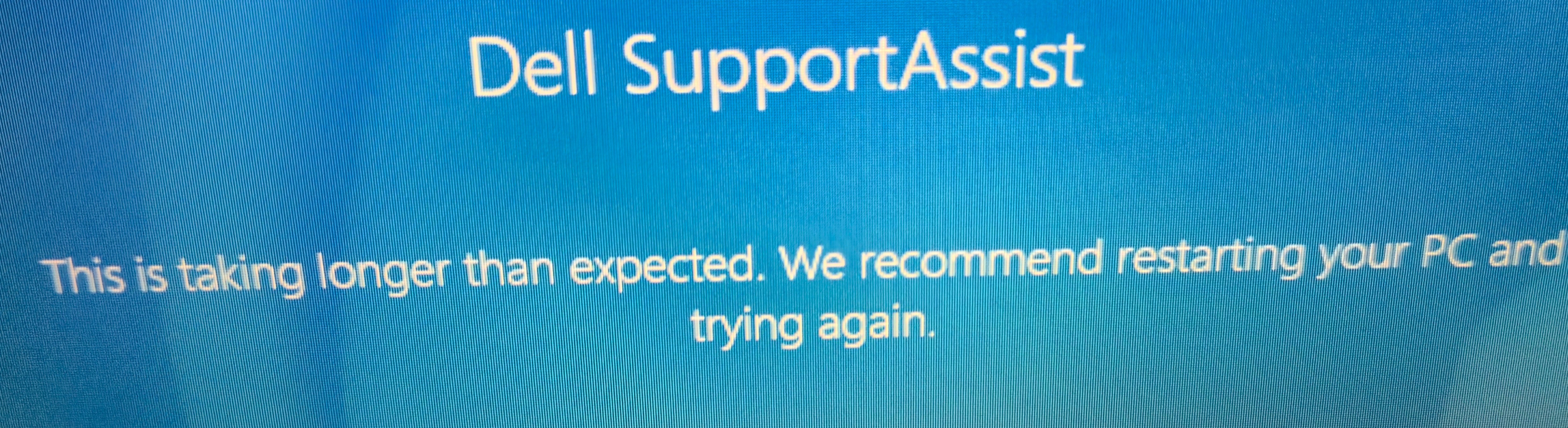
Frustrating. Restarting several times
Dell4Dell16
1 Rookie
•
13 Posts
0
January 3rd, 2026 12:38
@carolineharper I have tried to open Dell Assist several times and had to restart, and it still doesn't open. This is extremely frustrating!
carolineharper
1 Rookie
•
21 Posts
0
January 5th, 2026 08:47
@Dell4Dell16 You can try fully removing SupportAssist and then restarting the system.
After the restart, install it again and run it as administrator.
If it still hangs, make sure Windows updates are finished and no other updates are running in the background.
Sometimes disabling third-party antivirus temporarily also helps during the scan.
If the issue continues, using the BIOS or built-in hardware diagnostics is a safer alternative.