


Unsolved
10 Posts
0
682
January 5th, 2023 01:00
Inspiron 3881 M.2 SSD upgrade difficulty
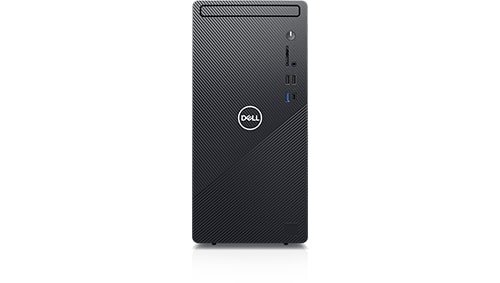
Inspiron 3881
Hi all, I'm running an Inspiron 3881, standard spec., with a 256G SSD in the M.2 slot.
I consulted the Crucial website as to compatibility, https://uk.crucial.com/compatible-upgrade-for/dell/inspiron-3881
and subsequently purchased a Crucial PCIe P3 3.0 NVMe 2Tb M.2 SSD.
Using the software from Crucial I was able to clone the old 256G drive to the new drive.
However, when I swapped the new drive for the old one into the M.2 slot I can't get past the BIOS set up. When looking at the drives in BIOS it doesn't seem to recognise the new drive - it notes that I ought to set something in BIOS to WLAN but I cannot see that in my BIOS set up.
What have I missed out/done wrong - or were Crucial in error when noting that this drive was a compatible replacement?
sam55todd
2 Intern
•
243 Posts
0
January 5th, 2023 03:00
Inspiron 3881 should (as per specification) normally support M.2 NVMe Gen3 consumer drives from major manufacturers (Crucial/Micron, WD/SanDisk, Seagate, Samsung, Corsair, Kingston, Transcend etc.) drives without any issues (although they've confirmed testing up to 512GB, but this doesn't mean higher capacities are necessarily restricted).
Another concern might be a proper installation.
Please double-check if it is installed correctly and not something below (bending problem, it normally should be parallel to motherboard, without touching it):
Sometimes while installing longer 2280 drive screw for 2230 standard isn't removed (as it should) leading to possibility of shorting circuit on a back of NVMe board.
Another set of mechanical-level errors might be with wrong (incomplete) socket insertion (for NVMe drives contacts shouldn't be excessively visible {and there's tighter key-slot clearance} although for SATA M.2 drives it's a bit different) or misalignment:
Third is configuration (e.g. via BIOS to enable slots, but you're saying another drive was there previously, therefore shouldn't be a case) and fourth group is about faulty components or incompatibility.
All images are not mine, just from random googling (various sources).