


Unsolved
1 Rookie
•
1 Message
1
2259
September 27th, 2023 18:30
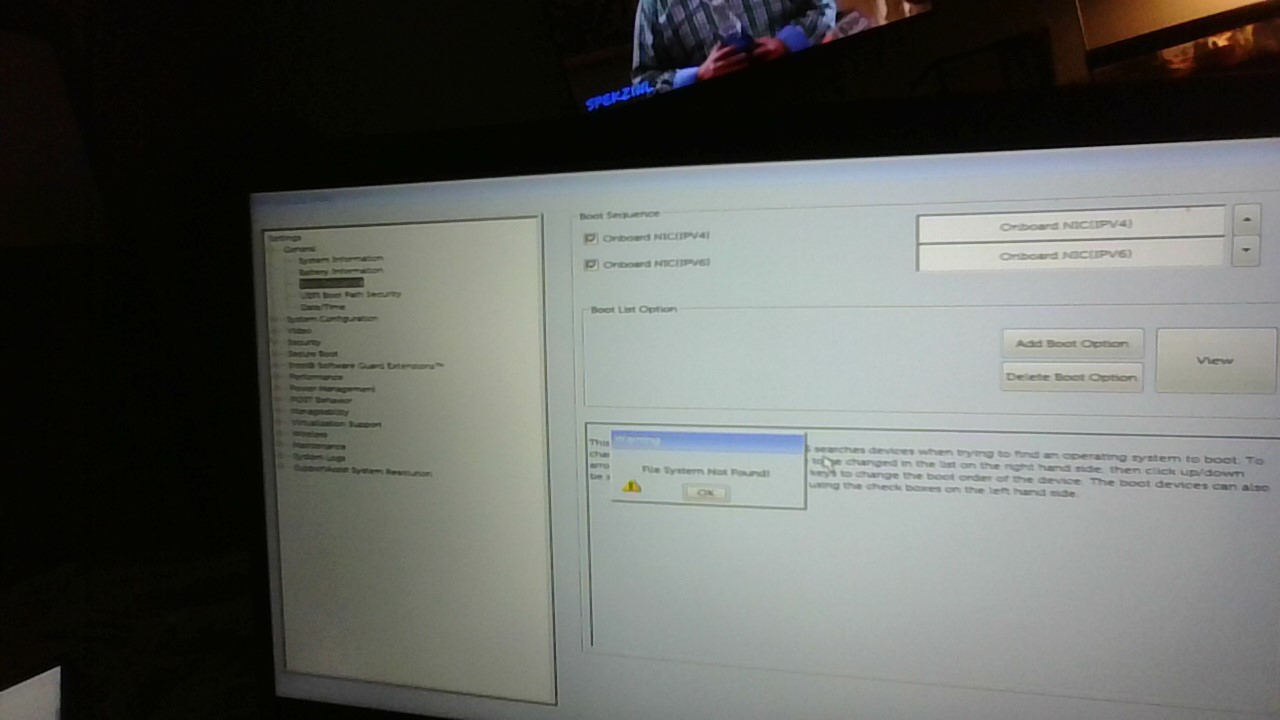
Add boot option - File system not found
Just received a Dell laptop (not sure what type it is). The hard drive has been completely wiped, and I am trying to use my bootable usb to install ubuntu (I used Rufus and I made sure it's FAT32 and uses GPT and UEFI. I found an older thread in the community, but none of the solution worked (i tried all the usb ports, none of them work). My bootable usb doesn't appear anywhere
Any ideas on what I can do?
ejn63
10 Elder
•
30.2K Posts
1
September 27th, 2023 23:57
With the drive connected, press F12 at powerup. If it does not show up in the boot menu, the system does not see it as UEFI-bootable.
In general, you're better off preparing UEFI boot media for Windows using the Windows Media Creation Tool. If it's a non-Windows OS you're trying to install, be sure whatever OS you're installing has full UEFI support (most versions of Linux require a custom-built install medium -- the pre-built install medium is rarely UEFI-compatible).
ann_droid
2 Intern
•
508 Posts
0
September 28th, 2023 13:05
Hi
VENTOY is most likely the best way.
TioJethy
1 Rookie
•
1 Message
0
October 8th, 2024 23:00
Was this problem ever solved? I'm facing the same issue on an Optiplex 7080 that I was intending to run a home server off of.
Oracle212211
1 Rookie
•
2 Posts
0
March 22nd, 2025 08:50
@TioJethy Did you get it sorted? i have same issue please
Oracle212211
1 Rookie
•
2 Posts
0
March 22nd, 2025 08:50
Did you get it sorted?
I have same issue please