

1 Rookie
•
2 Posts
0
1246
September 19th, 2022 15:00
Cancel queued BIOS update.
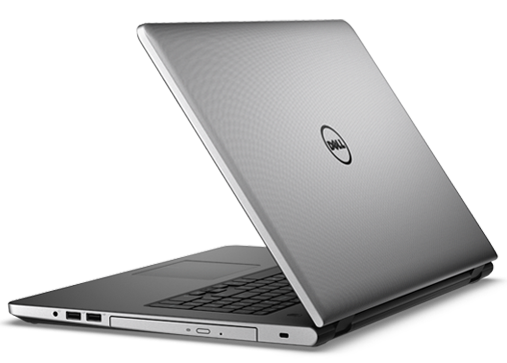
Inspiron 5759
Hello, I am having an issue with my laptop. I tried to install a BIOS update through windows update but my battery is failed. When the computer tries to install the BIOS update it sits at the progress screen with a message about charging the battery before I can update the BIOS. It sits at that point for a few seconds then continues booting to windows. With a failed battery I clearly cannot update the BIOS but that is fine, I would however like to know if there is a way to cancel the BIOS update to save myself the few seconds at boot. I am ruining Windows 10 and can get any more detailed system information required. Thanks for any help and have a great day.
-Nick
No Events found!
Bios_Bb
1 Rookie
•
2 Posts
0
September 22nd, 2022 11:00
I resolved the problem be deleting the software distribution folder in safe mode
https://www.majorgeeks.com/content/page/rename_or_delete_the_software_distribution_folder_in_windows_1087.html
and running the built in windows disk cleanup utility and selecting windows update cleanup
https://support.microsoft.com/en-us/windows/disk-cleanup-in-windows-8a96ff42-5751-39ad-23d6-434b4d5b9a68 .
gmagana
1 Rookie
•
1 Message
•
2 Points
0
December 13th, 2025 06:16
I was stuck on this as well. I needed to stop a pending BIOS update before the reboot: The new BIOS notes stated I would not be able to downgrade to my current BIOS version because of "downgrade restrictions", so I absolutely needed to stop the BIOS update from completing. What worked for me was to uninstall Dell SupportAssist before rebooting.
After I did that, upon reboot, nothing happened. I stayed on my current version.
There is a setting int he BIOS setup options that google searches tell you to do to prevent BIOS updates from taking place, but Dell SupportAssist happily ignores that BIOS setting and updates your BIOS anyway.
To prevent this from happening again, I did disable the BIOS setting (which prevents Windows Update from updating your BIOS), and in addition ensured that Dell SupportAssist has the option disabled that allows it to install updates automatically. I missed that option because: 1) I did not know Dell SupportAssist ignores the aforementioned BIOS setup option; and 2) It is turned on by default and you will only see it if you look for it, which I did not do.
Hope this helps people who need it. I'm thankfully back in my old version of the BIOS, which I need because newer BIOS versions detect my USB microphone as a USB storage device and I get into a nasty infinite reboot loop if I'm not around when the reboot occurs. Thanks, Dell :-(.
(edited)