

1 Rookie
•
6 Posts
0
2241
March 22nd, 2023 05:00
Headset Mic Not working
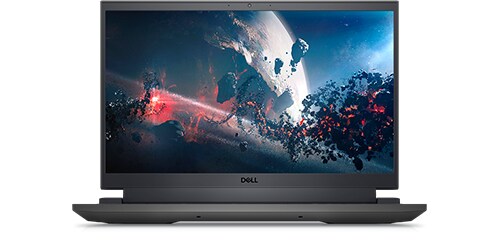
Dell G15 5520
I bought a Dell G15 5520 less than a year ago, I have recently noticed that whenever I have to use mic my laptop uses the inbuilt microphone array (intel smart sound technology for digital microphones). My headset is a Razer Kraken X Superlight. This laptop is a Windows 11, 64-bit operating system
Whenever I plug it in i get audio from applications but the laptop does not use the mic from the headset.
I am fairly technical and so I have tried every possible method- running the audio troubleshooter, switching to headset with mic from realtek audio console, updating drivers, uninstalling and reinstalling drivers, giving microphone access to apps etc. None of them seem to work.
However i know that the headset mic works just fine as I tested it out on the HP Omen that i have.
Below attached is a screenshot for the audio manager and what it looks like when i open them.
As you can see the Jack Mic says it is ready however doesn't seem to have any sound activity being picked up. Even in the realtek audio console I have it set to Headset with microphone and it still doesnt use the headset mic.
I should state that even though the "enable auto popup dialog, when device has been plugged in" is set to "On" i never receive any such popups.
I would really appreciate some help on this.
Aryan Anand
1 Rookie
•
6 Posts
0
May 6th, 2023 00:00
UPDATE:
So for no reason at all i was just messing around and decided to plug in a Type C to 3.5 mm jack connector on my laptop. I connected my headphones through that and VOILA! somehow it all works. my laptop is registering the mic on my headset too. I dont know why it works, but it works.
Saltgrass
6 Operator
•
4.3K Posts
•
15.9K Points
0
March 22nd, 2023 07:00
I don't have a newer Dell Laptop so I am not familiar with the Realtek Audio console being on any of my systems. I do have it on some ASUS Desktop systems.
I see that system, like most laptops, only has one plug for a headset so you can't use the adapter for a separate microphone input. My Dell laptop uses the Waves MaxxAudio Pro Software to handle the plug-in operation. I don't suppose you don't see that software on your system?
In your attachment, you cannot set the Jack Mic to be the default device, either com or primary?
Saltgrass
6 Operator
•
4.3K Posts
•
15.9K Points
0
March 22nd, 2023 10:00
This is the way mine looks with an Apple earbuds.
Aryan Anand
1 Rookie
•
6 Posts
0
March 22nd, 2023 11:00
Hi! I am aware of the Waves MaxxAudio Application i downloaded it but every single time i launched it i got an error saying my drivers were out of date even though the latest version of realtek drivers is installed. All the online forums i saw said that the raeltek audio console was able to get their work done easily in terms of switching from Inbuilt to headset mic. Even mine, i can make the Jack mic as default device, the problem is that it doesnt detect any sound activity happening. Whereas the inbuilt mic is functioning.
Aryan Anand
1 Rookie
•
6 Posts
0
March 22nd, 2023 11:00
Mine is the one in the original post, and My microphone array (inbuilt mics) is working fine and the noise bar has little green spikes to show that but the Jack mic just says that it is "ready" with no noise detection around it
Saltgrass
6 Operator
•
4.3K Posts
•
15.9K Points
0
March 23rd, 2023 02:00
Can you set the Jack Mic to the Default device? Is the Jack Mic a default name on the newer systems?
We used to be able to set microphones to Default communications devices, but it looks like that is no longer an option.
I wish I could help with the Waves situation, but it may not actually work on that system. You may find a Waves MaxxAudio Pro version in the Microsoft Store but that may not work on some systems.
Aryan Anand
1 Rookie
•
6 Posts
0
March 24th, 2023 03:00
I can set Jack Mic as default yes but theres no sound activity that it picks up so as an outcome it just doesnt work. Im not sure if Jack mic is a default name on newer systems or not. I downloaded the Waves MaxxAudio Pro from microsoft store and it tells me the same thing as the previous versions of "drivers are out of date".
Saltgrass
6 Operator
•
4.3K Posts
•
15.9K Points
0
March 24th, 2023 06:00
The only thing I might think to try is to shut down your system, plug in the headset and boot with it plugged in. This has been able to bypass the plug-in notification process.
Otherwise, you need to get whatever sound utilities that system uses, working. I will look around the forum to see if I can find some other utility that system uses.
Aryan Anand
1 Rookie
•
6 Posts
0
March 27th, 2023 22:00
Yea i will try, thank you. Looking forward to any help you can provide