

Unsolved
1 Rookie
•
2 Posts
0
844
March 16th, 2024 00:07
fingerprint sensor and smart card reader not detected
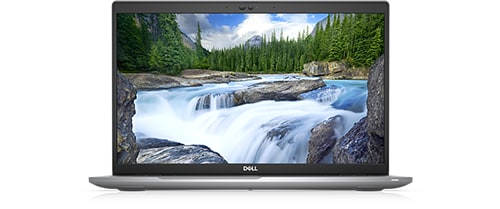
Latitude 5520
I had my laptop working very well, until the system got corrupted, so I reinstalled windows from generic windows, the windows installation got successful, and I installed all missing drivers using supportassist, but the fingerprint sensor and the smart card reader didn't work, they even didn't appear in device manager, i also tried installed controlvault firmware and driver but the problem persists.
No Events found!
XPS_Man
7 Practitioner
•
2.4K Posts
•
12K Points
0
March 16th, 2024 13:02
Assuming it was working fine prior to operating system reinstall.
Reboot to BIOS (F2)
System setup options—Storage menu: Enable card reader
System setup options—Integrated Devices menu Miscellaneous Devices > Enable or disable Fingerprint Reader device.
If those are already enabled
Do a hard RESET first : Hold the power button down for 30 seconds.
Do a BIOS recovery : Hold control + Escape while powering on : Choose recover.
asme24
1 Rookie
•
2 Posts
0
June 6th, 2024 13:15
None of the above solutions worked for me. I came across an article from Dell discussing my exact issue, but the solution didn't work for me since I couldn't find the files mentioned in the article. In addition, I came upon an "ushupgrade.exe" log file (ushupgrade.exe.log) that contains the following info:
So i think the steps in the article are done automatically by "controlvault3 driver & firmware" installer, but the issue persists.
christiankimbi
1 Rookie
•
4 Posts
•
2 Points
0
September 20th, 2024 16:23
I have the same problem and it is driving me crazy. I tried every solutions I could find with no success