

Unsolved
1 Rookie
•
1 Message
•
2 Points
0
349
April 17th, 2025 18:25
Not charging when plugged in
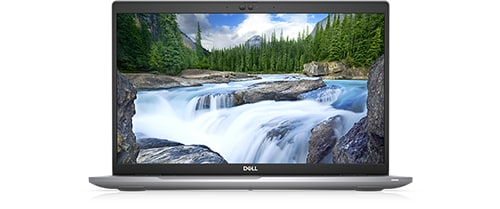
Latitude 5520
not charging when plugged in.also charging in BIOS setup it shows ac adaptor not installed even after updating BIOS. it is latitude 5520.
No Events found!
DELL-Jesse L
Moderator
•
17.9K Posts
•
69K Points
0
April 21st, 2025 10:15
If your Dell Latitude 5520 BIOS indicates an AC adapter is not installed, even after a BIOS update, the issue could stem from a faulty AC adapter, damaged cable, or a problem with the laptop's DC-in connector. Troubleshooting steps include verifying the AC adapter's integrity, testing with a different adapter, and potentially investigating the DC-in connector on the laptop.
Follow the steps below.
1. Verify the AC Adapter:
Check for damage:
Inspect the AC adapter and its cable for any physical damage like cracks, melted plastic, or burn marks.
Test with a different adapter:
If possible, try using a known-good AC adapter from another Dell device (make sure it's compatible) to rule out a faulty adapter.
2. Check the DC-in Connector:
Inspect the connector:
Carefully examine the DC-in connector on your Latitude 5520 for any signs of damage or misalignment.
Clean the connector:
Use a small brush or compressed air to clean any debris from the DC-in connector.
3. Drain Residual Power:
Unplug everything:
Disconnect the AC adapter, any external devices, and the battery (if removable).
Hold the power button:
Press and hold the power button for 30 seconds to drain any residual power.
Reattach battery and AC adapter:
Connect the battery (if you removed it), plug in the AC adapter, and power on the laptop.
To receive assistance from Dell chat support, they need to verify the warranty status and ownership. Then you must troubleshoot with them. Click the "Get Help Now" icon on the right to start a live chat session. If already out of warranty, click here for the Dell out of warranty offering.