

1 Rookie
•
3 Posts
0
3763
September 6th, 2022 03:00
WD19S Firmware 01.00.25 network issues
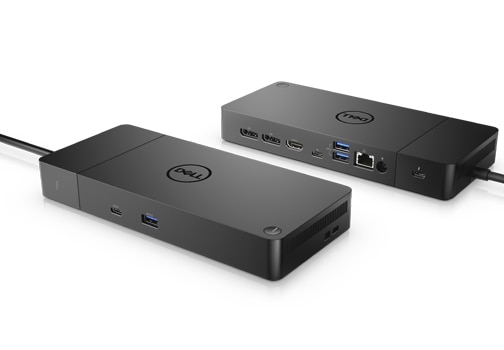
Dell Dock – WD19S
Hi,
Yesterday, I updated the firmware on my WD19S dock to version 01.00.25
Since then, I have been seeing an issue with the wired LAN not always working, and the behaviour of WiFi being disconnected when the dock is connected does not seem to be working (I wonder if this is because the LAN connection has issues so it keeps WiFi enabled to accommodate?).
Physical connectivity is fine, but even though I have received an IP etc via DHCP, I am unable to ping my gateway. A reset of the ethernet adapter seems to sometimes resolve the issue for a short while before it drops again.
I have seen people report similar issues with this dock some time in the past, so not sure if this is a known issue for this firmware? WD19 docking stations - network dropout, USB dropout across multiple models - Page 40 - Dell Community
Is there anything I can do, as it doesn't seem to be possible to open a ticket with Dell on this issue.
Cheers
James
DELL-Jesse L
Moderator
•
17.9K Posts
•
69K Points
0
September 7th, 2022 03:00
Dell engineering is aware of this issue and working on driver solution. New Realtek USB GBE Ethernet Controller Driver A28 will be published on November 9, 2022.
Tichyjirido
2 Posts
0
November 9th, 2022 05:00
Hello, any news about the drivers? Our company have many problems with docking station. The LAN is not working.
qm269
2 Posts
0
November 9th, 2022 16:00
A28 driver (Win10 version 10.54.0608.2022) has been released for the WD15/19 dock on Oct 19th. I have found a newer version on the realtek site (Win10 version 10.55.20.0283). Hopefully this solves the Ethernet dropout issue on our WD15/19 docks
Tichyjirido
2 Posts
0
November 10th, 2022 05:00
And win11?
qm269
2 Posts
0
November 13th, 2022 15:00
A28 (Win11 version 1153.9.823.2022) was released the same time as Win10.
JamesEdmondsAspall
1 Rookie
•
3 Posts
0
November 14th, 2022 02:00
Can confirm on Windows 11, I have had this driver version installed for a week or 2 now, and have not experienced the same network issues with this dock anymore.
Thanks Dell engineering!
nk85
2 Posts
1
November 21st, 2022 06:00
Hi, the issue is NOT solved! I have a WS19TB for my laptop Latitude 5401 . with this driver A28 (Win11 version 1153.9.823.2022) I have network issue on my company lan. I try to reinstall it so many times from Win Update, Dell Support, Realtek site but it's bugged! If I disinstall the driver manually , everything works with driver 10.38.117.2020 ! Please solve it soon!
martinaus
1 Message
0
November 28th, 2022 13:00
hi there I have the same issue on multiple WD19S docks.
periodically the "Ethernet" card stops working, and you can see its disappeared from device manager.
I have the latest firmware for the dock and also tried older driver and newer driver, however the problem still persists.
Weird part is, for some reason it seems to happen while on a microsoft teams call and/or if I plug a usb memory stick.
any solutions for this? because its very annoying.
The dock is matched/plugged into a microsoft surface laptop 3
BenML
1 Message
0
December 19th, 2022 15:00
We have A28 Driver and we are still seeing crashes and bluescreens with WD19TB docks since updating latest dock firmware (01.00.25, 01.00.09). On a dock without the latest firmware no issue at all. Something is still broken. Is there a method to rollback the Dock firmware until an actual fix is available?
Giammin
1 Rookie
•
16 Posts
0
January 26th, 2023 01:00
i have other problem related to the latest firmware:
https://www.dell.com/community/Vostro/Latest-WD19-firmware-not-working-with-Vostro-7620/m-p/8313633#M13049
it is unacceptable that dell just don't care. that docking station costs as a laptop it is not a few bucks adapter
it would be enough to let us downgrade the firmware. but they don't let that and don't deliver a new firmware since the 4 of july
ade333
12 Posts
0
February 1st, 2023 13:00
Did this work for you? Were you also seeing your DHCP server fill up with Bad_Addresses?
jcesarmn
2 Posts
1
February 3rd, 2023 11:00
I had the same issue with random reboots and I was able to narrow down to the driver of the network card of the Docking Station. The Network card driver is for Realtek USB GbE Family Controller, and installed an old driver from 2016 and no more issues . ( the driver version i used is 11.1.621.2021). Hope this helps
shannonj85
1 Message
0
March 14th, 2023 03:00
This is still happening in our org even with machines running the latest drivers both docks and workstations.
albmot
1 Rookie
•
2 Posts
0
November 12th, 2023 13:35
@shannonj85 Hello, have you found a solution for this issue? I have the same issue now.
albmot
1 Rookie
•
2 Posts
0
November 12th, 2023 15:46
@DELL-Jesse L For my laptop the issue ist nor solved, and it seems not solved for some other people too.
Realtek USB GBE Ethernet Controller Driver A28 is updated and Firmware für WD19TB is also updated.
The crazy thing is that the docking station is working wihtout issue with a LENOVO laptop!!