

Unsolved
2 Posts
0
147
February 16th, 2023 04:00
P2720DC, GT625, synchronization problems
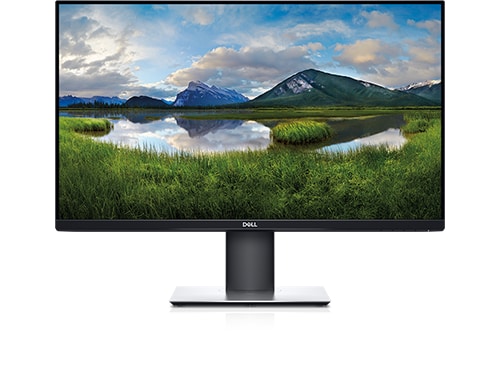
Dell P2720DC
Hi Team,
I have a problem with connecting Dell P2720DC with a PC with GeForce GT625 2GB.
The GPU has three outputs: VGA, DVI, HDMI
I tried connections:
- GPU:HDMI - DISPLAY:HDMI
- GPU: DVI/HDMI adapter - DISPLAY:HDMI
I also checked a different HDMI cable. Still no output.
I can't see any boot messages. Only: "The current input timing is not supported by the monitor display. Please change your input timing to 2560x1440, 60Hz or any other monitor listed timing as per the monitor specifications."
Please advise me on how to make these two pieces of hardware communicate.
Notes:
- That Dell P2720DC works fine with other PCs.
- That PC (with GeForce GT625) works fine with another display (Benq).


0 events found
DELL-Chris M
Community Manager
•
56.9K Posts
•
232.1K Points
0
February 16th, 2023 05:00
To receive assistance from Dell support, they need to verify the warranty status and ownership. Click the "Get help now" icon on the right to start a live chat session. Provide to them the private monitor Service Tag.
P2720DC video in ports = HDMI 1.4/DP 1.2/USB-C 2560x1440 60Hz
That PC (with GeForce GT625) works fine with another display (Benq).
What specific Benq monitor model? What is its maximum resolution and video in ports?
That Dell P2720DC works fine with other PCs.
What video card are those using?
p270dc
2 Posts
0
February 16th, 2023 06:00
Hi Chris, thanks for your reply.
That PC (with GeForce GT625) works fine with another display (Benq).
What specific Benq monitor model? What is its maximum resolution and video in ports?
> BenQ SW2700PT 2560 x 1440 (as in https://benqimage.blob.core.windows.net/driver-us-file/SW2700PT_datasheet_Aug2015.pdf ). I used HDMI port as input.
That Dell P2720DC works fine with other PCs.
What video card are those using?
> various laptops, raspberry pi (I believe they all have GPU integrated somehow, don't know the exact type)