

Unsolved
1 Rookie
•
22 Posts
0
383
October 12th, 2023 20:16
U4021QW, power button behaving unexpectedly
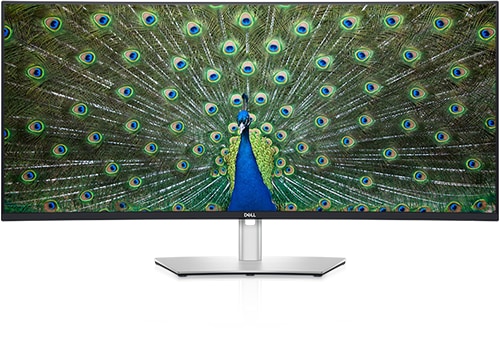
Dell U4021QW
I've discovered that if my U4021QW is tied to two sources, a USB-C laptop, and a DisplayPort with an XPS 8940, that the U4021QW power button is not behaving as expected. More of a problem is that the U4021QW will shut itself off unexpectedly. The shut off only occurs when the XPS 8940 is set and using the U4021QW; the U4021QW just shutdowns and I can't get it powered back up for 2-3 minutes.
When it comes back up, if I hit the U4021QW power button, it doesn't go off.
When I switch to the USB-C laptop and press the U4021QW power button, the U4021QW doesn't go off immediately, but the laptop (Windows 10) goes into a shutdown mode and turns itself off. Once the laptop is off, the U4021QW shuts itself off too.
With the laptop off, the only way I can turn the U4021QW on is to unplug the USB-C cable from the laptop and then I can turn on the U4021QW and switch to the desktop.
Why? I've reached out to support, and they are sending me a replacement U4021QW. But this seems like there is some setting in the U4021QW that would stop this from happening and disassociate power button of the U4021QW to the power button of the laptop.
Please advise, thanks.
I've looked at the U4021QW manual and except for setting the power button to always on, it never mentions a scenario where I am able to manipulate the power of a laptop tied via USB-C.
TalldaveUK
1 Rookie
•
49 Posts
1
October 13th, 2023 02:36
You're suffering from a feature called Dell Power Button Sync (DPBS) which renders this excellent monitor useless with two PCs when one of them is a Dell laptop that also supports DPBS.
The bad news is that you can't turn it off - until someone within Dell accepts that this is utterly stupid without a menu option to disable it.
For users with just a single laptop it's a great feature - you can hide the laptop anywhere on your desk and the feature kicks into action without any need for user intervention and lets you switch the laptop on and off with the monitor.
But add a second PC and it's a disaster. It doesn't have to be - the monitor could ignore DPBS from a laptop when a second input is active. But Dell haven't implemented that and just don't understand the problem. Search on here for past debates on DPBS.
I was lucky, I got my monitor early enough that I had pre-DPBS firmware I was able to revert to when the version with DPBS first appeared.
CheetahChrome
1 Rookie
•
22 Posts
0
October 13th, 2023 18:08
Ugg, in researching DPBS there is this forum's post where the answer is, "DPBS is Working as designed". Why support was willing to send me a new monitor, is unclear. Now I have to ship it back.
-Thx
U2722DE, disabling DPBS
(edited)