

3 Posts
0
858
May 28th, 2023 20:00
U4924DW, USB error in Device Manager
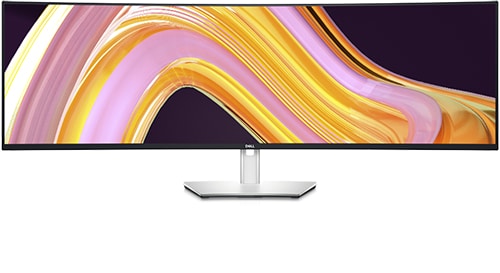
Dell U4924DW
I just noticed that there are 2 errors in device manager when USB-C is connected to the U4924DW.
The USB-C is connected from NVidia RTX 2080's USB-C port, and connected to USB-C1 (DP, 90W) on the monitor. The display signal is through DisplayPort, not USB-C (only use USB-C for USB devices, display is disabled).
I tried with USB-C2 on the monitor, still see these 2 errors, just with different tree structure (order).
My OS is Windows 10 22H2 (19045.2965). GeForce driver is also updated (532.03).
I tested all the USB ports on the monitor (front, back, USB-A/C), and they all work as expected. So the error message may be related to something not the USB ports (e.g., KVM, Ethernet?)
For the error message
USB Composite Device:
This device cannot start. (Code 10)

A device which does not exist was specified.
Hardware ID: USB\VID_0424&PID_7260&REV_0209
I could see 2 events:
Device configured (usb.inf)
Device USB\VID_0424&PID_7260\8&36a91657&0&6 was configured.

Driver Name: usb.inf
Class Guid: {36fc9e60-c465-11cf-8056-444553540000}
Driver Date: 06/21/2006
Driver Version: 10.0.19041.2546
Driver Provider: Microsoft
Driver Section: Composite.Dev.NT
Driver Rank: 0xFF2003
Matching Device Id: USB\COMPOSITE
Outranked Drivers:
Device Updated: false
Parent Device: USB\VID_0424&PID_4206\7&36c654a6&0&3
Device not started (usbccgp)
Device USB\VID_0424&PID_7260\8&36a91657&0&6 had a problem starting.

Driver Name: usb.inf
Class Guid: {36fc9e60-c465-11cf-8056-444553540000}
Service: usbccgp
Lower Filters:
Upper Filters:
Problem: 0xA
Problem Status: 0xC000000E
For WinUsb Device
This device cannot start. (Code 10)
A device which does not exist was specified.
Hardwire ID: USB\VID_0424&PID_7240&REV_0209
I could see 3 events:
Device not migrated
Device USB\VID_0424&PID_7240\7&36c654a6&0&5 was not migrated due to partial or ambiguous match.

Last Device Instance Id: USB\VID_1532&PID_9051\181932V01504597
Class Guid: {88bae032-5a81-49f0-bc3d-a4ff138216d6}
Location Path:
Migration Rank: 0xF000FFFFF000F130
Present: false
Status: 0xC0000719
Device configured (winusb.inf)
Device USB\VID_0424&PID_7240\7&36c654a6&0&5 was configured.

Driver Name: winusb.inf
Class Guid: {88bae032-5a81-49f0-bc3d-a4ff138216d6}
Driver Date: 06/21/2006
Driver Version: 10.0.19041.1
Driver Provider: Microsoft
Driver Section: WINUSB.NT
Driver Rank: 0xFF2000
Matching Device Id: USB\MS_COMP_WINUSB
Outranked Drivers:
Device Updated: false
Parent Device: USB\VID_0424&PID_4206\6&31ac9e55&0&6
Device not started (WINUSB)
Device USB\VID_0424&PID_7240\7&36c654a6&0&5 had a problem starting.

Driver Name: winusb.inf
Class Guid: {88bae032-5a81-49f0-bc3d-a4ff138216d6}
Service: WINUSB
Lower Filters:
Upper Filters:
Problem: 0xA
Problem Status: 0xC000000E
Any suggestion regarding these error messages? Anyone see similar issue, or if there's any drivers for them. Any information about what exactly are these devices?
DELL-Chris M
Community Manager
•
56.9K Posts
•
232.1K Points
0
July 7th, 2023 13:00
Your setup should be as follows =
RTX 2080 USB-C out port --> U4924DW 1m/3.2ft USB-C to USB-C cable --> U4924DW #6 USB-C upstream port (video and data)
-or-
RTX 2080 DP out port --> U4924DW 1.8m/5.9ft DP to DP cable --> U4924DW #5 DP in port
PC USB-A port --> U4924DW 1m/3.2ft USB-A to USB-C cable --> U4924DW #8 USB-C upstream port (data only)
DELL-Jesse L
Moderator
•
17.9K Posts
•
69K Points
0
June 5th, 2023 01:00
MullenLive,
To receive assistance from Dell support, they need to verify the warranty status and ownership. Click the "Get help now" icon on the right to start a live chat session. Provide to them the private Service Tag and all of your troubleshooting.
MullenLive
3 Posts
0
July 23rd, 2023 18:00
Sorry for late reply and thanks for the suggestion. I didn't think about to use provided cable since it's too short for my setup. However, I just tried your suggested setup and there's no issue. I further changed different factors. It's most likely something to do with my long USB-C to USB-C cable, and / or the USB-C ports on my PC (so far I added a USB-C to USB-A converter and connect the cable to a USB-A port, and found some ports work while some don't, so maybe it's the cable that can't hold the signal as well as some ports are not powerful enough).