

Unsolved
1 Rookie
•
7 Posts
0
924
December 19th, 2023 23:01
Attaching speakers
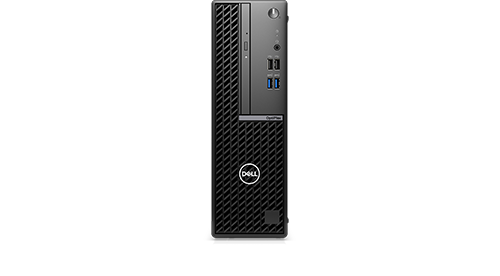
OptiPlex Small Form Factor 7010
I have a new OptiPlex Small Form Factor 7010 and am tryng to connect my existing speakers. The only socket which appears suitable is the headphone socket at the front. I have connected the speakers to various USB ports on the computer but they are not recognized, the only audio devices which appear in Devices Manager are Realtek headphones, which I don't have. Is there a step I should be taking so that the speakers (Burrows) will be recognized?
No Events found!
redxps630
11 Legend
•
16K Posts
•
82K Points
0
December 20th, 2023 03:10
This is the new 7010 small form factor audio spec
https://www.dell.com/support/manuals/en-us/optiplex-7010-small-ff/opti_7010_sff_om/audio?guid=guid-6878b68f-ccfb-4c6a-9f62-3ed941403f53&lang=en-us
when you plug in a usb2.0 pc speaker such as J. Burrows, does Windows prompt you a question what you plugged in?
redxps630
11 Legend
•
16K Posts
•
82K Points
0
December 20th, 2023 03:23
My older optiplex 7070 sff has a rear audio port (
in addition to front headset jack. When I plug in a usb 2.0 speaker (power connector in usb, audio jack in rear audio port), windows or rather maxx audio asked me what did I just plug in. The default was external speaker. And it works. Realtek is just the audio controller not the play back device. If I unplug the usb 2.0 speaker, pc uses its own internal teeny speaker. After I plug in speaker, it takes over.
Now I know the new 7010 small form factor does not have the rear audio port.
(edited)
redxps630
11 Legend
•
16K Posts
•
82K Points
0
December 20th, 2023 03:31
Now normally
means audio input, but surprisingly it works well for external speakers too. I got great sound play back.
I also tested plugging usb 2.0 speakers jack in the front headset jack it works too, but the sound is much softer than rear audio port. So it seems the front jack can only send small current out suitable for headphone but not real speaker. That is the design limitation. If you want big sound, you would need to add a low profile PCIe sound card.