

Unsolved
1 Message
0
300
January 20th, 2023 12:00
Audio Jack Issue on 5060
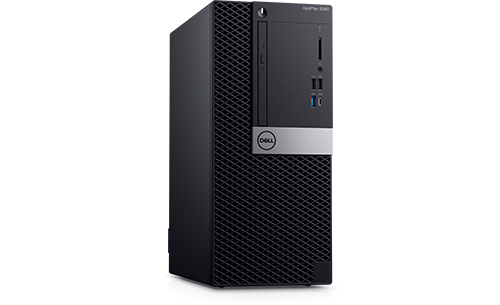
OptiPlex 5060
I've got an OptiPlex 5060 SFF with Windows 11 on it that I got in 2020. It originally had Windows 10 on it but was upgraded to 11 last year. The problem I'm having is with headphones in the front audio jack. They work if you start the computer with them already plugged in, but if you unplug them or try to plug them in while it is already on, they stop working and you only get audio out of the built in speaker until you reboot again. Because of the way the computer/desk is set up using the rear audio jack isn't an option. Nothing is plugged in there and I haven't tested it. I have tried the following solutions, which haven't worked:
Uninstall/Reinstall the Realtek Driver
Uninstall/Reinstall Waves MaxxAudio Pro
We've had this issue as long as we've had this PC, but reinstalling fixed it back when it was on Windows 10. Also, Waves MaxxAudio isn't working at all. When you start it it prompts you to update the driver, but the most recent Realtek driver is already installed. I also don't get the prompt to select the type of device you've plugged in when plugging devices into the jack.


0 events found
DELL-Jesse L
Moderator
•
17.9K Posts
•
69K Points
0
May 17th, 2023 03:00
bbow
To receive assistance from Dell support, they need to verify the warranty status and ownership. Click the "Get help now" icon on the right to start a live chat session. Provide to them the private Service Tag and all of your troubleshooting.