

1 Rookie
•
7 Posts
0
215
December 23rd, 2023 07:15
Connecting Speakers
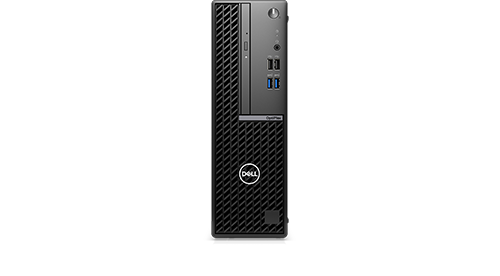
OptiPlex Small Form Factor 7010
My OptiPlex Small Form Factor 701 only has a headphone socket on the front of the box. I have plugged in my speakers to this socket and connected the speakers via a USB port, however the speakers are not recognized. The speakers are receiving power via the USB connection. Why are they not recognized?
No Events found!
redxps630
11 Legend
•
16.1K Posts
•
82.1K Points
0
December 23rd, 2023 23:23
If the maxx audio app downloaded from MS store runs without error on your pc, when you plug the USB speaker audio jack in the front headphone port, it would detect a new device is added and prompt you with a question: what did you plug in. You then pick the closest match or consent to the default device it thinks you have.
redxps630
11 Legend
•
16.1K Posts
•
82.1K Points
0
December 23rd, 2023 14:46
This is a double post. You can try install maxx audio to help recognize ur speakers
https://www.dell.com/support/home/en-us/drivers/driversdetails?driverid=mt77c
the above version was for Optiplex 7090. not sure if it will work for new small form factor 7010.
quote senior member fireberd
“Waves MaxxAudio (and MaxxAudio Pro) work in conjunction with the Dell model specific sound driver. MaxxAudio is used for sound jack device detection and some enhancements. You need the Dell specific model sound driver and MaxxAudio for sound and sound features to work (or work properly).”
(edited)
redxps630
11 Legend
•
16.1K Posts
•
82.1K Points
0
December 23rd, 2023 17:39
on my older optiplex 7070 the maxx audio pro is version 2.0.54.0
https://www.dell.com/support/home/en-us/drivers/driversdetails?driverid=m85ff
Kafka001
1 Rookie
•
7 Posts
0
December 23rd, 2023 21:27
I downloaded the software. Do I have to do anything to have my speakers recognized (I can't see an appropriate option)?
Kafka001
1 Rookie
•
7 Posts
0
December 24th, 2023 00:51
Thank you! It works.