


Unsolved
1 Rookie
•
4 Posts
1
339
December 8th, 2023 20:08
Dell OptiPlex 5000 SFF Spontaneous Boot Issue
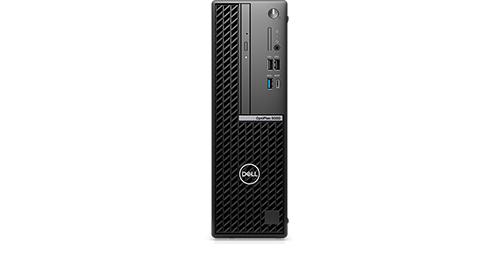
OptiPlex 5000 Small Form Factor
Symptom
The Dell OptiPlex SFF system is found beeping. Displaying a “No Hard Drive detected” message from Support Assist |On-board Diagnostics. It is unable to complete booting following some kind of incident overnight. See the video at <link showing service tag removed> for details of the issue and work-around recovery. This spontaneous overnight booting issue was first noticed 31Oct23 as an “HttpsBoot - Failed to find IP address.”
Work-Around
Performing a simple power OFF and power ON allows the system to boot successfully to the Windows 11 Professional v23H2 lock screen.
System Description Details
BIOS version 1.17.0, Version ED.3.3.3.
Ship Date: 09Jan23
In service date: 28Jan23
Hardware Upgrade/Change History
- Added external USB plug-in Logitech QuickCam Pro 9000 on 28Jan23
- Added external plug-in USB sound card added 27Feb23
- Added 4GB RAM on 28Jan23
- Removed 4GB RAM; added 16GB RAM later in 07Jul23; Current total RAM is 32GB
- Upgraded original NVMe SSD to 1TB Samsung 990 PRO on 13Jul23
Software Upgrade/Change History
- Added Servant Keeper 8 software 28Jan23 (tracks offerings and church membership data)
- Added Microsoft Office Professional 2021 software 28Jan23
- Updated OS to Windows 11 22H2 on 20May23
- Updated OS to Windows 11 23H2 on 08Nov23
Attempted Fixes to Date
- Unchecked the Boot Configuration boxes for UEFI HTTPs Boot, ONBOARD NIC (IPV4) and ONBOARD NIC (IPV6). Symptom persisted.
- Performed an EPSA Quick Test which showed no hardware errors. Moved the Samsung 990 PRO 1TB NVMe M.2 boot drive to the 1st position in the BIOS boot order. Symptom persisted.
- Contacted Dell Technical Support (1-800-289-3355). The Dell rep requested that I change the BIOS back to factory default settings, which I did. She also asked me to put the original SSD back into the machine but I told her 3x that the current Samsung 990 PRO SSD was OK because it booted fine following Power OFF/ON and the EPSA hardware test said that it was OK. So, the issue is maybe a software problem? She transferred me to Dell Software Support and Ranjana took over the computer remotely and uninstalled Dell SupportAssist OS Recovery Plugin for Dell Update. The install date of this software (18Oct23) roughly coincided with the start of the reboot issues. The symptom persisted.
- I paused all Windows 11 updates. The symptom persisted.
- I uninstalled all Dell software (Dell Command Update, Dell Core Services, Dell Digital Delivery Services, Dell Display Manager 2.1, Dell Optimizer Core, Dell Peripheral Manager, Dell Support Assist, Dell SupportAssist OS Recovery Plugin for dell Update, Dell SupportAssist Remediation and Dell Watchdog Timer). The symptom persisted.
- Adjusted the BIOS boot order to uncheck both onboard NIC boot options as well as the UEFI HTTPs Boot option. Moved the Samsung 990 PRO SSD to the top of the boot list. Symptom persisted.
- Adjusted the BIOS boot order to move the Windows Boot Managers (2 of them) to the top of the list again. Moved the Samsung 990 PRO SSD to the third on the boot list. The NIC and UEFI HTTPS Boot are still unchecked. Symptom persisted.
Chino de Oro
9 Legend
•
8.1K Posts
1
December 8th, 2023 21:00
The issue is with your upgraded to Samsung 1TB. The boot partition was not being detected properly and the system was defaulted to network boot options. Windows Boot Manager should be the first option.
How was the upgraded change being carried out? Did you perform a clean Windows installation on the Samsung or did you clone it from original drive? Did you remove the original drive from system?
Focus on repair your Samsung boot drive, not the physical drive but the operating system installation. That should resolve your issue.
CPFUMCTrustees
1 Rookie
•
4 Posts
0
December 9th, 2023 17:42
Chino- Thanks for the feedback and ideas. I really appreciate it!
The original install was a clone of the Samsung 990 PRO from the original boot disk (which is no longer around). I used the Samsung Data Migration tool as I have done many times before on numerous other machines.
The drive functioned fine from its installation in July until early October when I began observing this spontaneous boot behavior.
You are suggesting a complete wipe and reinstallation of the OS on the Samsung 990 PRO, right? I was hoping to avoid that, if possible, because it is pretty complex (2 accounts, MS Office 2021 Pro with Outlook and all its email .pst files, Servant Keeper church software and its license, etc.)
I have another OptiPlex 5000 at home with a cloned Samsung 980 PRO installed. It is having no issues for the better part of a year. I was considering cloning the 990 PRO to a new 980 PRO. That would avoid all of the rebuilding work and leave me with an "almost-as-fast" drive, assuming the clone worked!
CPFUMCTrustees
1 Rookie
•
4 Posts
0
December 9th, 2023 17:44
I have an almost identical "spontaneous overnight boot/lock" issue on another Dell 7000 SFF machine of the same vintage. It also has a Samsung 990 PRO cloned boot drive.
CPFUMCTrustees
1 Rookie
•
4 Posts
0
December 9th, 2023 17:47
I leave these systems powered on 24/7/365.
My question is: What is causing the spontaneous boot/lock in the first place? I have all OS and Dell updates paused or turned off, so why is the system trying to reboot in the first place?
I am thinking that some sort of firmware incompatibility has developed between the Samsung 990 PRO and the Dell BIOS/drivers.
(edited)
Chino de Oro
9 Legend
•
8.1K Posts
0
December 10th, 2023 00:04
If performing a clean Windows installation is not feasible option, cloning from a proper functioning system drive seems like a better option.
Many users are satisfied with their Samsung 990 Pro performance with Dell machines and there is no report of incompatibility so far.
nhowardtx1
1 Rookie
•
2 Posts
0
December 10th, 2023 22:38
OK Chino - Thanks for the comments. Looks like I may be faced with a complete rebuild on two systems.
kateanne1
1 Rookie
•
3 Posts
0
December 11th, 2023 05:41
The Dell OptiPlex 5000 SFF spontaneous boot issue could be due to several factors, like BIOS settings, power supply inconsistencies, or hardware malfunctions. It's advisable to check the power settings in the BIOS, ensure the power supply is stable, and inspect hardware components like RAM and motherboard for any issues. Regular firmware updates and system diagnostics can also help identify and resolve the problem.
I also face the same problem on my desktop when I open my website names cluster on it.
(edited)
CPFUMCTrustee
1 Rookie
•
13 Posts
0
December 11th, 2023 22:28
Thanks for the info and ideas, kateanne1!
The BIOS power settings I have set tell the machine to boot up after restoration of AC power following a power outage. All other BIOS power settings are the Dell defaults. The machine is plugged in to a working and charged UPS. All of the system hardware components pass Dell's "Thorough" EPSA hardware tests. The BIOS is up-to-date at v1.17.0. The Samsung 990 PRO boot disk firmware is up-to-date at version 3B2QJXD7 and it is running Samsung Magician v8.0.0, which I believe is their latest version.
Have you found a way to resolve the same problem on your desktop?
I am currently pondering re-cloning the drive to a different make/model like the Crucial T500. The only other option I currently see is a complete wipe & re-install on the boot drive. I have been trying to avoid this because it is somewhat complex, but that is the last resort currently.
I have a ticket into Samsung, but they want an amazing amount of information (photos, proof of purchase, etc., etc.) before they will respond. Fortunately I have all the info they want, so I will continue to pursue a response from Samsung as well.
(edited)
bradthetechnut
7 Technologist
•
9.2K Posts
0
December 12th, 2023 01:15
Just a couple of tips: Windows updates will cause rebooting, but shouldn't cause "No boot device found."
As long as the PC's are not booting from a network, NIC PV4 and PV6, or something very similar to it, should be unchecked in BIOS.
(edited)
CPFUMCTrustee
1 Rookie
•
13 Posts
0
December 12th, 2023 02:11
@bradthetechnut Agreed and thanks for the comments. I have tried eliminating (unchecking) the network boot devices (because I do not have them). This made no change in the spontaneous overnight booting. It still continues.
I was trying to eliminate all controllable sources of rebooting (OS updates and Dell software), but something is still causing the reboots to happen and I can't figure out what it is.
The other issue is why it still can't boot cleanly anyway since the Windows Boot Manager (twice) and The Samsung drive are both active in the Boot device list. Maybe it is getting confused by having TWO Windows Boot Managers listed? I haven't tried unchecking one or the other of the Windows Boot Managers listed. Maybe that is something to try. Why are there TWO of them anyway?
The oddest part (and most fortunate for continued operation) is that a simple Power OFF/ON (cold boot) from the failed boot state ends up booting successfully every time!
bradthetechnut
7 Technologist
•
9.2K Posts
0
December 12th, 2023 02:22
I haven't heard of 2 Windows Boot Managers being in BIOS before. Having only 1 checked could be a try.
Chino de Oro
9 Legend
•
8.1K Posts
0
December 12th, 2023 04:29
Besides the plan for cloning/reinstallation of the boot drive, there are couple things you can try.
*Reset the power settings in BIOS, allow the machine to stay OFF after a power restoration.
*Temporarily connecting the power directly to wall outlet, bypass the UPS.
Perform each test separately so that you can identify the root cause if the issue gotten resolved.
kateanne1
1 Rookie
•
3 Posts
0
December 12th, 2023 06:15
Hi, @CPFUMCTrustee
Thanks for sharing idea with us
CPFUMCTrustee
1 Rookie
•
13 Posts
0
December 12th, 2023 19:19
@bradthetechnut I'm trying that (unchecking one of the two Windows Boot Managers in BIOS) today; will let you know if it has any effect one way or the other.
It didn't work. Later today, within 12 hours from the BIOS boot order revision, the machine has spontaneously rebooted again into a faulted state.
I will try the BIOS power update and direct wall outlet change suggested by Chino de Oro.
(edited)
CPFUMCTrustee
1 Rookie
•
13 Posts
0
December 14th, 2023 02:40
A new version of the Samsung 990 PRO firmware just became available tonight. I was able to successfully install it remotely. Since the machine is shut down following FW installation, I will not be able to check it out further until tomorrow morning when I get onsite again.