

1 Rookie
•
14 Posts
0
13803
December 10th, 2023 06:21
Opitplex 7060 micro blinking amber light 2+1
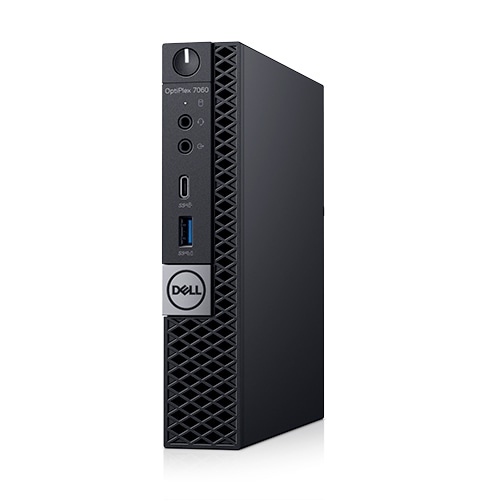
OptiPlex 7060 Micro
Having an intermittent problem with a 7060 micro PC that does not boot sometimes.
The power button flashes 2+1 amber and it does not do anything.
If you turn the power off at the wall and then back on again it seems to fix the problem until it randomly does it again.
Have no problem turning it off and on again at the wall now and then but was wondering if it was something I should be concerned about.
No Events found!
redxps630
11 Legend
•
16.2K Posts
•
82.6K Points
2
December 10th, 2023 18:03
try replace cmos battery and then clear cmos settings on motherboard jumper
bradthetechnut
9 Technologist
•
9.6K Posts
•
40.6K Points
1
December 11th, 2023 03:53
A reference guide to the Dell OptiPlex Diagnostic Indicators
I had a somewhat vague time researching the issue. In the above link, diagnostics go by model years. For 2012-2020, it shows an image of models introduced in 2012 and likely not made past 2016. Then the next step up is 2020-present. Your model was introduced around 2018-19, as far as I can tell. Mfr. year may be stamped on the inside of the lid and/or chassis.
As for the error code, 2020-present = CPU failure.
2012-2020 = bad MB.
Then there's the Optiplex 7060 Micro Service Manual.PDF. It doesn't show a 2,1 amber error code. It shows 2 amber, 1 white.
In conclusion, I'd try redxps' suggestion first. New size 2032 battery and How to Perform a BIOS or CMOS Reset and Clear the NVRAM on Dell Computers.
Bad batteries have thrown faulty error codes before.
Before deciding it's a bad MB, it's wise to try each RAM stick one at a time and make sure that's not it.
And lastly, try reseating the CPU.
(edited)
Rick0167
1 Rookie
•
14 Posts
0
December 12th, 2023 11:11
Thanks for the help and replies
Found the date/year (Oct 2018) stamped into the chassis.
Will pick up a battery in the next day or two and try resetting the CMOS, hopefully its not the motherboard.
The only other things I can think of is I did have some problems with this PC when trying to install a M.2 SSD.
See https://www.dell.com/community/en/conversations/optiplex-desktops/help-think-i-broke-my-computer/647fa20ef4ccf8a8de7716f8
If memory serves me right there was a little spacer that goes between the M.2 SSD and the motherboard that was missing so I used a small brass nut of the same size to act as a spacer before fastening the SSD to the motherboard.
Maybe this could be causing the error code?
Rick0167
1 Rookie
•
14 Posts
0
May 6th, 2024 09:42
Its been a few months and thought I would provide an update.
I am pleased to report that replacing the battery and resetting the CMOS fixed the problem.
Thanks to everyone for all your help.
(edited)
bradthetechnut
9 Technologist
•
9.6K Posts
•
40.6K Points
1
May 8th, 2024 00:44
@Rick0167
I'm glad you got it working. Bad batteries have thrown error codes before that are either off-track or erroneous and have nothing to do with anything.
Nathan9112
1 Rookie
•
1 Message
•
5 Points
0
August 6th, 2026 10:54
@redxps630 Thank you so much! This worked like a charm and solved my problem