


1 Rookie
•
12 Posts
0
393
October 17th, 2023 04:06
Optiplex 380 Minitower BIOS upgrades without Windows OS
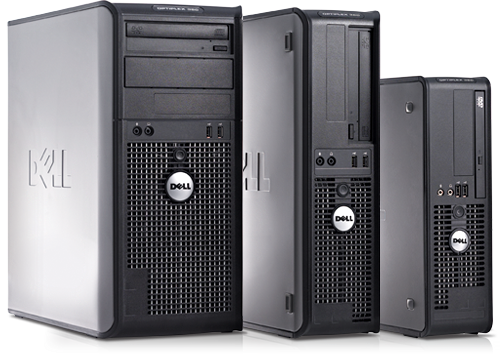
OptiPlex 380
Recently an Optiplex 380 desktop machine came into my possession. It's a very old system, but works just fine for my purposes (as a fileserver running Fedora Linux). I did notice, however, that it's running an out-of-date BIOS revision. (A03, where both A04 and A07 are available on the Dell support site.) So I wanted to try and upgrade it. So far, the thing has proved unexpectedly resistant to my not-inconsiderable PC maintenance skills.
BIOS updates for those models are distributed ONLY as .EXE files, purported to work from either Windows or DOS. Since there's no Windows install on the machine, I've been attempting update it via bootable USB thumb drive.
My first attempt was with a bootable FreeDOS image, downloaded and written to the USB drive using Rufus. After creating the filesystem, I copied in the BIOS updater (all of 1.1MB in size) and moved the drive to the 380's front USB port. It booted fine, but when I attempted to execute the O380-A07.exe file, nothing happened. (Literally nothing. The DOS prompt just immediately returned with no output from the executable whatsoever. No progress, no delay, no error message... nothing.)
Thinking that the FreeDOS environment might not be sufficiently "clean" for the tool to verify that it's running on a compatible Optiplex 380 system, I tracked down a copy of Actual, Official MS-DOS 6.22, and installed THAT onto the same USB drive (overwriting the FreeDOS install), again using Rufus. Rufus reports, after imaging, that the drive contains a bootable FAT partition starting at sector 63, as it should.
I even tried it first in my ca. 2013 Dell Inspiron 3521 laptop, and as long as the legacy BIOS option is enabled in its UEFI boot loader, the stick boots up FINE on that system. The MS-DOS install loads some drivers before delivering me to a standard COMMAND.COM prompt.
So I transferred the stick in the 380, which is a contemporary system to the Inspiron. (Though, being a pre-2015 desktop, its firmware lacks any UEFI support.) However, when attempting to boot the 380 from it, the same drive that boots successfully on the Inspiron instead results in the BIOS reporting "Missing operating system" and halting the boot process.
I'm kind of at a loss for how to successfully get this thing updated, short of actually installing Windows just to be able to run the stupid BIOS updater tool. (Which would also involve a bunch of drive-swapping, since currently all three of the motherboard's SATA ports are occupied with drives containing Linux filesystems. I don't even have the optical drive connected, as I didn't expect I'd need it for anything.)
Chino de Oro
9 Legend
•
8.2K Posts
1
October 17th, 2023 06:07
I wouldn't worry too much about those over a decade old BIOS firmware. Probably gaining nothing from the update.
FeRDNYC
1 Rookie
•
12 Posts
0
October 17th, 2023 07:37
@Chino de Oro My gut tells me you're probably right. Examining the updates, A04 seems like a nothingburger. And even though A07 is presented as Recommended, because:
...looking into it more closely reveals that it only actually makes one Enhancement: "Added windows signing support." Which of course affects me least of all.
I think at some point it became more about the challenge of getting the damn thing to boot from USB than actually getting the update installed, which doesn't make any sense.
FeRDNYC
1 Rookie
•
12 Posts
0
October 17th, 2023 09:06
I'm guessing my reply agreeing with you, @Chino de Oro, got eaten by the post nanny because I said a naughty word.