


Unsolved
67 Posts
0
1449
July 7th, 2023 04:00
OptiPlex GX620, what OS would would run on this?
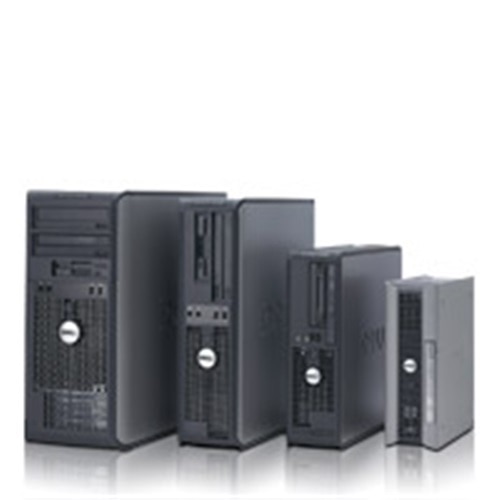
OptiPlex GX620
What os would work perfect that isn't Linux on a Dell optiplex gx620 with 3gb of ram and a pentium 4? No Linux distros.
No Events found!
Unsolved
67 Posts
0
1449
July 7th, 2023 04:00
OptiPlex GX620
What os would work perfect that isn't Linux on a Dell optiplex gx620 with 3gb of ram and a pentium 4? No Linux distros.
Top
JOcean
9 Legend
•
12.6K Posts
0
July 7th, 2023 06:00
On a very old, almost 17 years old, system I was curious to search the Internet for answers. Surprisingly Newegg has this exact system for sale running Windows 10 with similar specs as your system. Don't expect decent performance as this is really pushing the system hardware.
Alternatively Windows XP was the original XP on this system and possibly Windows 7. But above XP the OS might be a bit of an adventure.
bradthetechnut
7 Technologist
•
9.2K Posts
0
July 7th, 2023 16:00
In agreement with JOcean. Community member Speedstep regularly mentioned running Win10 on his GX620. I've seen it run on a 380, but very herky-jerky just for the internet.
I take it you really want to keep the 620 going. I suggest 4GB RAM (max per spec.). Win10 won't run the fastest on 4GB like it does on 8GB, but hopefully isn't choppy with 4GB RAM.
I certainly don't recommend Win7. Not just because it's EOL, but because Win7 DVD's have the initial version which was too raw to do much of anything with and it lacked functionality. And of course, no more updates (new or old) from Microsoft. If you did have working Win7, you'd need to use your own security software.
WinXP ran good right out of the box. Not in use, but I still have the CD and Service Packs 2 & 3 on CD. You'd need your own security software if going online with it. Either way, one should never be without security software. Too easy to sneak malware with a photo of a family member, which happened to me in 2013.
bradthetechnut
7 Technologist
•
9.2K Posts
0
July 7th, 2023 17:00
Also keep in mind Google support for Chrome on Win7 ended on Jan. 15, 2023.
Brazzarazza
67 Posts
0
July 7th, 2023 21:00
I tried to bring it up to 4gb and it just wouldn't post
Brazzarazza
67 Posts
0
July 7th, 2023 21:00
I give up I can live with Linux and abit of lag
bradthetechnut
7 Technologist
•
9.2K Posts
0
July 7th, 2023 21:00
Sorry to see it didn't work.
Did the 4th stick of RAM match the first 3 in speed (Mhz) and volts? We already know the size is the same. Some Dell's and other PC's are picky even if brands are mixed.
Brazzarazza
67 Posts
0
July 7th, 2023 23:00
It means I can't read a all text not messages and other things
Brazzarazza
67 Posts
0
July 7th, 2023 23:00
I can't read so voltage I'm not gonna be able to find this I was mixing Samsung 533mhz sticks with Acer ones it didn't beep at me but the bios freaked out and tne screen had abunch of garbage on it
Brazzarazza
67 Posts
0
July 7th, 2023 23:00
Uhh kubuntu came on this and kubuntu on 3gb of ram is asking for trouble
Brazzarazza
67 Posts
0
July 7th, 2023 23:00
I'm lucky it turns on at all
Brazzarazza
67 Posts
0
July 7th, 2023 23:00
All my sticks are 533mhz
Brazzarazza
67 Posts
0
July 7th, 2023 23:00
bradthetechnut
7 Technologist
•
9.2K Posts
0
July 8th, 2023 10:00
On a working PC, you will be downloading Win10 to an 8GB or bigger blank flash drive formatted to FAT32. They often come formatted that way anyway. Download Windows 10 Disc Image (ISO File) Microsoft site Download the ISO. It will be in your Downloads folder. With flash drive inserted, click on the ISO and follow onscreen instructions Win10 will then be loaded on the flash drive. Takes a little while. When ready to load Win10 from flash drive, boot from from flash drive on your PC to load Win10.
When a window pops up asking what partition to load Win10 on, delete all previous partition if reusing a boot drive. Then click on Next or Install. Win10 will then automatically create the appropriate partitions and load. When a window pops up asking for product key, click on link that says "I do not have a product key." Win10 will then continue to install using the product key that's imbedded in BIOS. You'll still need to activate it online.
Edit: The above is copy and pasted. With a GX620 and Legacy BIOS, I can't guarantee you won't need a product key, but you can try it.
If you don't have a working PC to download Win10 on, you'll have to buy a Win10 DVD. I'd link the one Newegg had for $14.99, but now they don't have it. But here's one example on eBay: Microsoft Genuine Authentic Windows 10 PRO + License DVD
Win10's minimum requirement is 2GB RAM. It'll still run on your GX620. Below is a screengrab of the system requirements:
Tap or click on image and it'll show clearer.
Brazzarazza
67 Posts
0
July 8th, 2023 23:00
I have a Windows 7 laptop and the drive is from a laptop
bradthetechnut
7 Technologist
•
9.2K Posts
0
July 9th, 2023 08:00
Now that I finally got to load Win10 from a flash drive for somebody else, I made a revision to the 1st paragraph in my post above.
As for your post above, not sure if you still had a question?