

Unsolved
1 Rookie
•
8 Posts
0
257
September 3rd, 2023 10:21
OptiPlex Plus 7010 SFF Power Button
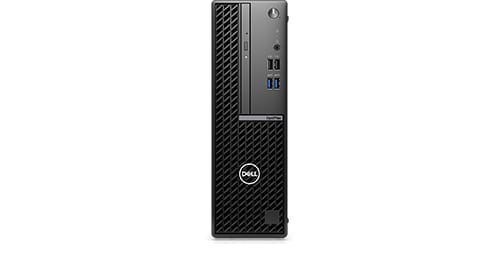
OptiPlex Small Form Factor 7010
I've just purchased an OptiPlex 7010 SFF desktop and am concerned there might be a problem with the power button.
Out of the box, on first glance the button is flush with the front cover but the white strip on the button which lights up is not properly aligned with the case. But more importantly, to power on the system I have to press the power button about 1/4-inch into the case before the power comes on. This is difficult as my fingers are barely small enough to fit into the hole and the press the button in this far. This can't be right surely.
My suspicion is that the power button is 'disconnected' from the internal switch and that the operation will become worse over coming weeks and eventually fail.
Can anyone with a current (2023) OptiPlex 7010 Small Form Factor (or Small Form Factor Plus) confirm if my experience is normal. Should the power button just be a gentle touch operation or does it have to be pressed in as I've described above and by how far ?
0 events found
Chino de Oro
9 Legend
•
8.3K Posts
0
September 3rd, 2023 16:03
As a brand new, out of the box unit, you may want to take advantage of warranty support. Click on Get Help Now to open case for Support.
A quarter inch play is not a normal travel distant for the power switch. Incorrect installation or defective switch, whichever the case, is not a normal functioning. Should have it repaired, replaced.
UncleAlbert
1 Rookie
•
8 Posts
0
September 3rd, 2023 16:15
@Chino de Oro - thanks for your reply. Do you know from personal experience what diastance would be normal for this switch.
Chino de Oro
9 Legend
•
8.3K Posts
0
September 3rd, 2023 17:12
@UncleAlbert , I'd say about 1/25 of an inch or 1 mm. Looking at the power button well space, it moves at a distant of a fingernail thickness.
Your estimation of a quarter inch may had been wrong but the difficulty of pressing the power button must had occurred and be bad enough for you to create this post, seeking for comments.
As indicated in my suggestion, Get Help Now would open a case for Dell to assist you. If something was broken, a replacement of power button or the front panel is required.
redxps630
9 Legend
•
15.5K Posts
0
September 4th, 2023 04:34
I have 9020 sff which has same chassis front bezel design as 7010. the power button only needs a gentle press. I have big finger which has no issue. upload a pic of yours or compare yours with online photo of sff.