

Unsolved
6 Posts
0
1219
November 19th, 2022 08:00
7920 tower BIOS update taking long time
Trying to update the BIOS on my 7920 tower to 2.26.1. I did the install from support.dell.com. it downloaded and installed with now issues. Stated I had to reboot, which I did. As I type this it has been an hour and my computer has not rebooted. Power light is on, LED under blinks from time to time, keyboard number lock LED goes off and on, monitor screens are black.
It said 5 minutes but it is over an hour now.
Thoughts or suggestions?
No Events found!
c_mannphoto
6 Posts
0
November 19th, 2022 12:00
While waiting for a reply I read and watched a lot about updating the BIOS.
My current version is 2.16.1 on a Win 10 Pro build 19044.2251.
After 2 hours of a black screen, I crossed my fingers and powered down. Rebooted.
I pulled everything off, anything connected to the computer, pulled drives, trying to get to a bare bones system. Double check that I did not have BitLocker on, no passwords in BIOS.
I tried again with 2.17.1, same thing. Tried with booting to USB, same thing.
Did a bunch of other updates, no problem.
Tried 2.18.1, same problem.
The only thing I have not tried is going backwards with the BIOS.
At this point I put everything back together because I have to work on some images.
But I would like to be able to update the BIOS.
So still looking for suggestions.
Tesla1856
10 Wizard
•
17.9K Posts
•
71.1K Points
0
November 19th, 2022 12:00
I hope you had a good reason to try to update your BIOS and that you didn't just brick-it/kill-it.
If v2.26.1 was significantly newer than your existing version, it might have been better to do all or most of the others incrementally first.
Tesla1856
10 Wizard
•
17.9K Posts
•
71.1K Points
0
November 19th, 2022 19:00
So, you are here:
https://www.dell.com/support/home/en-us/drivers/driversdetails?driverid=d97gn&oscode=wt64a&productcode=precision-7920-workstation
And click "Other Available Versions".
1. Sounds fine to me for Windows-10 Pro 64bit.
2. If it must be updated, yes ... that is the one I would try first.
3. No, please don't do that or try that.
4. Why? v2.16.119 was released Nov 2021. That is fairly new and appears to be working fine.
mazzinia_
6 Operator
•
1.5K Posts
•
6.2K Points
0
November 20th, 2022 01:00
What is the resolution of the Monitor you are using ? Bios updating can go weird with a 4k connected.
This said, as Tesla pointed out, why do you want to upgrade the bios ? Unless there's a real necessity, it's better not doing it
c_mannphoto
6 Posts
0
November 20th, 2022 06:00
The main monitor is a 4k BenQ.
So maybe if I take that off, the update might work?
As far as updating Dell shows it as "Critical" so I just assumed it was important to do since mine was that old.
Yes the system is working correctly, Could it work better with the update?
mazzinia_
6 Operator
•
1.5K Posts
•
6.2K Points
1
November 20th, 2022 07:00
Yes, using a normal monitor "may" fix this issue you are experiencing.
Well, the updates for the bios are usually marked critical ( not always anyway ), but mainly because they could be fixing some security issue with the intel cpu.
Thing is, as far as I know there are no real exploits in the wild + there's the antivirus and the fixes added to windows... so all these bios fixes effectively slow down the cpu only, from my personal point of view.
Unless one of the newer bioses adds support to a quicker ram ( example ) or adds support for an USB-C port of a graphics card you ARE using or planning to buy ( it's a real case scenario )... or fixes a bug you ar experiencing ( you are not , by your own admission, having issues up to now )... just avoid .
Personal opinion, anyway.
Tesla1856
10 Wizard
•
17.9K Posts
•
71.1K Points
0
November 20th, 2022 12:00
1. If the monitor is working in the BIOS and in Windows ... I can't see it making a difference. I've never seen a "working" monitor prevent a BIOS/Firmware update from flashing a motherboard properly.
2. To Dell, they are pretty-much all "Critical".
3. You can't really get it working any better than "100% working". However, you can kill-it or brick your motherboard with a failed firmware update.
mazzinia_
6 Operator
•
1.5K Posts
•
6.2K Points
1
November 20th, 2022 13:00
@Tesla1856 , point 1) it's a known issue with the bios update on a few models. You will find threads here where the problem was pinpointed to the monitor native 4k resolution, and the solution was simply to use a fhd
c_mannphoto
6 Posts
0
November 20th, 2022 15:00
I hope to have time later this week to try again, with the BenQ attached.
@Tesla1856, as I mentioned earlier, all my attempts to update the BIOS, I had a black screen with nothing on it.
All the other updates both Dell and Windows I had no issues and the monitor did not seem to be a problem.
I will update this thread when I try again.
Thanks everyone for your help.
darkog
2 Intern
•
56 Posts
0
December 5th, 2022 13:00
Hello. we are dealing with a similar issue i think. The system has a dual monitor setup and seems to be randomly crashing. any update on this?
ZJustinZ
1 Rookie
•
3 Posts
0
June 28th, 2024 01:08
After trying everything I could imagine. Settings in BIOS Trusted Execution and the LIKE,
I set allow to load previous versions of BIOS in the 7920 2.12 settings.
Then I simply reloaded the TX20T_2.12.0 (current BIOS VER) and it loaded!! Still at 2.12 VER I went to TX20T_2.13.1.
It worked!!
So I made the leap all the way to TX2T_2.40.exe and it stuck.
By the way I have 4 each 4K monitors! They made no difference.
Probably over the years the EFI partition on my BOOT Drive disk 2 Part 1 became “CHANGED”. I have done so much with this machine over the years.
So if ever you get one that does not respond to BIOS UPGRADES lots of blogs out there,, try installing the current BIOS and then upgrading.
So I am GOOD now and thanks. All up to date!
The reason I had so much time to play with this puzzle was that I fell of a latter on my BUTT! Brain damage?
So for the few days sitting on snow packs I decided to adventure into the BIOS that would never upgrade.
Processor Intel(R) Xeon(R) Gold 6230R CPU @ 2.10GHz 2.10 GHz
Installed RAM 256 GB (254 GB usable)
Device ID 0486D810-BA2D-4809-878E-23626C505B27
Product ID 00391-50000-00000-AAOEM
System type 64-bit operating system, x64-based processor
Pen and touch No pen or touch input is available for this display
Edition Windows 11 Pro for Workstations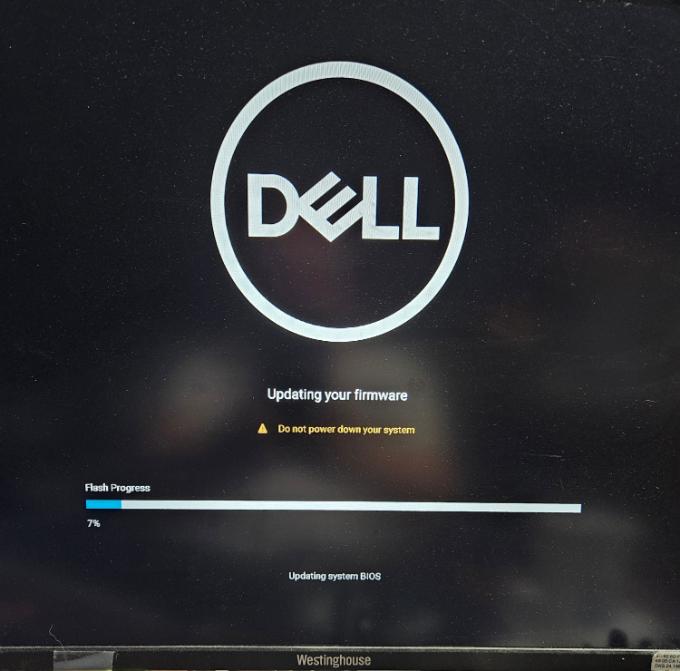
Version 23H2
Installed on 10/05/2022
OS build 22631.3737
Experience Windows Feature Experience Pack 1000.22700.1009.0
(edited)