

This post is more than 5 years old
4 Posts
0
18370
September 5th, 2009 14:00
Dell 3100cn Print Quality After Drum Replacement
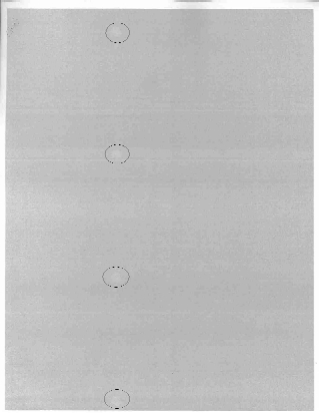
I installed a brand new drum in my printer and now I am getting circle like shapes on the left of the page and on that same line it seems to drag the toner and distort the image. I have attached the black 20% density test, but the issue shows on every density test. I circled the circles so you can see where the problem is. A full color print unusable with this issue. Any advice?


0 events found
No Events found!
llynster
2 Intern
•
1.7K Posts
1
September 8th, 2009 20:00
The clues you've provided indicate you have a defective fuser. The distance between the defects is the circumference of one of the fuser rollers. Also, you say that you can rub off the toner within the blemish further confirms that the fuser is defective. If you remove the fuser and carefully examine the rollers as you rotate them, you'll probably see the defect.
llynster
2 Intern
•
1.7K Posts
0
September 8th, 2009 13:00
Please measure the exact distance between each blemish, starting at the same point on each. In other words, if each blemish were a perfect circle, measure from the top of the first circle to the top of the next circle, etc. Please measure in Millimeters if you can.
haukoos
4 Posts
0
September 8th, 2009 17:00
The spot occurs every 80 mm (4 per page). If you rub the marks with your finger, the toner rubs off. In between each mark something seems to drag the toner, as well, causing a distortion.
haukoos
4 Posts
0
September 9th, 2009 08:00
Wouldn't the problem exist with the other drum, as well? The other drum has the streak issue, but does not create those circles. This printer has about 5,000 total pages printed on it. If it is the fuser, is it repairable or does a new one have to purchased?
Thanks for all of your help!
llynster
2 Intern
•
1.7K Posts
0
September 9th, 2009 09:00
Yes, I would agree, this problem "should" be seen on the other drum unit as well. However, there are no roller measurements within the drum unit that would cause this particular defect separation.
You may want to put that drum back in the unit and in the same approximate positions on the page.... try the "rub" test.
The fuser is not repairable, sorry. But you should definitely be able to see any defects on the roller surfaces if you remove the fuser and rotate the gears while examining the surfaces of the fuser rollers.
haukoos
4 Posts
0
September 9th, 2009 12:00
I put in the old drum and printed a full color page. There were streaks galore and sure enough, I rubbed those areas and the toner came off. I removed the fuser and could plainly see the defect on the fuser roller. It appears that it has probably always been there, but I never noticed or took the time to notice since I never printed full page images on that printer due to the streaking issue from the drum. Lesson learned. I should have definately taken the time to look into that issue while I was still under warranty.
Thank you for your support and solving my issue.