


Unsolved
1 Message
0
725
April 25th, 2023 09:00
Vostro 3510 HDMI capped at 1080p
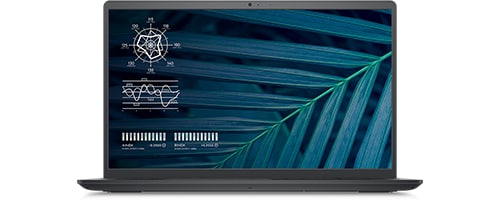
Vostro 15 3510
Hello Dell Community,
I have a question about the Dell Vostro 3510. The configuration we chose has an Intel i5-1135G7 (with Intel® Iris® Xᵉ Graphics).
Somehow, in the specs sheets, it mentions the model is limited to 1080p on HDMI, although the HDMI version and chipset should support a much higher output.
Does any of you have a technical answer as to what caps the output resolution? Would that be the BIOS?
Link to the specs sheet: Vostro 3510 3515 Spec Sheets (delltechnologies.com)
I find it a bit confusing that in the specs sheet it seems to say that both an Intel Celeron and a i7 with discrete graphics wouldn't output more than 1080p on HDMI.
Thank you for your assistance on this.
No Events found!
ejn63
10 Elder
•
30.3K Posts
0
April 25th, 2023 13:00
Most likely: the mainboard was designed to meet the price point of the system, so the onboard components were selected to keep the price of the system at a level buyers would accept.
user_9b7b03
1 Rookie
•
3 Posts
0
August 21st, 2023 09:46
The issue here is that this stopped working... I also have the Dell Vostro 15 3510 laptop and I have an ultra wide external monitor that needs a resolution of 2560×1080.
This worked up until the last updates.
I did update the Bios and drivers using the Dell Update tool and updated all the windows drivers and now it is not working anymore. The system is now capped at 1920x1080 and will not give me the option to set the needed resolution noted above.
Tatolino
6 Professor
•
2.8K Posts
0
September 20th, 2023 09:35
@user_9b7b03
Hi,
There was recently a user with your same issue: Vostro 3510 paired with a 3440x1440 monitor. They said it had been working perfectly for almost a year until a couple of days ago WU installed a new driver.
I didn't know what to think at first, hard to believe when the specs clearly say that the HDMI output is capped at 1080p. But I humoured it anyway, ran some troubleshooting, and found out that on the Intel 30.0.101.1338 driver release the HDMI output is uncapped!
So, apparently, this is not a hardware limitation, or a BIOS lock... This would suggest it is probably just software/driver locked.
What you should do is: uninstall the new driver using DDU, and then reinstall the driver I linked above.
If you care to read the original post here is the link, it's in a different language but you can google/bing translate it.
Hope it helps!