

Unsolved
1 Rookie
•
13 Posts
0
2707
November 2nd, 2022 11:00
System Firmware in Device Manager shows wrong version, error 10.
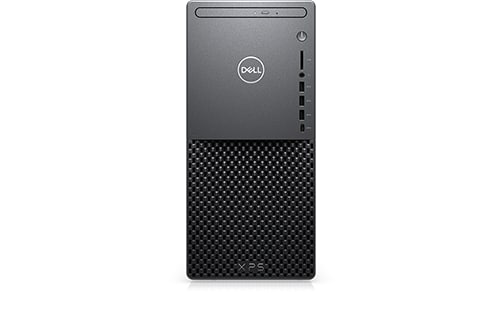
XPS 8940
"System Firmware" in Device Manager shows wrong version, error 10. The firmware is up to date (v2.10), but Device Manager shows v2.8 along with the yellow alert triangle and a "This device cannot start. (Code 10)" error in the Device status.
There's a KB article:
https://www.dell.com/support/kbdoc/en-us/000189015/system-firmware-displays-code-10-error-in-device-manager-on-the-xps-8940-desktop
which seems relevant, but since my firmware is updated (and a newer version) it really isn't.
How do I resolve this?
No Events found!
Tesla1856
10 Wizard
•
17.8K Posts
•
70.8K Points
0
November 2nd, 2022 12:00
You can get your true BIOS/Firmware version by:
- Running msinfo32
- Visiting the BIOS itself
I think what you see there are unapplied firmware entries from letting Windows-Update and/or Dell Support-Assist to try to update your BIOS for you.
ispalten
7 Practitioner
•
2.6K Posts
•
9.5K Points
0
November 2nd, 2022 14:00
If MS via Windows Update INSTALLED a BIOS for you, and I suspect even tried to (that is it downloaded the file to the DriverStore and could not install it) it shows up as Device Manager can read the Driver Store.
Suspect you also have Windows Pro? The Device Manager has different options set on Home vs. Pro. Pro will show you the Hidden Device, for Home, you have to select it.
The reason that file is there is in case you want to revert to the prior driver, it knows where it is.
There is a program, Driver Store (https://github.com/lostindark/DriverStoreExplorer/releases ) and it shows me that V2.8.0 was installed on my XPS on June 6th, but it was never done as I had Capsule Install disabled.
You'd be surprised what drivers and versions are on your PC.
RoHe
12 Elder
•
45.2K Posts
•
172.6K Points
0
November 2nd, 2022 16:00
Try disabling that old BIOS entry in Device Manager...
RoHe
12 Elder
•
45.2K Posts
•
172.6K Points
0
November 2nd, 2022 16:00
Just run Microsoft's built-in msinfo32.exe from Start>Run in Windows. When it opens, click System Summary at top left and look in right pane for the Version/Date of BIOS that's installed and running
Chino de Oro
11 Legend
•
8.4K Posts
•
46.2K Points
0
November 2nd, 2022 16:00
If you have not already, try Speccy. It may not be perfect for everyone usages but it's a free app without ads and does reporting your system (BIOS) information all in one place.