


Unsolved
2 Posts
0
479
June 20th, 2023 13:00
XPS 8930, EVGA RTX 3090 upgrade?
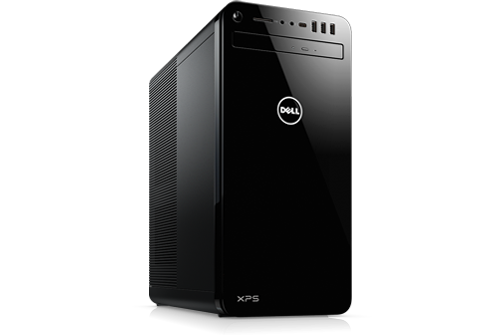
XPS 8930
Can the XPS 8930 be upgraded to run an RTX 3090? The answer is yes. I did it, but you will NOT be able to close the chassis. Here are the dimensions of the card:
- Height: 5.38 in - 136.75mm (this is the distance from the motherboard to you)
- Length: 11.81 in - 300mm (this is the longest side)
- Width: 2.75 Slots (this is obvious)
First: You will need to either cut or bend a lip inward, on the front part of the chassis to get the card to fit while installing it. See the picture below to see the lip I'm talking about:
It's very obvious what I'm talking about. You'll clearly see it's like a half inch lip that extends away from the front of the computer into the computer which blocks the card from being inserted.
Second: You will not be able to close the chassis because the card extends out away from the motherboard. The part that is keeping the chassis from closing isn't the card, but the the power supply bay door that you can open by unlocking the rear side locks. This is what allows you access to the CPU if you don't understand what I mean. See below:
See the triangular support on the left. That hits the card when you try to close the case. This discrepancy also also affects the ability to secure the card in place at the rear slot. You can't. BUT...do not despair. There is a solution. See below: I
Third: I'm going to get so ridiculed by everyone for trying to upgrade a prebuilt system, but I'm here for those of us that can't justify spending money on a whole new system just to upgrade the graphics on an already expensive enough computer. Anyway, you can use a binder clip, or something that produces, at least, the same amount of tension to keep the inner power supply compartment from moving open. See below:
Just make sure that the card doesn't more when you plug in your cables, slowly wiggle the cable in just to minimize potential movement. The clip is stable enough.
The GPU gets hot. So, make sure you REALLY ventilate this system. I use a Vornado fan pointed at the open chassis. So far, everything is solid and has no problems. I repeat...it is IMPERATIVE that you create good airflow. If you do not...I guarantee you will be VERY sorry soon. DO NOT run this computer under a load without running the fan. The fans on the card blow downward, so make sure you have a cardboard or barrier that keeps your hard drive or SSD away from that hot air.
Oh, I used a 1000W power supply because of the i9 and spikes. It's not necessary but it is recommended. Please use a minimum of 850W on THIS system or higher. If you're running something slower...you could get away with a 750W but I would NOT recommend that. You'll stress out the components under loads. This is coming from an engineering perspective.
So yea, you can't close the chassis, your cables will be spilling out of the chassis, and you may need an external fan. Other than that, it will run. Mine has been running for about a week with heavy rendering loads and there hasn't been any problems. The temperature runs normal and it runs quiet.
One last bit of advice...while rendering 10bit 4K video, DaVinci Resolve allocates about 16GB of VRAM under heavy processing of Fusion clips and effects...so yes, having 24GB of VRAM is a good investment if you can afford it. No one runs enough VRAM requirement tests for rendering this type of video, but it is a good way to future-proof your rig. If you're running games, you don't need 24GB of VRAM. 12GB is more than enough for advanced video games. VR stuff...I don't know. I don't do VR, but I imagine that 24GB is probably more of a recommendation.
Chino de Oro
9 Legend
•
8.1K Posts
0
June 20th, 2023 23:00
Consider case swap to resolve fitments and cooling.
ProfessorW00d
4 Operator
•
2.4K Posts
0
June 21st, 2023 07:00
The PSU swing-out contraption triangle support can be surgically amputated, allowing the side panel to close.