

6 Posts
0
3412
July 16th, 2022 12:00
Unable to install linux
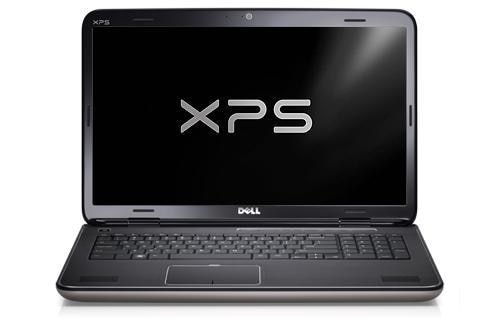
XPS 17 L702X
Hey,
I wanted to install ubuntu on my xps L702x recently.
But i ran into issues as described in my post on the linustechtips forum
https://linustechtips.com/topic/1443640-linux-not-working-on-dell-laptop/#comment-15483175
I am just looking for some answers if there´s a way to install ubuntu on that machine or if its just impossible due to a bios lockdown.
No Events found!
ejn63
12 Elder
•
31.2K Posts
•
154.4K Points
0
July 17th, 2022 10:00
Dell is not going to support a system that's more than a decade old, nor will it support an operating system it has never tested for functionality with your system. Can you in fact make any changes to your system setup? If not, it is possible the setup is locked with an administrative password -- have you owned the system from new or was it purchased used?
There is plenty of help out there for installing Linux on older systems. One link is below. The fact is that any support you might seek outside of that online will cost you, and you have a system that's worth a total of $50-150 depending on configuration, so you'll be spending upward of what the PC is worth just to get the OS installed.
https://askubuntu.com/questions/1156258/how-to-avoid-uefi-installation-without-uefi-how-to-have-ubuntu-19-20-21-22
ejn63
12 Elder
•
31.2K Posts
•
154.4K Points
1
July 16th, 2022 14:00
You'll need to consult with the support for your particular version of Linux -- this system should have well developed support since it's relatively ancient hardware, headed for its teen years.
Are you replacing or installing alongside Windows?
Lietziboy
6 Posts
0
July 17th, 2022 00:00
Hi, thanks for your answer!
I would like to install alongside windows but there is no documentation at all about installing linux. (Not from dell or 3rd parties). And the bios is extremely locked down there isnt even an option for UEFI or secure boot.
ejn63
12 Elder
•
31.2K Posts
•
154.4K Points
0
July 17th, 2022 03:00
This is a very old system at this point and depending on which version of the BIOS you have, may not have UEFI support until the BIOS is updated. Further, many newer ISO distributions of Linux require (at least unless you have modified them) UEFI mode.
Bear in mind that updating the BIOS on a system this old is riskier than usual, so be sure you have a complete backup of the existing OS before you start, and that you have a battery at least 50% charged.
BIOS A19, the latest is here
https://www.dell.com/support/home/en-us/product-support/product/xps-l702x/drivers
Lietziboy
6 Posts
0
July 17th, 2022 10:00
Already on the newest bios.
But since i dont have guarantee anymore how should i contact support?
Lietziboy
6 Posts
0
July 17th, 2022 11:00
Thanks for your help!
Installing linux is a last resort for this machine anyways, now i am looking into buying an xps 13.
filbert
6 Operator
•
1.8K Posts
0
July 17th, 2022 12:00
You could try Linux on that laptop first, prior to installing. Create a Live USB flash drive and boot from it. That will give you some idea of whether you would be happy with Linux installed.
As it's such an old laptop, you may find that one of the lighter distributions such as Xubuntu, Lubuntu or Puppy will be a better experience than Ubuntu.
old486whizz
2 Posts
0
July 18th, 2022 02:00
Don't do it!
Instead buy a competitor.. S3 is disabled in all Dell laptops, and they have bad power configuration setups meaning battery draining, overheating, performance and noise issues (I have XPS 13 9310 2-in-1 from 2020 and run Linux on it).
There's also the fact the firmware updates (LVFS) are sporadic at best (2.7.0 is latest LVFS but 2.11.0 is newest)..
Lietziboy
6 Posts
0
July 18th, 2022 03:00
My dad actually has an xps 13 so im going to try and see if its okay for me.
Or otherwise im going to look into competitiors
Lietziboy
6 Posts
0
July 18th, 2022 03:00
I tried Xubuntu Lubuntu and puppy today but still no work. Im just going to giveaway this laptop to one of my relatives.
Davlee1972
1 Message
1
January 1st, 2023 12:00
I went old school to get it installed.
Create a bootable iso distro using Rufus
Boot and go to try Ubuntu. Do not install.
Launch gparted
Delete any existing partitions
Device > Create Partion Table > msdos
Create a ext4 partition using all space
Manage flags select boot
Now start your install
When you get to setting up disks choose something else.
Choose / root for that large partition.
Leave boot installer loader on /dev/sda
Click Install
This basically makes and old school dos bootable disk which the laptop can discover.
Delluser0011
1 Message
•
2 Points
0
August 18th, 2024 18:03
@Davlee1972 thanks! This worked! I am able to use this laptop for my kid to tinker with coding.
I burned Ubuntu 24.04 LTS to a dvd and used “try Ubuntu” to boot into livecd and followed your instructions. You have to use Manual Installation.
(edited)