Dell Storage, Compellent: Alert: Storage Manager Server Setup Fails "Error Turning on MPIO"
Summary: Notification Error Turning on Multiple Path I/O (MPIO) message is received in Dell Storage Manager using Windows Server 2016.
This article applies to
This article does not apply to
This article is not tied to any specific product.
Not all product versions are identified in this article.
Symptoms
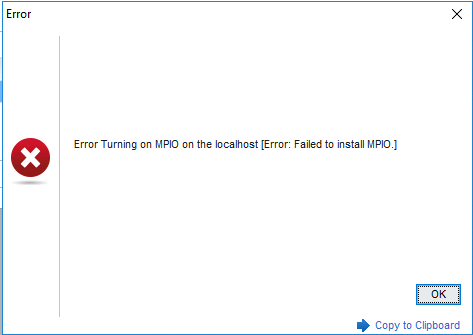
In Windows Server 2016, the flag that gets set to indicate whether a feature is enabled or not does not get set until after a reboot. In Dell Storage Manager, when running the Server Setup wizard, the below error message appears because the flag is not set.
Cause
The flag is not set.
Resolution
Workaround:
Resolution:
The fix is in the March 2018 update 3B package KB 4088787 (which is a cumulative package).
To check for installed updates, use the PowerShell command:
- Install MPIO on systems running Windows Server 2016.
- Reboot the server.
- Validate MPIO is installed using either:
- Running PowerShell command:
get-windowsfeature multipath-io
The "Install State" must show as "Installed."
- Checking the Windows Control Panel for MPIO
- Use Dell Storage Manager and run the Server Setup wizard.
- If you encounter the above error, reboot the server and rerun the wizard.
Resolution:
The fix is in the March 2018 update 3B package KB 4088787 (which is a cumulative package).
To check for installed updates, use the PowerShell command:
Get-HotFix |ft HotfixID, InstalledOn
Affected Products
Compellent (SC, SCv & FS Series), Dell Compellent SC4020, Dell Storage SC8000, Dell Compellent Series 40, Dell Storage SCv2000, Dell Storage SCv2020, Dell Storage SCv2080, Dell Storage SC5020, Dell Storage SC5020F, Dell Storage SC7020
, Dell Storage SC7020F, Dell Storage SC9000, Dell Storage SCv3000, Dell Storage SCv3020
...
Article Properties
Article Number: 000143006
Article Type: Solution
Last Modified: 01 May 2026
Version: 6
Find answers to your questions from other Dell users
Support Services
Check if your device is covered by Support Services.