PPMA shows PowerPath/VE hosts "Disconnected".
This article applies to
This article does not apply to
This article is not tied to any specific product.
Not all product versions are identified in this article.
Symptoms
Upgrade of PPMA to v2.6 and PowerPath/VE to v6.6.
Environment:
DELL EMC SW: PPMA v2.6
DELL EMC SW: PowerPath/VE v6.6
VmWare SW: ESXi v6.7 U2
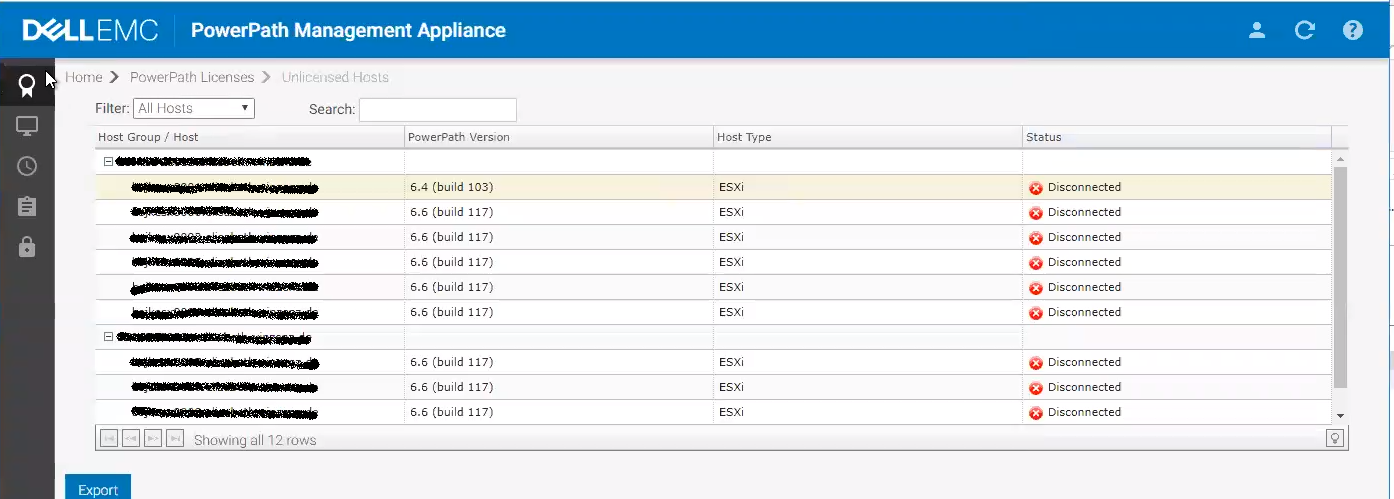
PPMA shows PowerPath/VE hosts in a "Disconnected" state:
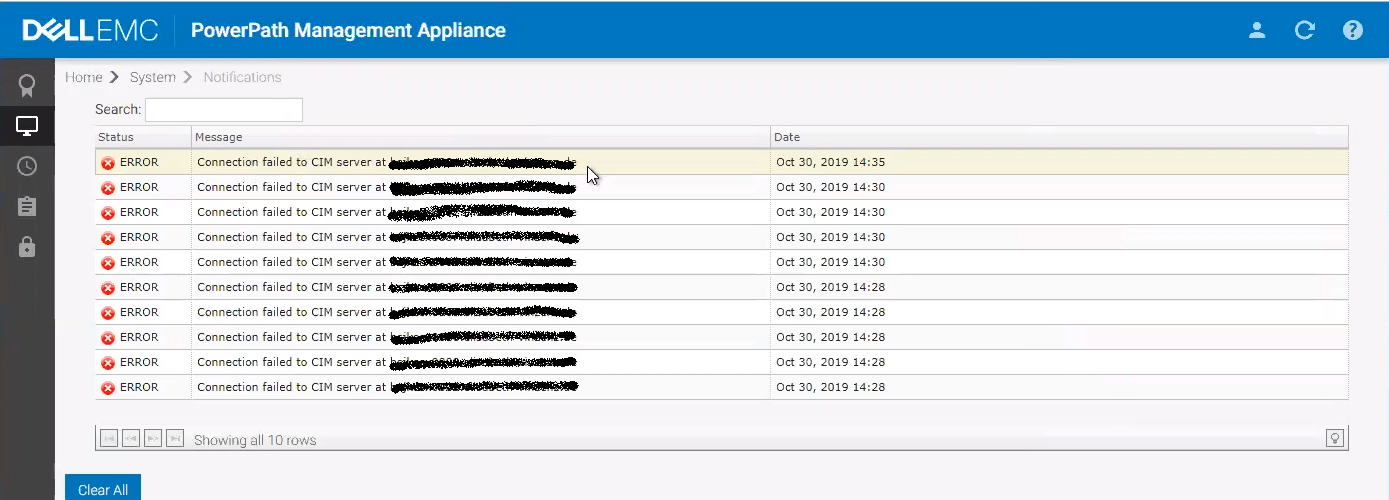
From the PPMA Notifications pane, there are communication failures to the CIM servers:
From PPMA CLI, rpowermmt commands do not return anything.
Disabling the WBEM service results in "User Authentication Invalid" error.
The resolution mentioned in the Release notes for the SFCB issue does not work and the issue persists.
Environment:
DELL EMC SW: PPMA v2.6
DELL EMC SW: PowerPath/VE v6.6
VmWare SW: ESXi v6.7 U2
PPMA shows PowerPath/VE hosts in a "Disconnected" state:
From the PPMA Notifications pane, there are communication failures to the CIM servers:
From PPMA CLI, rpowermmt commands do not return anything.
Disabling the WBEM service results in "User Authentication Invalid" error.
The resolution mentioned in the Release notes for the SFCB issue does not work and the issue persists.
Cause
PPMA was not able to communicate with the ESXi hosts because DELL OpenManage Server Administrator (OMSA) Plugin (Server is a Poweredge R740) also uses CIM which is obstructing the communication between PPMA and the ESXi servers.
Resolution
Workaround: Uninstall DELL OpenManage Server Administrator (OMSA) Plugin and PPMA should work as expected.
Products
PowerPath/VE for VMwareArticle Properties
Article Number: 000168692
Article Type: Solution
Last Modified: 25 Apr 2025
Version: 3
Find answers to your questions from other Dell users
Support Services
Check if your device is covered by Support Services.