Unisphere for PowerMax Anomaly Detection Alerts
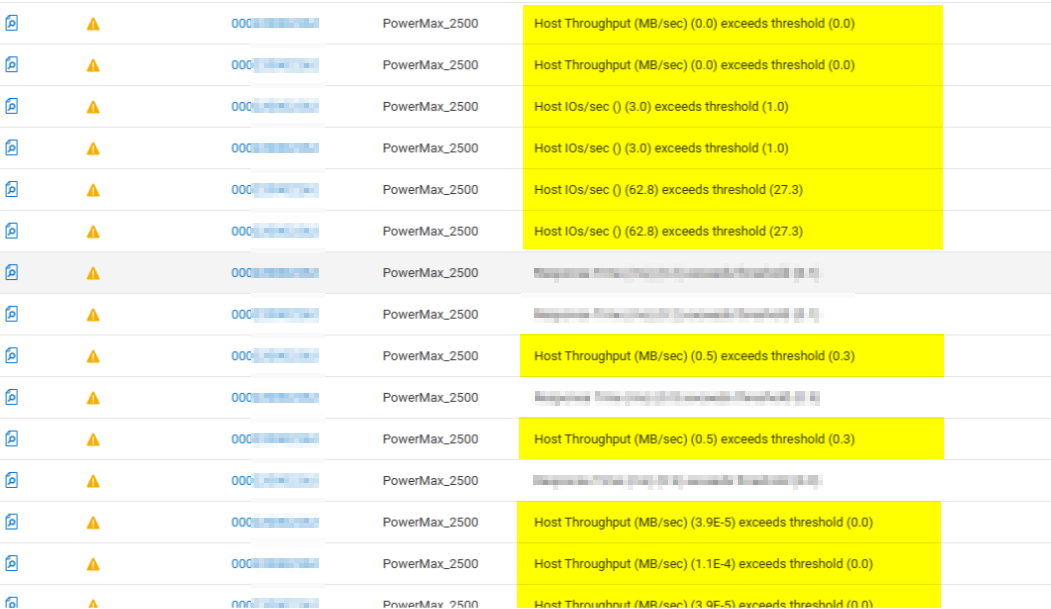
Summary: Alerts observed in Unisphere for PowerMax and CloudIQ "Host IOs/sec () (x.x) exceeds threshold (y.y)" & "Host Throughput (MB/sec) (x.x) exceeds threshold (y.y)"
This article applies to
This article does not apply to
This article is not tied to any specific product.
Not all product versions are identified in this article.
Symptoms
Alerts observed in Unisphere for PowerMax and CloudIQ:
- Host IOs/sec () (x.x) exceeds threshold (y.y)
- Host Throughput (MB/sec) (x.x) exceeds threshold (y.y)
Cause
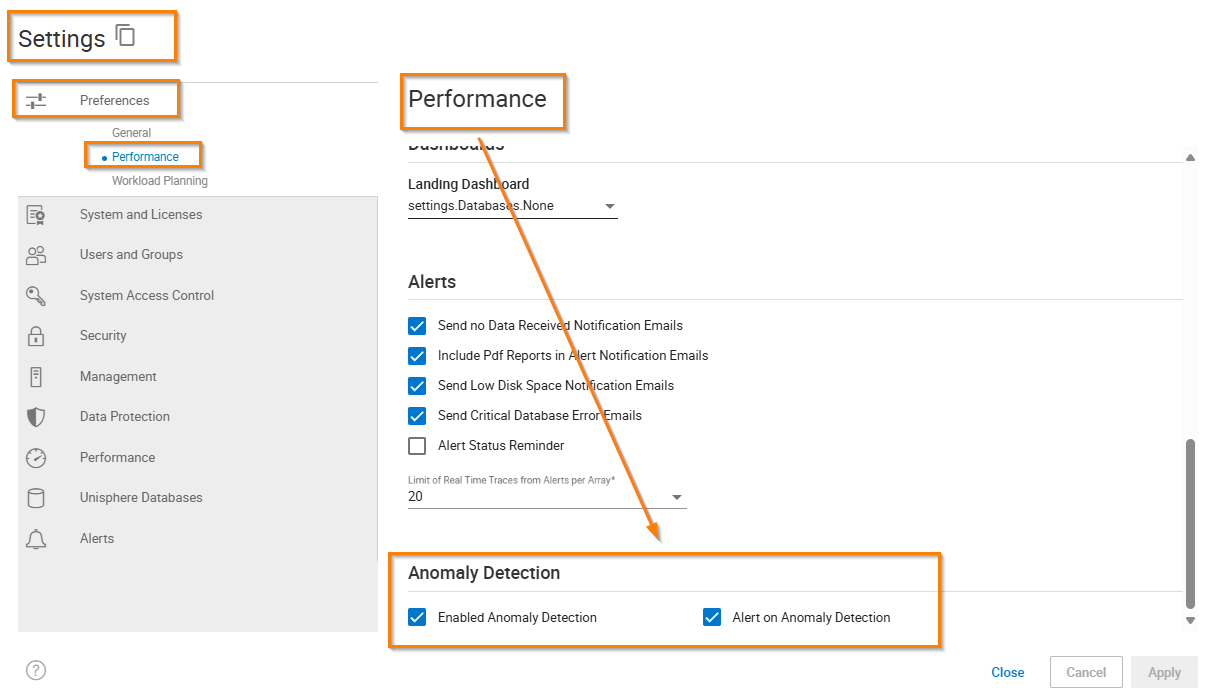
Unisphere for PowerMax Anomaly detection and alerting is enabled: (Anomaly Detection is disabled by default)
Resolution
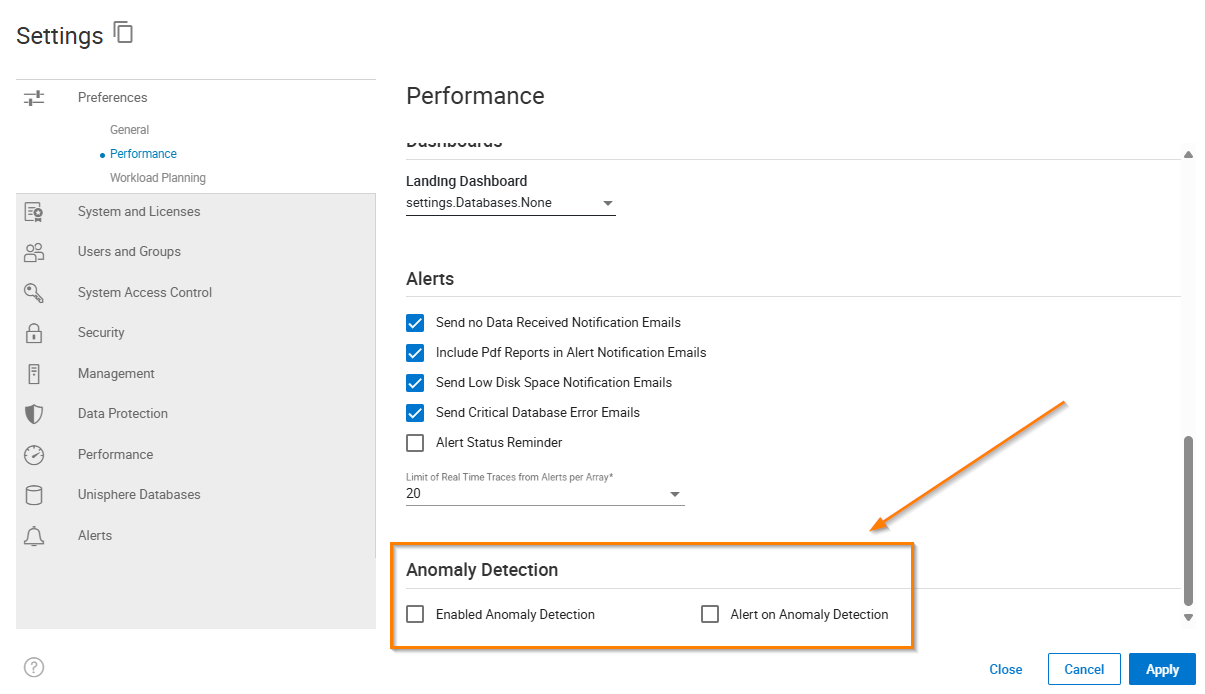
Disable Anomaly Detection in Settings > Performance - Anomaly detection:
Additional Information
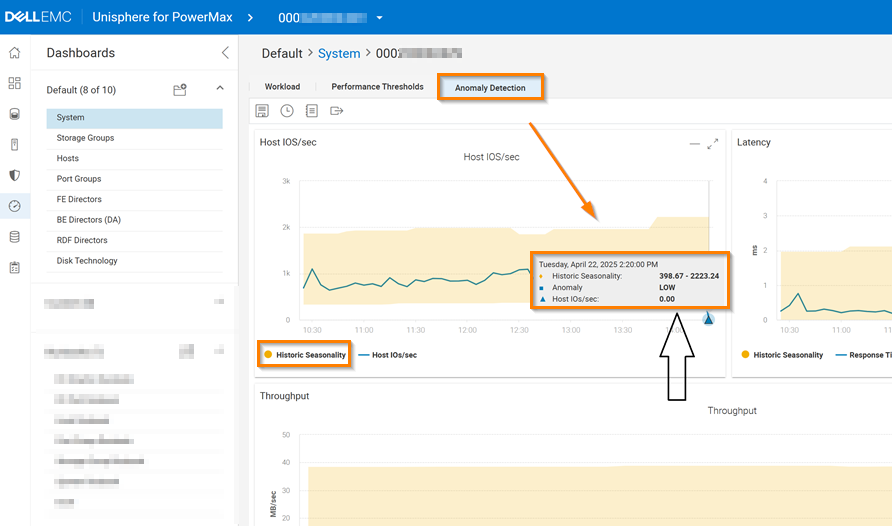
Anomaly detection is disabled by default, and this can be observed in the Anomaly Detection Tab - Performance > Dashboards > System:

Here “Historic Seasonality” looks at the previous 15 days diagnostic data and builds the range of what is seen as “normal” behavior.
If a current value is outside that range, then it is deemed an anomaly.
e.g., As the host IO of "0" is outside the expected range of being between "398" and "2223" it is an anomaly:
Affected Products
PowerMax, PowerMax, PowerMax 2000, PowerMax 2500, PowerMax 8000, PowerMax 8500, Unisphere for PowerMaxArticle Properties
Article Number: 000311529
Article Type: Solution
Last Modified: 24 Apr 2025
Version: 1
Find answers to your questions from other Dell users
Support Services
Check if your device is covered by Support Services.