NetWorker NMC 19.13: Unable to Launch NMC User Interface "No Suitable JVM Found"
Summary: Unable to launch NetWorker Management Console (NMC) in NetWorker 19.13 and later.
Symptoms
NetWorker Management Console (NMC) 19.13 (or later):
Unable to launch NMC user interface.
Launching the downloaded gconsole.jnlp resulted in a Read error.

Launching NMC from the command line with command javaws https://NMC-server:9000/gconsole.jnlp fails with No suitable JVM was found to start the application.
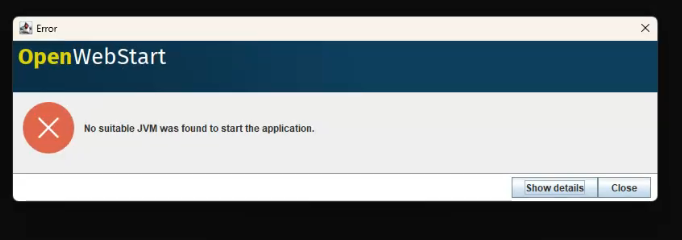
Cause
The failure is due to name resolution conflict involving two NetWorker servers sharing the same hostname but assigned to different IP addresses. This caused ambiguity during hostname resolution and impacts the launching of the NMC.
Resolution
Removed the IPADDR_REPLACE_AT_RUNTIME string from the gconsole.jnlp file to eliminate dynamic IP substitution and ensure consistent hostname resolution.
- Linux:
/opt/lgtonmc/web/gconsole.jnlp - Windows (Default):
C:\Program Files\EMC NetWorker\Management\GST\web\gconsole.jnlp
Affected Lines Modified (the IP address shown is an example):
FROM:
codebase="https://IPADDR_REPLACE_AT_RUNTIME(192.168.9.150):9000/"
<argument>IPADDR_REPLACE_AT_RUNTIME(192.168.9.150)</argument>
TO:
codebase="https://192.168.9.150:9000/"
<argument>192.168.9.150</argument>
These lines were updated to use a static IP address to prevent conflicts with the similarly named NetWorker server.
Ensure that the NMC client host (host launching NMC) can correctly resolve the NMC servers address. If the NMC client does not resolve the host correctly, the NMC launcher may report "Unable to connect to server hostname, make sure the server is running."
- Validate that the NMC client host can resolve the hostname (PowerShell prompt):
tnc hostname -p 9000 - If the above command fails to connect but the server can be reached from the IP, create a hosts file entry for the server.