Precision 5540: Visual Guide to your Computer
Zusammenfassung: The following article provides a visual guide to your Precision 5540 Mobile Workstation and lists the external ports and features of your laptop.
Dieser Artikel gilt für
Dieser Artikel gilt nicht für
Dieser Artikel ist nicht an ein bestimmtes Produkt gebunden.
In diesem Artikel werden nicht alle Produktversionen aufgeführt.
Symptome
Note: For a more detailed description of each location, go to the laptops manual at www.dell.com/support
Table of Contents:
- Front View
- Top View
- Bottom View
- Left-Hand Side View
- Right-Hand Side View
- AC Adapter View
- Additional Info:
Ursache
Front View
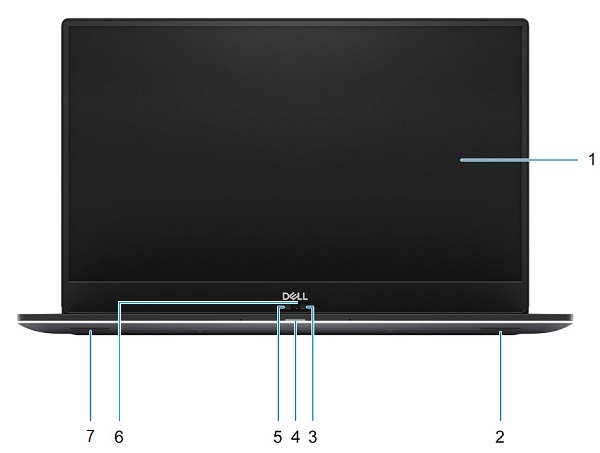
(Figure.1 Front View)
| 1 | Display | 2 | Right Speaker |
| 3 | Infrared Camera | 4 | Battery/Status LED |
| 5 | HD Camera | 6 | Camera Status LED |
| 7 | Left Speaker |
Top View
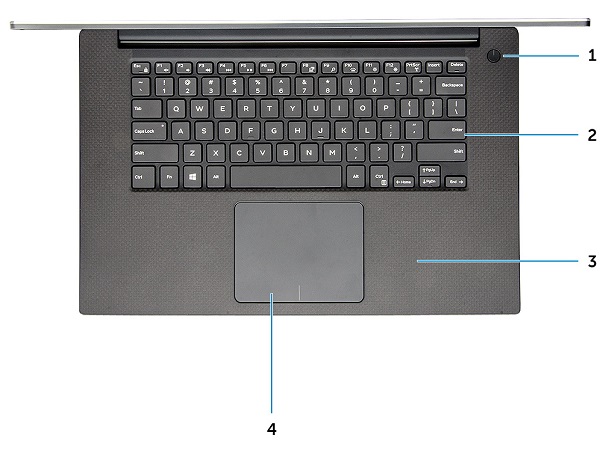
(Figure.2 Top View)
| 1 | Power Button w/LED or Power Button w/Fingerprint Reader (Optional) | 2 | Keyboard |
| 3 | Palmrest | 4 | Touchpad |
Bottom View
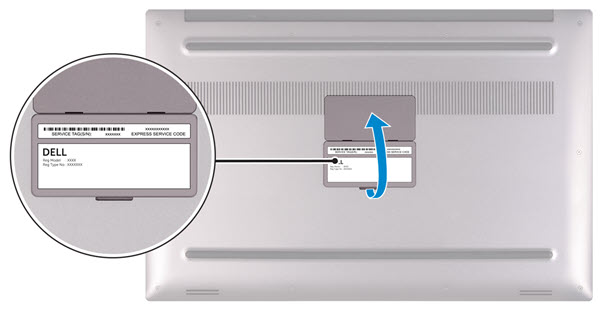
(Figure.3 Bottom View)
| 1 | Service Tag | 2 | Regulatory Label |
Left-Hand Side View
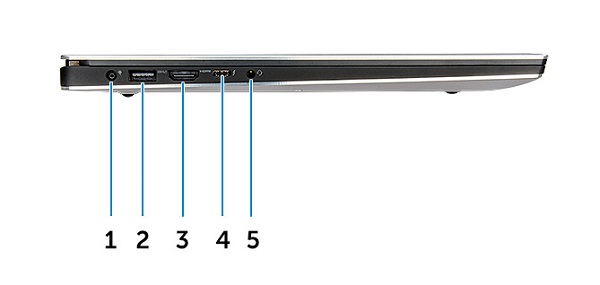
(Figure.4 Left-Hand Side View)
| 1 | Power Connector | 2 | USB 3.1 Gen1 Connector w/PowerShare |
| 3 | HDMI Connector | 4 | Thunderbolt 3 Type-C Connector |
| 5 | Headset Connector |
Right-Hand Side View
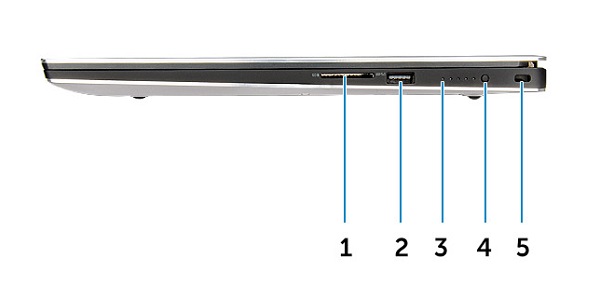
(Figure.5 Right-Hand Side View)
| 1 | Memory Card Reader | 2 | USB 3.1 Gen1 Connector w/PowerShare |
| 3 | Battery-Charge Status LED | 4 | Battery-Charge Status Button |
| 5 | Noble Wedge Security Slot |
Lösung
AC Adapter View
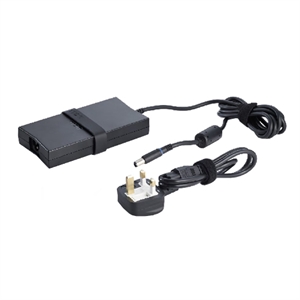
(Figure.6 130W Adapter)
| Type 130W Series | Description |
| Input Voltage | 100 VAC to 240 VAC |
| Output Current | 6.67 A (Continuous) |
| Output Power | 130 W |
| Output Voltage | 19.5 VDC |
Weitere Informationen
- Precision 5540 Teardown removal guide for customer replaceable units (CRUs)
- Dell Precision 5540 Online Manual and documents
Betroffene Produkte
Precision 5540Artikeleigenschaften
Artikelnummer: 000125898
Artikeltyp: Solution
Zuletzt geändert: 19 Apr. 2026
Version: 10
Antworten auf Ihre Fragen erhalten Sie von anderen Dell NutzerInnen
Support Services
Prüfen Sie, ob Ihr Gerät durch Support Services abgedeckt ist.