How to Uninstall Absolute
Zusammenfassung: Follow these step-by-step instructions to learn how to uninstall Absolute.
Dieser Artikel gilt für
Dieser Artikel gilt nicht für
Dieser Artikel ist nicht an ein bestimmtes Produkt gebunden.
In diesem Artikel werden nicht alle Produktversionen aufgeführt.
Weisungen
Absolute may require uninstallation from an endpoint to:
- Fix licensing discrepancies.
- Troubleshoot the product.
- Address operating system incompatibility.
Affected Products:
- Absolute
Affected Operating Systems:
- Windows
A removal request must be submitted to uninstall the Absolute agent from an endpoint.
- Open a web browser and go to https://cc.absolute.com
.
- Populate the email address used to access the web portal and then click Next.
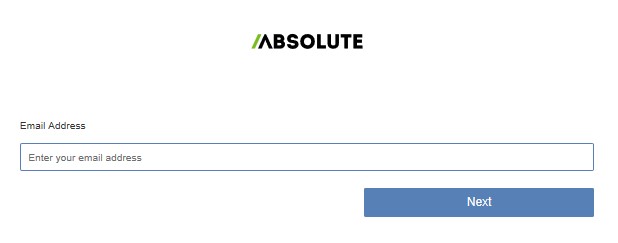
- Log In to the web portal.

- In the left menu, select the Find Devices icon.

- Click Active Devices.
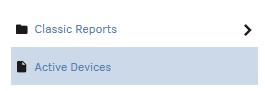
- Search for the endpoint.

- Check the endpoint to unenroll.
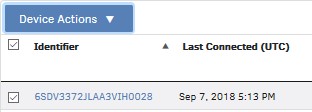 Note: The example endpoint will differ in your environment.
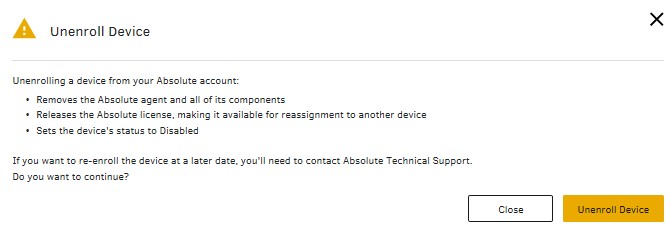
 - Click Device Action and then select Unenroll Device.
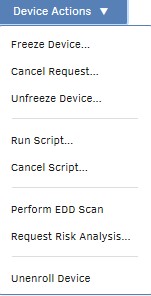
- Click Unenroll Device.
To contact support, reference Dell Data Security International Support Phone Numbers.
Go to TechDirect to generate a technical support request online.
For additional insights and resources, join the Dell Security Community Forum.
Betroffene Produkte
AbsoluteArtikeleigenschaften
Artikelnummer: 000131245
Artikeltyp: How To
Zuletzt geändert: 19 Apr. 2026
Version: 10
Antworten auf Ihre Fragen erhalten Sie von anderen Dell NutzerInnen
Support Services
Prüfen Sie, ob Ihr Gerät durch Support Services abgedeckt ist.