CSM: How to Get Support
Zusammenfassung: This article explains the ways to get support for the Container Storage Modules (CSM) and Container Storage Interface (CSI) Drivers.
Dieser Artikel gilt für
Dieser Artikel gilt nicht für
Dieser Artikel ist nicht an ein bestimmtes Produkt gebunden.
In diesem Artikel werden nicht alle Produktversionen aufgeführt.
Weisungen
To open a Service Request (SR) for Container Storage Modules (CSM) Driver break fix issues, the following options exist. Including logs for the issue can be helpful for support. See article CSI Drivers: How to collect logs provides details to help collect logs.
Phone
Call 1-800-782-4362 to open an SR by phone. A Global Inbound Support Technician opens an SR using the Serial Number, Asset ID, or Location ID. Where possible, provide the product identifier associated to the CSM component.
Chat
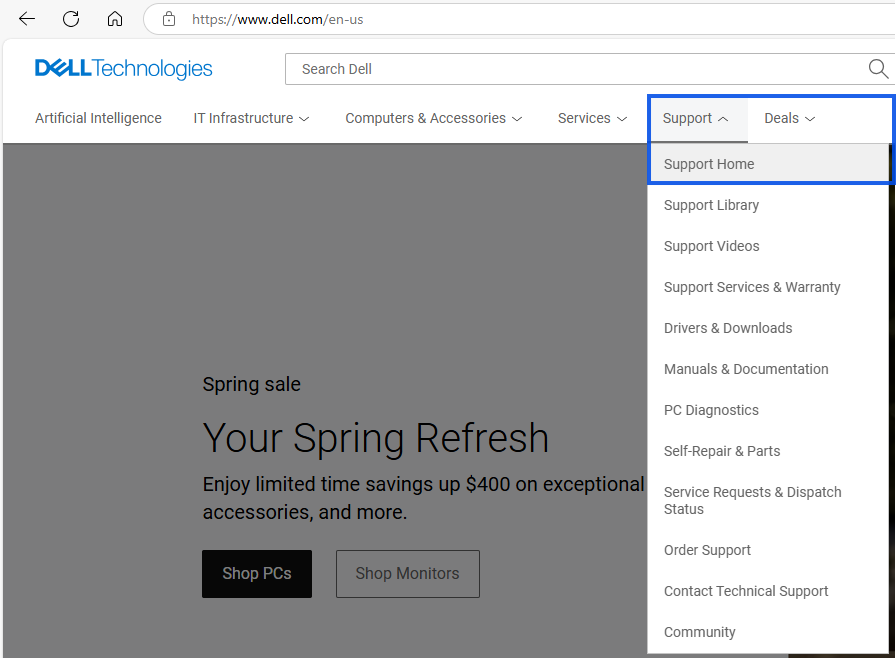
- Access Dell Support or from Dell's home page go to Support, then click Home.
- Click Sign in to your Dell Online business-level account indicated by a black check mark next to the username.
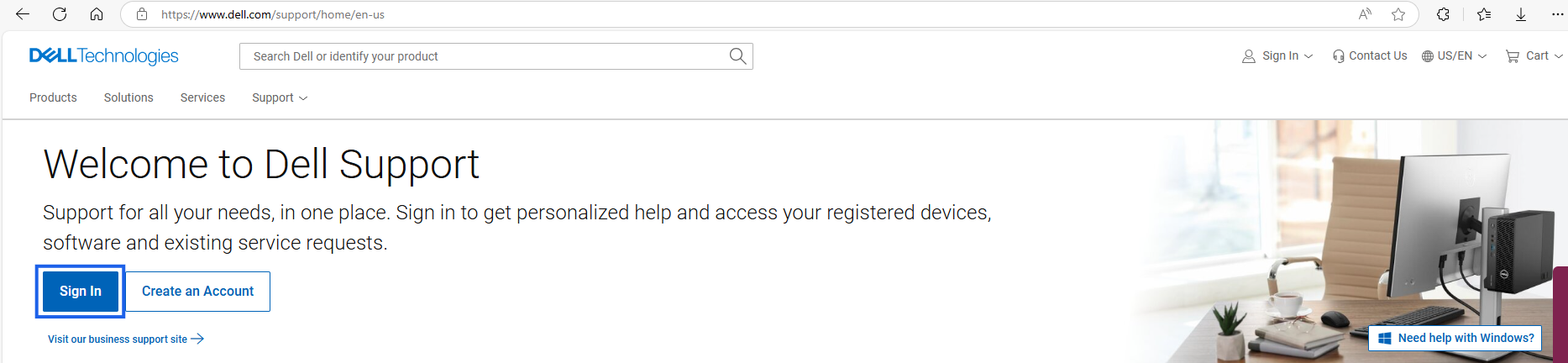
- Once logged with business account indicated by the black checkmark,

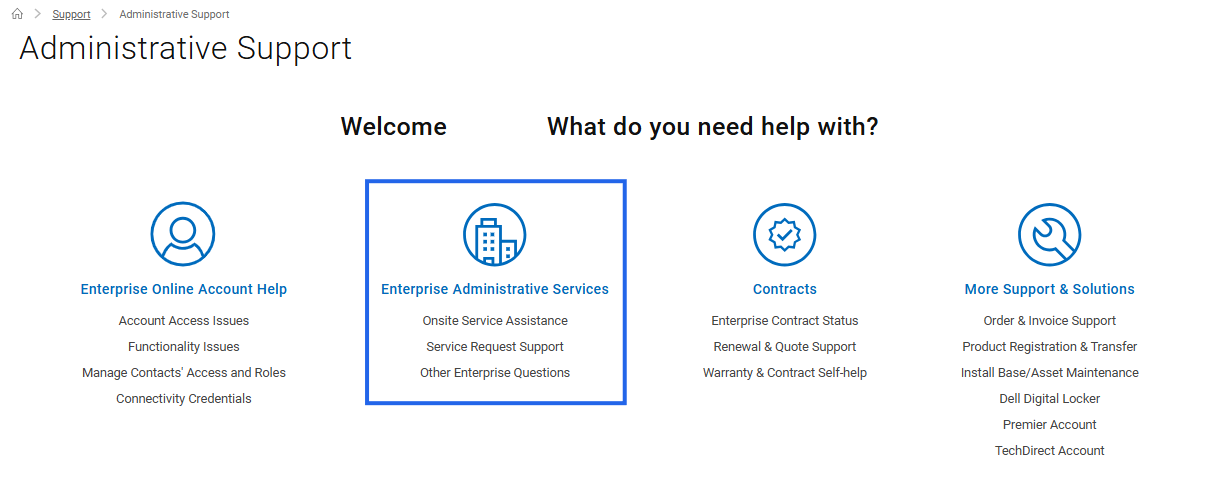
- Scroll down toward the bottom of the page and click Administrative Support under More Options to Explore or click and open the Administrative Support web page.

- Click the Enterprise Administrative Services options.
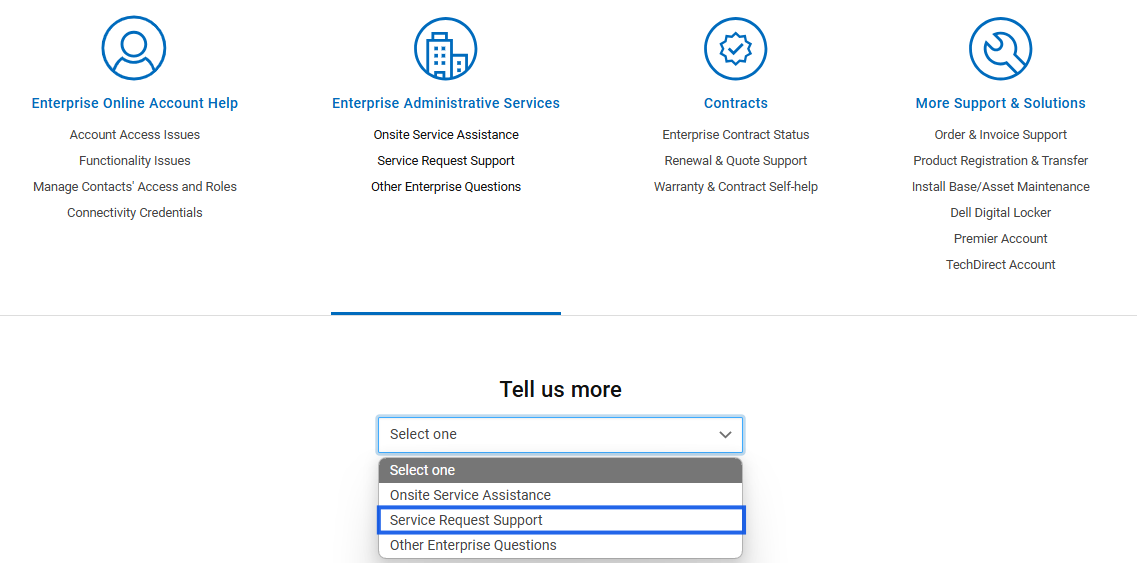
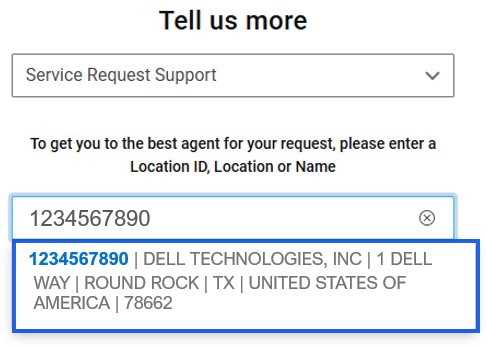
- From the Tell us more dropdown list, choose Service Request Support.
- Enter a valid Location ID (use manual entry if no locations appear).
- Select the required Location.
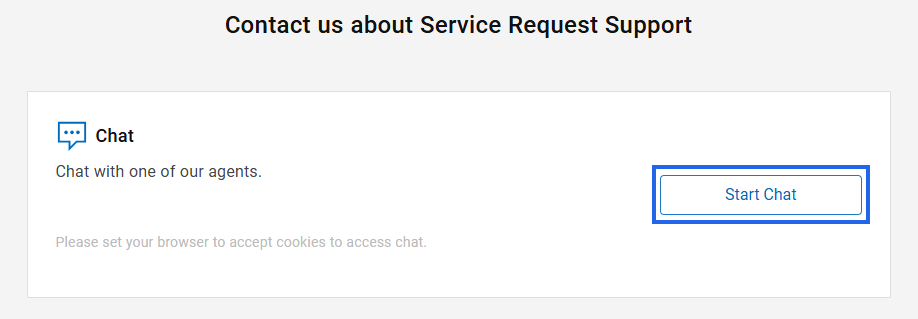
- Click Start Chat.
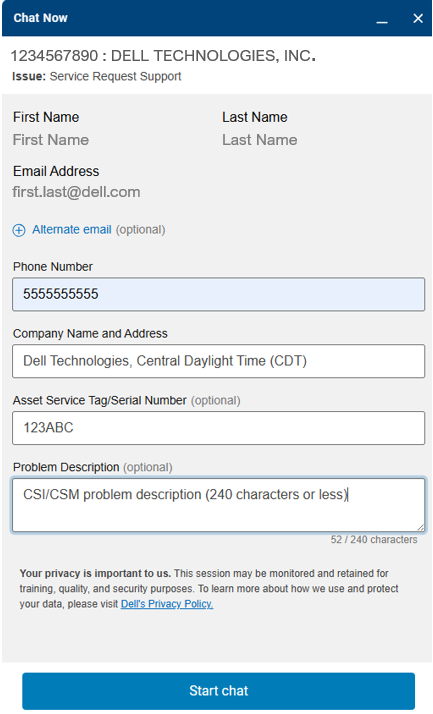
- Input a valid phone number for contact if further information is needed.
- Provide your Company Name, Time Zone, and Address.
- Enter the Asset Service Tag or Serial Number of the hardware product (optional but helpful for troubleshooting).
- In the Problem Description field, summarize the issue in 240 characters or less, specifying the CSM Driver component requiring support.
- Click Start chat button
Betroffene Produkte
Container Storage ModulesProdukte
Container Storage Modules FamilyArtikeleigenschaften
Artikelnummer: 000188046
Artikeltyp: How To
Zuletzt geändert: 30 Juni 2026
Version: 30
Antworten auf Ihre Fragen erhalten Sie von anderen Dell NutzerInnen
Support Services
Prüfen Sie, ob Ihr Gerät durch Support Services abgedeckt ist.