Dell Unity: How To Edit Proxy Server Attributes
Summary: This article explants how to change support configuration attributes for proxy servers.
Αυτό το άρθρο ισχύει για
Αυτό το άρθρο δεν ισχύει για
Αυτό το άρθρο δεν συνδέεται με κάποιο συγκεκριμένο προϊόν.
Δεν προσδιορίζονται όλες οι εκδόσεις προϊόντων σε αυτό το άρθρο.
Instructions
Format
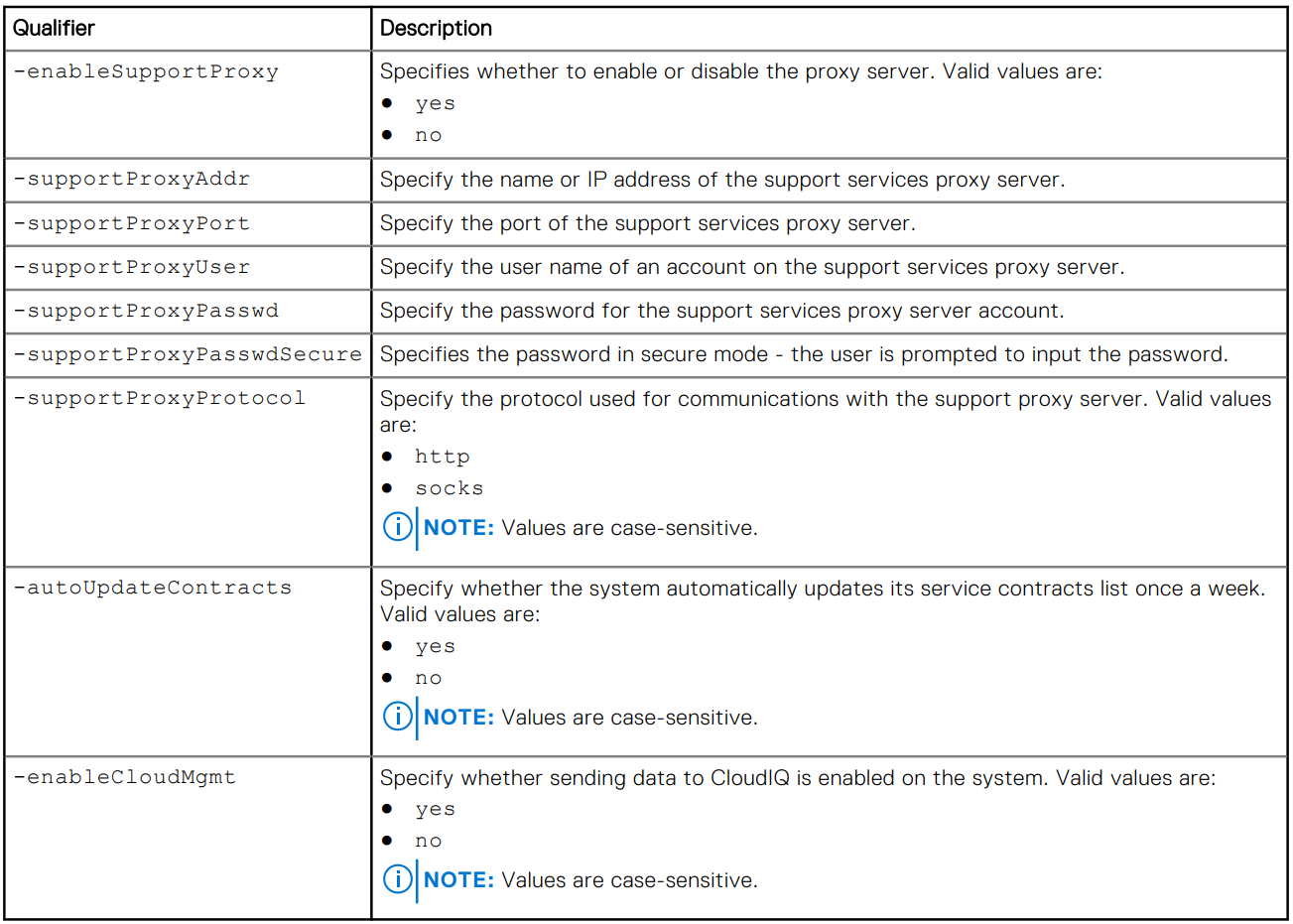
/sys/support/config set [-enableSupportProxy {yes | no }] [-supportProxyAddr <value>]
[-supportProxyPort <value>] [-supportProxyUser <value> {-supportProxyPasswd <value> |-
supportProxyPasswdSecure}] [-supportProxyProtocol {http | socks}] [-autoUpdateContracts
{yes | no}] [-enableCloudMgmt {yes | no}]
Example

Additional Information
The proxy server password is not visible in the array backend or the logs. The password is removed from the array because it is associated to the proxy server database-entry. This means that when the database entry is removed, the password is also removed.
Επηρεαζόμενα προϊόντα
Dell EMC Unity, Dell EMC Unity Family |Dell EMC Unity All Flash, Dell EMC Unity HybridΙδιότητες άρθρου
Article Number: 000009793
Article Type: How To
Τελευταία τροποποίηση: 03 Νοε 2025
Version: 4
Βρείτε απαντήσεις στις ερωτήσεις σας από άλλους χρήστες της Dell
Υπηρεσίες υποστήριξης
Ελέγξτε αν η συσκευή σας καλύπτεται από τις Υπηρεσίες υποστήριξης.