ECS: Troubleshooting S3 Read, Write, or Delete issues
Summary: Use this KB article as a reference on how to troubleshoot and detect basic S3 operations issues such as Read, Write, or Delete of ATMOS, Swift, and Network File System (NFS).
Symptoms
Attempting to Write, Read, or Delete an S3 object the application displays an HTTP status Error code.
Error codes can also be seen from the ECS user interface portal under Requests. The following screenshot shows 0.00% of System Failures and 0.01% of user failures under Requests.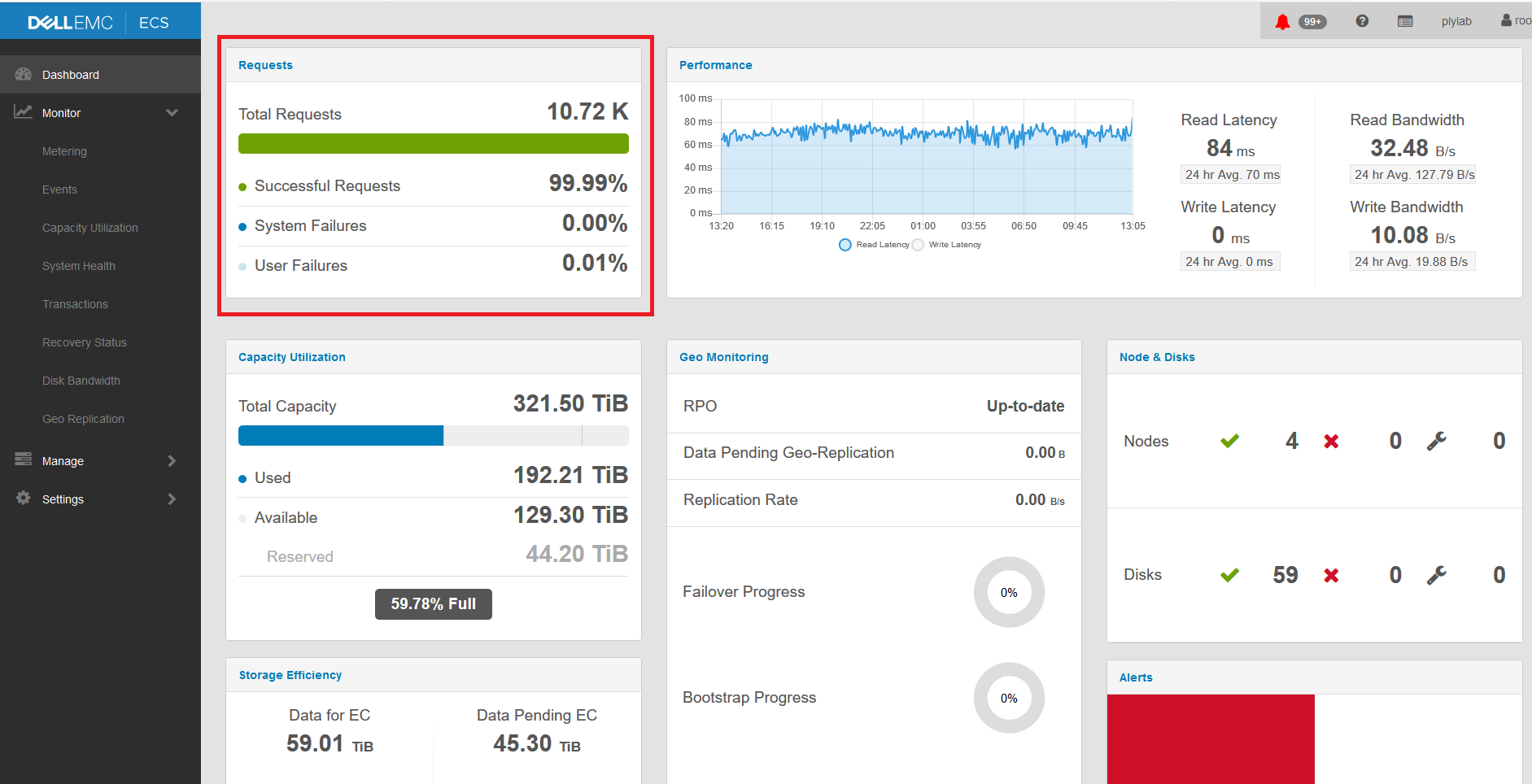
Cause
Performance issue
Resolution
From the user interface, more information displays regarding what Error Codes were captured, by clicking the Requests or from the left menu select: Monitor > Transactions.
A more detailed page should be displayed, as in this screenshot:
System Failures: On the ECS side, several issues can cause System Failures to appear. Some examples would be:
- Timeout while writing big S3 objects to the ECS (as per the S3 Best Practices, it is recommended to use Multi-Part Upload (MPU) instead of uploading large S3 objects). See KB: ECS: Writing large files failing with 500 errors for S3 Protocol.
- ECS capacity has reached the Threshold of 90%.
- One or more services are restarting.
User Failures: Some issues are due to problems addressing the S3 Bucket Object. Some of these issues are:
- The wrong S3 key or SecretKey was supplied.
- The wrong addressing style was used in the S3 query that does not address the BaseURL added to the ECS Virtual Data Center (VDC). See KB ECS: Missing BaseURL causing 400/404 errors during Read Write operations for more information.
- The S3 Object is not found or was deleted.
- Metadata Search query ran to a non-enabled Metadata Search Bucket, and so on. See KB (ECS: Bucket Management - Overview and Troubleshooting).
See the below KB articles that can help fix the issue with the User Failures:
S3 Error Codes and their possible causes: ECS: S3 error codes with possible causes
How to setup the S3curl and test the S3 operations using S3curl for ECS 3.x: ECS: How to perform basic s3 operations on ECS 3.x using the s3curl.pl script.
How to use s3curl to perform (MPU) Multipart Upload: ECS: How to use s3curl to perform (MPU) Multipart upload.
Additional Information
If the issue persists, open a Service Request (SR) with the ECS Support team and refer to this KB article number.