VPLEX: How to address Problems during normal operation
Summary: This article details the steps to generate a SolVe Desktop procedure to address any issues or problems seen during normal VPLEX operation.
Αυτό το άρθρο ισχύει για
Αυτό το άρθρο δεν ισχύει για
Αυτό το άρθρο δεν συνδέεται με κάποιο συγκεκριμένο προϊόν.
Δεν προσδιορίζονται όλες οι εκδόσεις προϊόντων σε αυτό το άρθρο.
Instructions
This procedure can be found in the Solve Desktop Procedure Generator at the following location:
VPLEX -> Miscellaneous -> Troubleshooting -> Troubleshooting Documents -> Troubleshooting Categories -> Problems during normal operation
A procedure is generated depending on the following options:
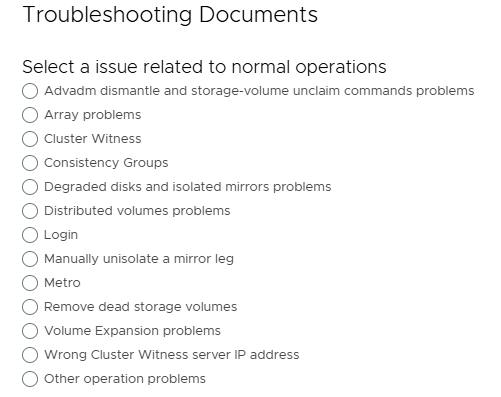
NOTE: If SolVe Desktop is required, follow KB How to Download and Install SolVe Desktop for installation. (A Dell Support account is required to view this article)
Επηρεαζόμενα προϊόντα
VPLEX, VPLEX GeoSynchronyΠροϊόντα
VPLEX VS2, VPLEX VS6Ιδιότητες άρθρου
Article Number: 000158200
Article Type: How To
Τελευταία τροποποίηση: 30 Σεπ 2025
Version: 5
Βρείτε απαντήσεις στις ερωτήσεις σας από άλλους χρήστες της Dell
Υπηρεσίες υποστήριξης
Ελέγξτε αν η συσκευή σας καλύπτεται από τις Υπηρεσίες υποστήριξης.