MHC Azure Stack: OEM Type FirmwareCheckHealth of Role OEM raised an exception
Summary: Type FirmwareCheckHealth of Role OEM raised an exception Error running Test-OEMFirmwareHealth iDRAC has Critical Major faults could not proceed with Firmware update.
Αυτό το άρθρο ισχύει για
Αυτό το άρθρο δεν ισχύει για
Αυτό το άρθρο δεν συνδέεται με κάποιο συγκεκριμένο προϊόν.
Δεν προσδιορίζονται όλες οι εκδόσεις προϊόντων σε αυτό το άρθρο.
Symptoms
Precheck of OEM is failing Errors:
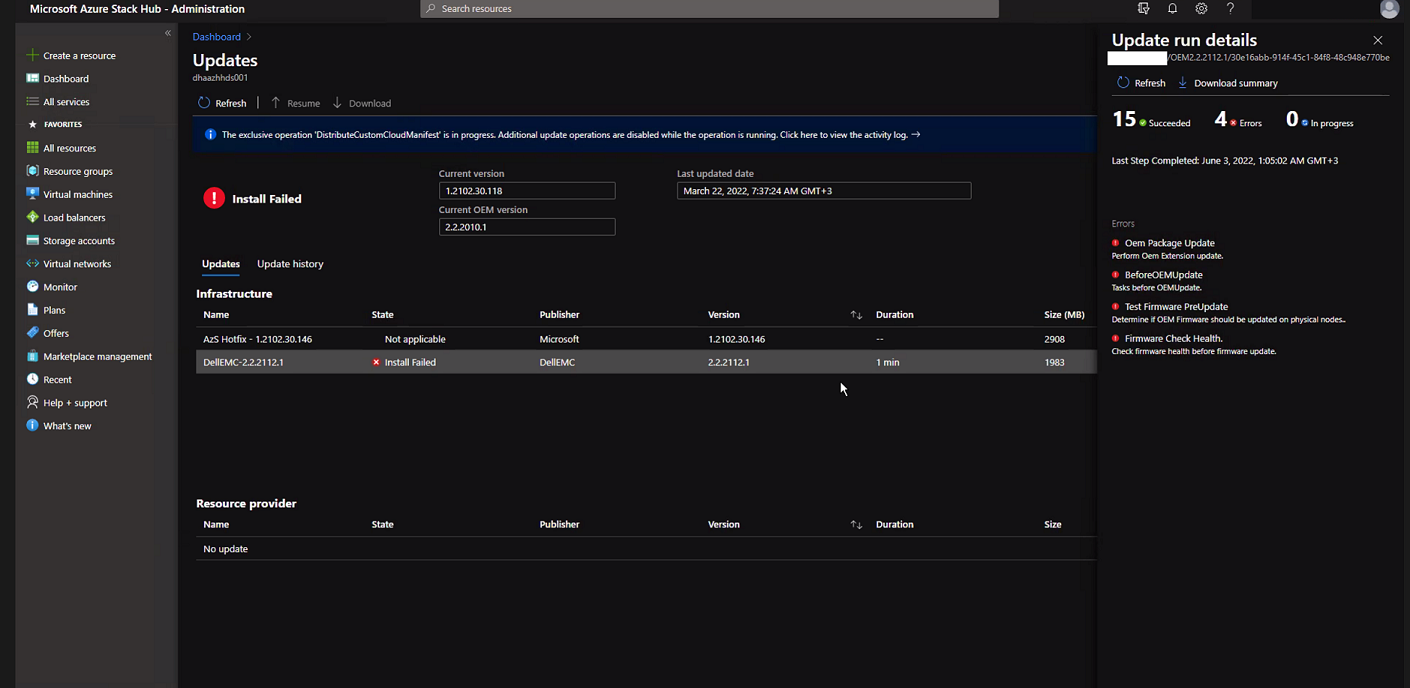
Click "Download Summary".
Error.json:
Oem Package Update
Perform Oem Extension update.

BeforeOEMUpdate
Tasks before OEMUpdate.

Test Firmware PreUpdate
Determine if OEM Firmware should be updated on physical nodes.

Firmware Check Health.
Check firmware health before update.
Click "Download Summary".
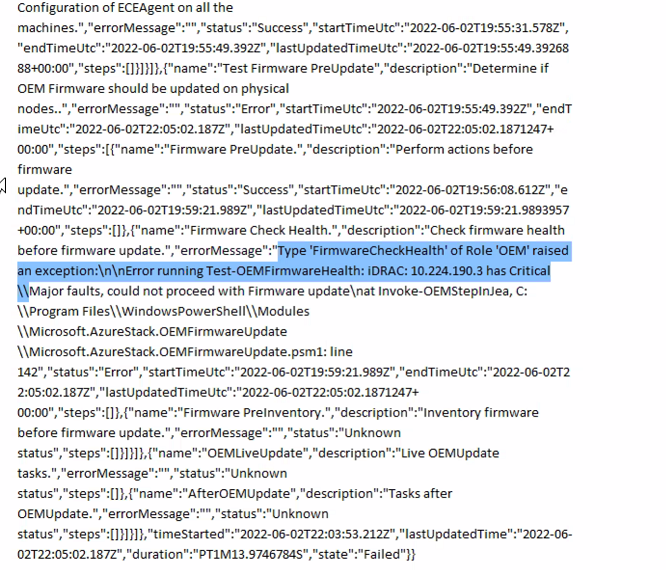
Error.json:
Type ‘FirmwareCheckHealth’ of Role ‘OEM’ raised an exception:\n\nError running Test-OEMFirmwareHealth: iDRAC: 10.224.190.3 has Critical Major faults, could not proceed with Firmware update….
Cause
Three of the four servers had memory errors. These need to be resolved before proceeding.
The memory health monitor feature has detected a degradation in the DIMM installed in DIMM_A6. Reboot system to initiate self-heal process.
Resolution
To resolve this issue, fix the memory errors.
- Drain the node with the iDRAC showing the failed memory.
- Once drained, run the following commands in a PEP PowerShell window.
get-virtualdisk -cimsession "s-cluster"
get-virtualdisk -cimsession "s-cluster" | get-storagejob
- Once all storage jobs are complete, cold boot the server from the iDRAC
- Verify that the DIMM has healed:
The self-heal operation successfully completed at DIMM DIMM_A6.
- In the Azure Stack window, Start the node.
- In the Azure Stack window, Resume the node.
Επηρεαζόμενα προϊόντα
Integrated System for Microsoft Azure Stack Hub 14GΙδιότητες άρθρου
Article Number: 000200301
Article Type: Solution
Τελευταία τροποποίηση: 08 Σεπ 2025
Version: 3
Βρείτε απαντήσεις στις ερωτήσεις σας από άλλους χρήστες της Dell
Υπηρεσίες υποστήριξης
Ελέγξτε αν η συσκευή σας καλύπτεται από τις Υπηρεσίες υποστήριξης.