Alienware Pro 遊戲專用無線滑鼠無法儲存 Alienware Command Center 設定
Summary: 瞭解如果 Alienware Pro 遊戲專用無線滑鼠無法在 Alienware Command Center 中儲存預設或調整設定,該怎麼做。
This article applies to
This article does not apply to
This article is not tied to any specific product.
Not all product versions are identified in this article.
Symptoms
在非 Alienware 電腦上使用 Alienware Pro 遊戲專用無線滑鼠時,可能會遇到兩個不同的問題。安裝 Alienware Command Center (AWCC) 6.1.11 版時,就會發生這些問題。問題包括:
- 連接 Alienware Pro 遊戲專用無線滑鼠後,無法在 Alienware Command Center 中儲存預設
- 連接 Alienware Pro 遊戲專用無線滑鼠後,無法在 Alienware Command Center 中調整輪詢率、線性吋點數 (DPI) 等級、省電模式和抬起距離 (LOD)
受影響的產品
- Alienware Command Center
- Alienware Pro 遊戲專用無線滑鼠
Cause
Alienware Command Center 安裝程式未在不需要 RGB 燈光控制的電腦 (非 Alienware 電腦) 上載入 FX 資料庫。
Resolution
將電腦更新至 Alienware Command Center 6.1.13 版或更新版本可解決問題。若要下載和安裝 Alienware Command Center 更新,請參閱 Alienware Pro 遊戲專用無線滑鼠驅動程式支援與下載。
如果電腦上已安裝 Alienware Command Center 6.1.11 版,則在安裝過程中會出現訊息。此訊息顯示:「Alienware Command Center Package Manager:套裝 FXCoreInstaller 錯誤:安裝程序必須更新系統運行時無法更新的檔案或服務。如果您選擇繼續,則需要重新開機才能完成安裝。」如果出現這種情況,請按一下 確定 以完成安裝,然後重新啟動電腦。
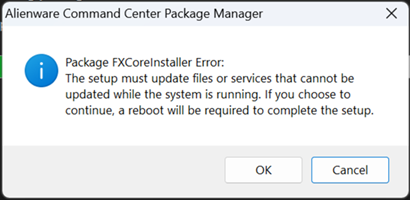
如果電腦上尚未安裝 Alienware Command Center 6.1.11 版,請在安裝完成後重新開機電腦。
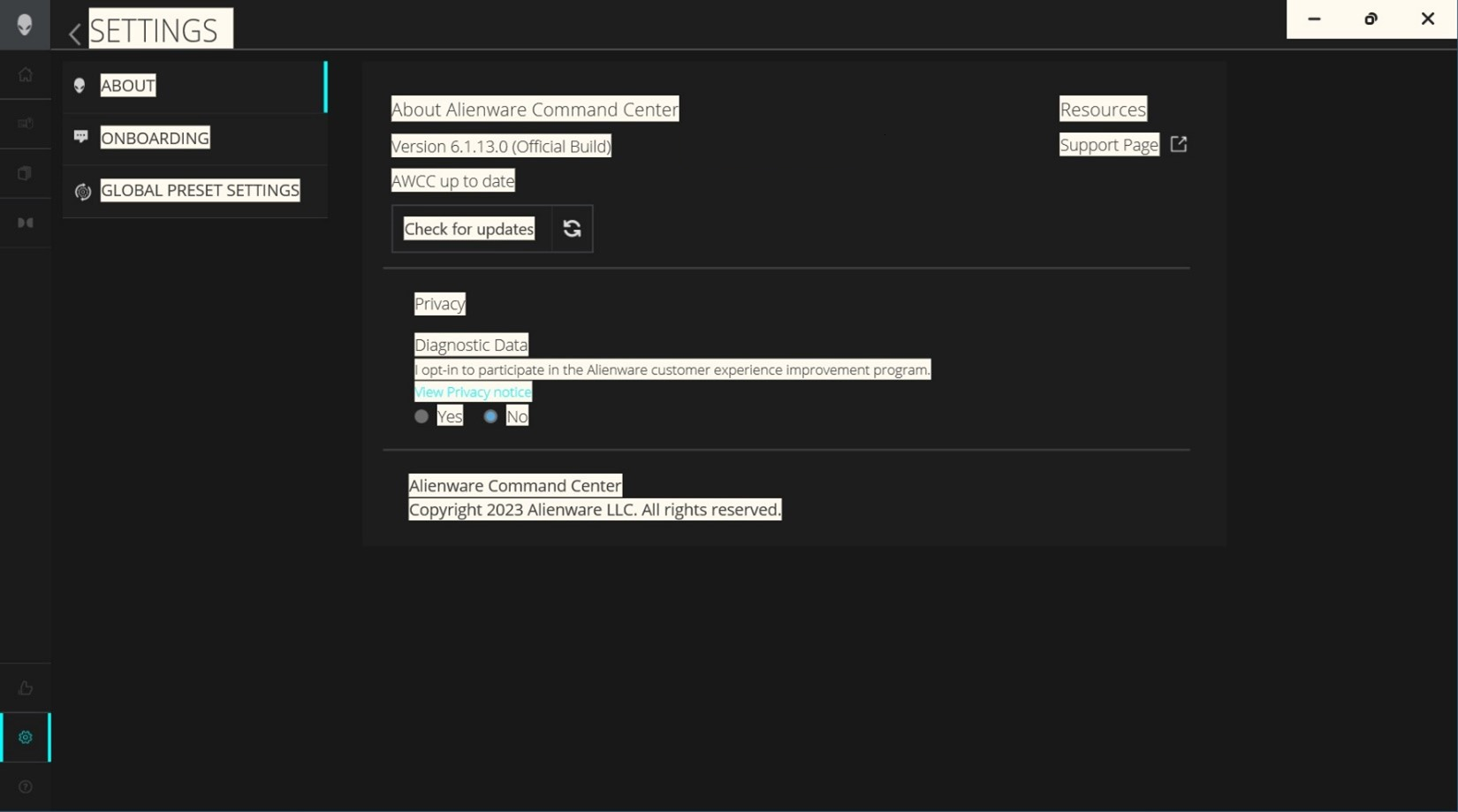
安裝 Alienware Command Center 6.1.13 或更新版本後,請按一下左下角的 設定 圖示,確認 Alienware Command Center 版本。
Affected Products
Alienware Command Center, Alienware Pro Wireless Gaming MouseArticle Properties
Article Number: 000221866
Article Type: Solution
Last Modified: 19 May 2026
Version: 8
Find answers to your questions from other Dell users
Support Services
Check if your device is covered by Support Services.