Blank Game Library in Alienware Command Center 6.x when using Steam
Summary: The following article provides information about problems with the games library in Alienware Command Center (AWCC) 6.3.7.0 and 6.4.15.0 when using the latest version of Steam.
Symptoms
Using the latest version of Steam causes a blank game library in Alienware Command Center 6.3.7.0 and 6.4.15.0
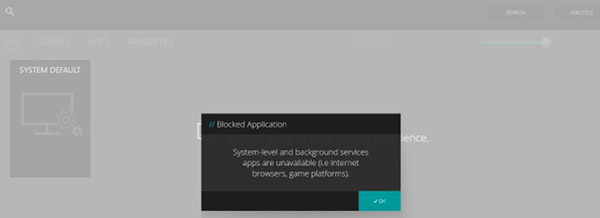
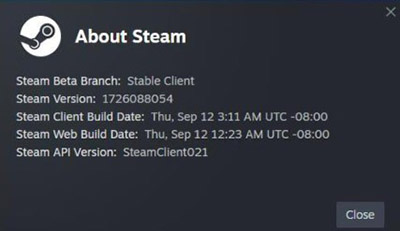
AWCC Version 6.3.7.0
Gaming computer owners using the AWCC 6.3.7.0 application along with the latest version of Steam may experience the following problem after changing:
- Your installed Steam games have disappeared from the AWCC games library.
- Your manually installed Steam games have disappeared from the AWCC games library.
- Your manually installed non-Steam games have disappeared from the AWCC games library.
AWCC Version 6.4.15.0
Gaming computer owners using the AWCC 6.4.15.0 application along with the latest version of Steam can expect the following:
- Your manually installed non-Steam games are visible in the AWCC games library.
- The new version blocks the latest version of Steam from displaying in the AWCC games library and causing various problems.
- Steam works as normal outside of the AWCC application.
Cause
The latest version of Steam updates the .vdf file encoding for the appinfo.vdf file. Updating to the latest version of the Steam application installs the new encoding on your computer.
AWCC version 6.3.7.0 is older than the new Steam version. That means that the encoding update done by the latest version of Steam causes the game library in AWCC 6.3.7.0 to stop responding. No games show on-screen as a result of this.
AWCC version 6.4.15.0 isolates AWCC from working with the new Steam application. So the AWCC games library works as you would expect for non-Steam games.
Resolution
For those running AWCC version 6.3.7.0, you must update to AWCC version 6.4.15.0 or newer.
AWCC version 6.4.15.0 allows you to use and add non-Steam games to the games library as always. You can manually add your Steam games to the library. It isolates the Steam application from automatically using and causing problems with the AWCC application. You can now use the Steam application separately from the AWCC application.
The AWCC development team is always looking to improve the application. Version 6.4.15.0 was already scheduled for release when this issue occurred. The next revision should address this Steam family update problem.