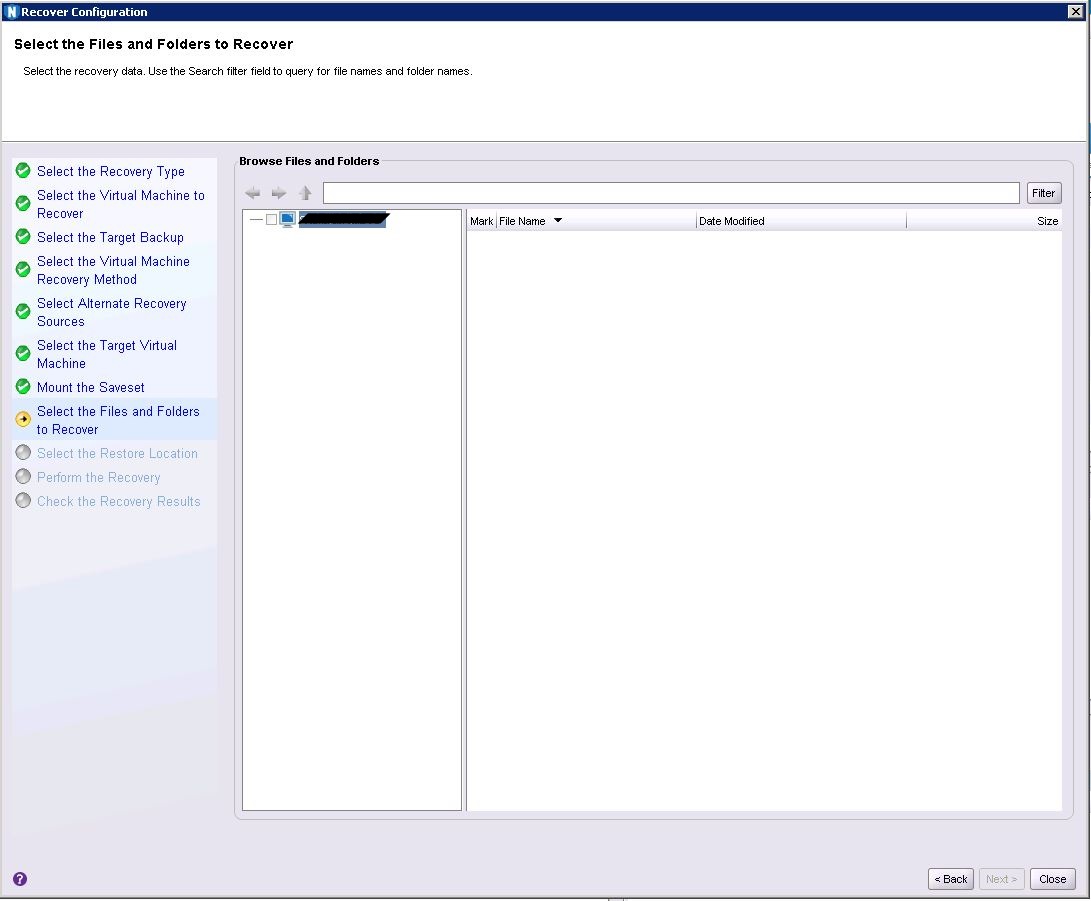
NVP vProxy: File Level Recovery browse shows no data after mount. In the FLR browse session, the folder tree structure does not populate
Summary: An attempt is made to perform a VM FLR of a Windows Server VM using the NVP vProxy Appliance. The FLR mount succeeds, but the browse session does not populate the folder tree structure. ...
This article applies to
This article does not apply to
This article is not tied to any specific product.
Not all product versions are identified in this article.
Symptoms
- The target VM is a Windows Server.
- A domain admin and local admin are specified for the FLR mount.
- The FLR mount operation succeeds, but the browse session does not populate the folder tree structure.
- No error appears before, or after the browse attempt.
- The target VM's mountpoint can be browsed. "Unknown" drives are seen.
Cause
During Windows FLR, the FileType is returned as "symlink" instead of "directory" from vProxy. As a result, the source VM file browse fails.
It is suspected that the behavior is due to an underlying VMware API that changed its response after an update.
It is suspected that the behavior is due to an underlying VMware API that changed its response after an update.
Resolution
Upgrade to 4.3.0-34 or later where browse code improvements have been made to vProxy.
vProxy packages are available through: https://www.dell.com/support/home/en-us/product-support/product/networker/drivers
How to upgrade: NVP vProxy: How To Upgrade the NVP vProxy Appliance using nsrvproxy_mgmt
Affected Products
NetWorkerProducts
NetWorker Family, NetWorker SeriesArticle Properties
Article Number: 000211076
Article Type: Solution
Last Modified: 09 Jun 2023
Version: 2
Find answers to your questions from other Dell users
Support Services
Check if your device is covered by Support Services.