Dell EMC Unity:如何使用 MMC 將本機使用者新增至網域加入的 CIFS 伺服器
Summary: Dell EMC Unity:如何使用 MMC 將本機使用者新增至網域加入的 CIFS 伺服器。
This article applies to
This article does not apply to
This article is not tied to any specific product.
Not all product versions are identified in this article.
Instructions
本 KB 說明如何使用 MMC 將本機使用者新增至加入網域的 CIFS 伺服器。
- 從 Windows 用戶端 cmd:輸入
mmc
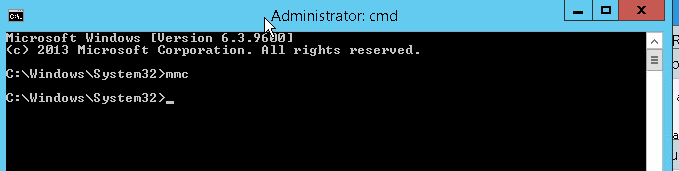
- 從 「檔案 >> 新增/移除嵌入式管理單元」中選擇 >>電腦管理,然後選擇需要管理的遠端 CIFS 伺服器,然後按一下 確定。

- 連線至所需的 CIFS 伺服器後,從 本機使用者和群組按 一下新增使用者
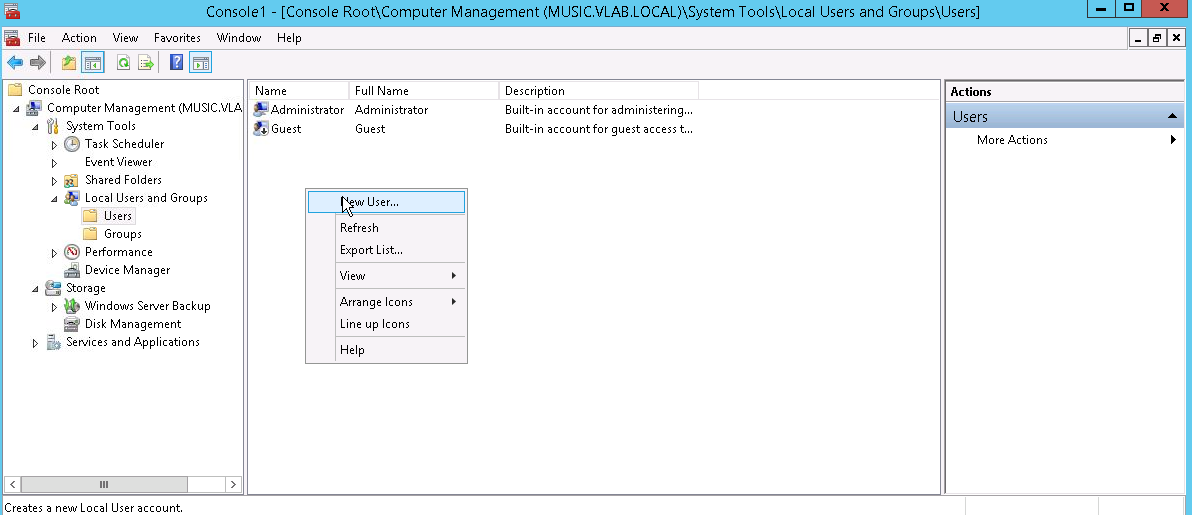
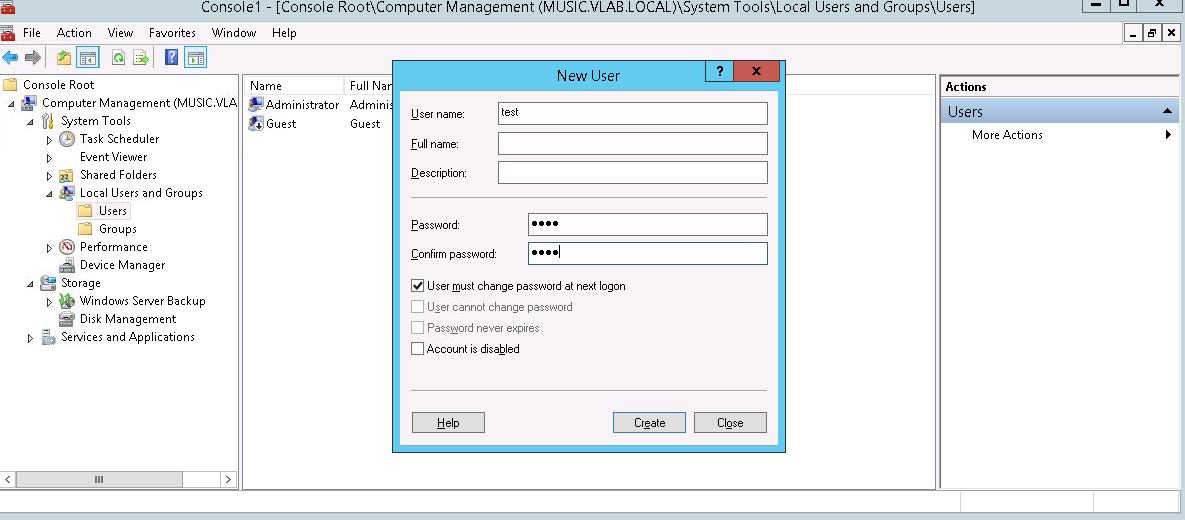
- 在 「新使用者 」面板中,填寫 使用者名稱、 說明、 密碼 ,以及該使用者是否必須在首次登入時變更密碼。然後按一下 建立。這將導致在 CIFS 伺服器上本機建立新使用者。(請注意,此使用者不是域使用者)
Additional Information
若要存取此 cifs 伺服器上的資源,請使用 <CIFS_server\Username> or <IP Address\User name >
而不是 <Domainname\Username> 因為這是 CIFS 伺服器上的本機使用者。
例如,若此使用者使用 filezella 或任何 ftp 用戶端獲得 FTP 權限,
則使用者名稱將為 CIFS_server\username
Affected Products
Dell EMC Unity FamilyProducts
Celerra, Dell EMC Unity Family, VNX/VNXeArticle Properties
Article Number: 000022823
Article Type: How To
Last Modified: 22 Oct 2025
Version: 7
Find answers to your questions from other Dell users
Support Services
Check if your device is covered by Support Services.