VNX:無法開啟 Unisphere - Java 附掛程式和瀏覽器發生問題
Summary: 嘗試透過 IE11 存取 Unisphere 時,會顯示「此應用程式需要 JAVA」錯誤,以及透過 Unisphere 存取與 Java 和瀏覽器相關的其他問題。
This article applies to
This article does not apply to
This article is not tied to any specific product.
Not all product versions are identified in this article.
Symptoms
無法透過瀏覽器開啟 Unisphere。
Internet Explorer 11 不支援 Unisphere 存取。
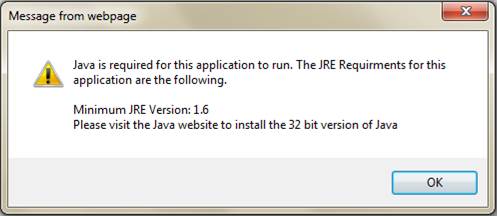
Mozilla 是 Unisphere 的推薦瀏覽器,但在存取 Unisphere 時卻出現 JAVA 附掛程式所需的錯誤。
Cause
造成此問題的原因之一是已安裝的 JRE 執行時環境套件中存在部署工具包,且 Internet Explorer 11 不支援 Unisphere 存取。
Resolution
由於 IE11 不是 Unisphere 支援的瀏覽器,所以我們使用 Mozilla 瀏覽器。Mozilla確實是Unisphere上最受推薦的瀏覽器。
現在打開 JAVA 配置為控制面板 => JAVA(32 位)
驗證只應安裝一個 JRE( 1.7u80 或 1.7u79 32 位效果更好):
(Java SE 運行時環境 7 - 下載 |甲骨文技術網 |Oracle)
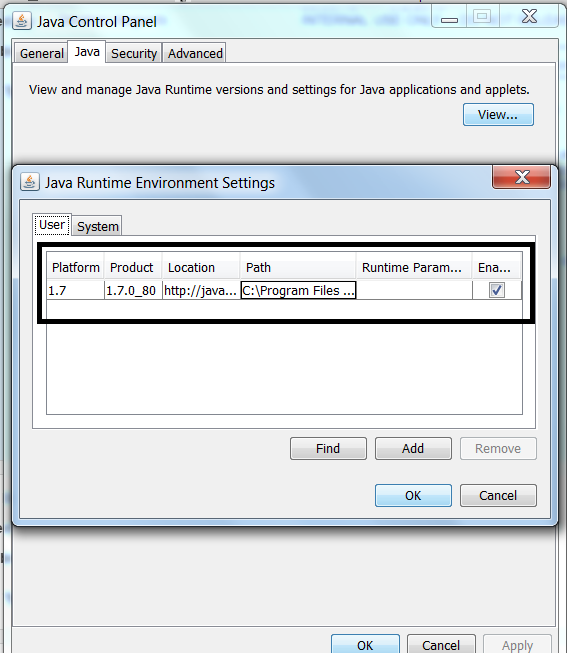
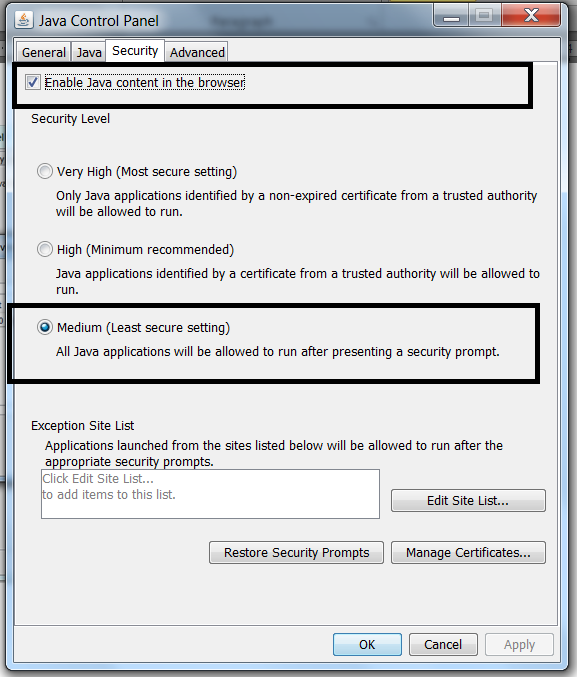
然後檢查安全性為「中等」和「啟用瀏覽器中的JAVA內容」,必須選中:
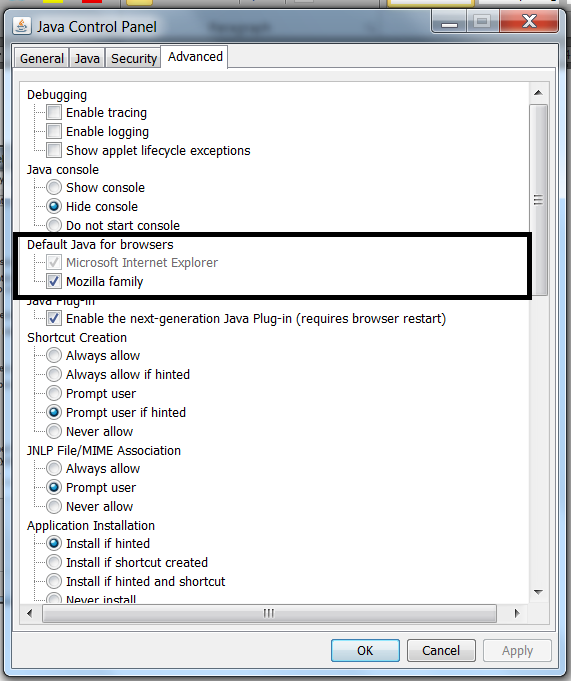
在「高級」選項卡中,選中 Mozilla 家族 : 這會啟用 Mozilla 瀏覽器中的 JAVA 內容。
現在重新開啟 Mozilla 瀏覽器以存取 Unisphere
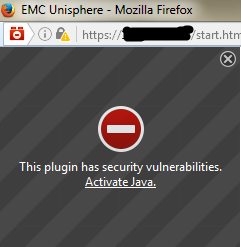
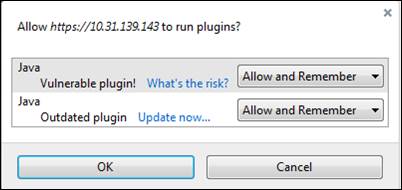
如果您進入下方視窗,請按一下 啟用 Java ,然後全部 顯示 以選取 允許與記住:
現在打開 JAVA 配置為控制面板 => JAVA(32 位)
驗證只應安裝一個 JRE( 1.7u80 或 1.7u79 32 位效果更好):
(Java SE 運行時環境 7 - 下載 |甲骨文技術網 |Oracle)
然後檢查安全性為「中等」和「啟用瀏覽器中的JAVA內容」,必須選中:
在「高級」選項卡中,選中 Mozilla 家族 : 這會啟用 Mozilla 瀏覽器中的 JAVA 內容。
開啟 Mozilla 瀏覽器:
轉到設置並打開外掛程式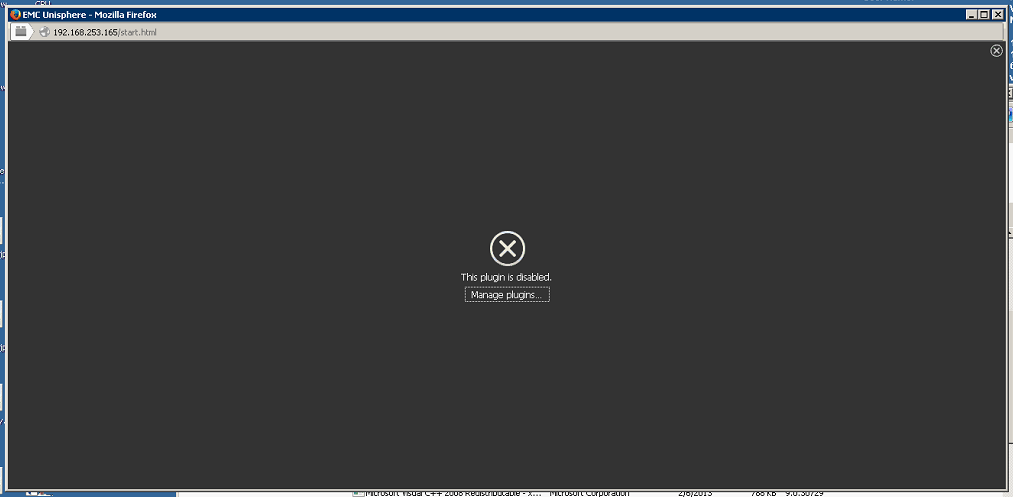
確保只有JAVA™平臺SE 7 U80在要求啟動,如果有任何Java部署工具包,則使其永不啟動(禁用)如下所述;
現在重新開啟 Mozilla 瀏覽器以存取 Unisphere
如果您進入下方視窗,請按一下 啟用 Java ,然後全部 顯示 以選取 允許與記住:
Additional Information
本文已於 DELL EMC 社群網路 (DECN) 推廣為 HVC: https://community.emc.com/docs/DOC-55752
Affected Products
Unisphere Central, VNX1 Series, VNX2 SeriesProducts
Unisphere Central, VNX1 Series, VNX2 SeriesArticle Properties
Article Number: 000056514
Article Type: Solution
Last Modified: 07 Nov 2025
Version: 5
Find answers to your questions from other Dell users
Support Services
Check if your device is covered by Support Services.