Dell Unity: Deleting Initiator while attached to LUN with no downtime Error Code:0x6000116
Summary: Dell Unity: Deleting an Initiator while attached to LUN with no downtime Error Code:0x6000116
This article applies to
This article does not apply to
This article is not tied to any specific product.
Not all product versions are identified in this article.
Symptoms
Deleting an initiator of an ESXi host that can access a LUN is not possible without disconnecting the host from the LUN causing downtime.
Error: Failed: The system could not delete the initiator because there are storage resources associated with the host that the initiator is registered to (Error Code:0x6000116 )
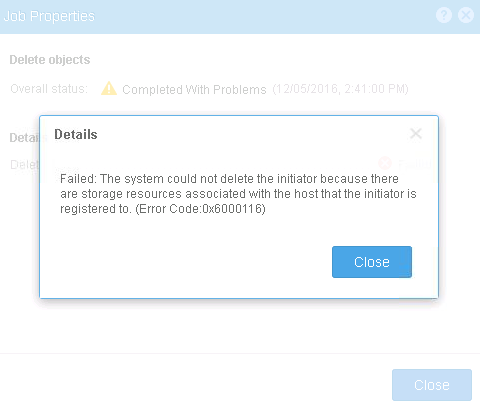
The Ignore option under Edit Initiator did not work.
Cause
.
Resolution
A workaround:
- Create a New ESXi host with no access to any LUNs (Test Host).
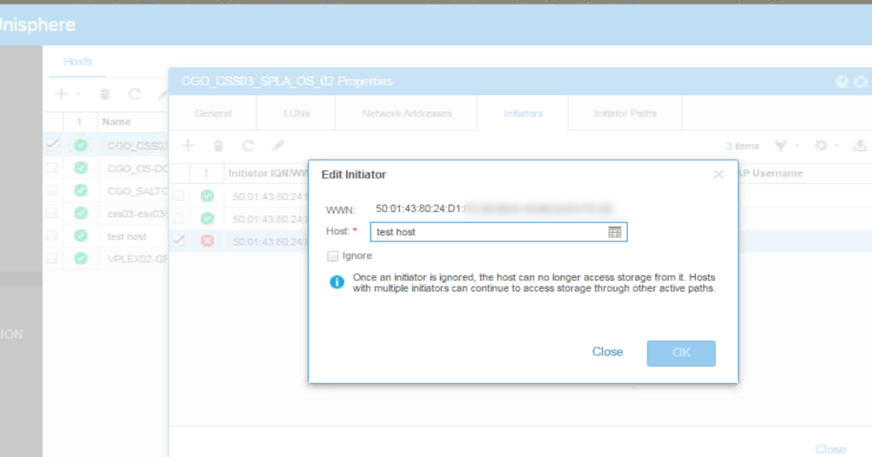
- Open the ESXi host that has the initiators. > under Initiators tab > Click Edit
-
- Change the Host under Edit Initiator to the new host (Test Host)
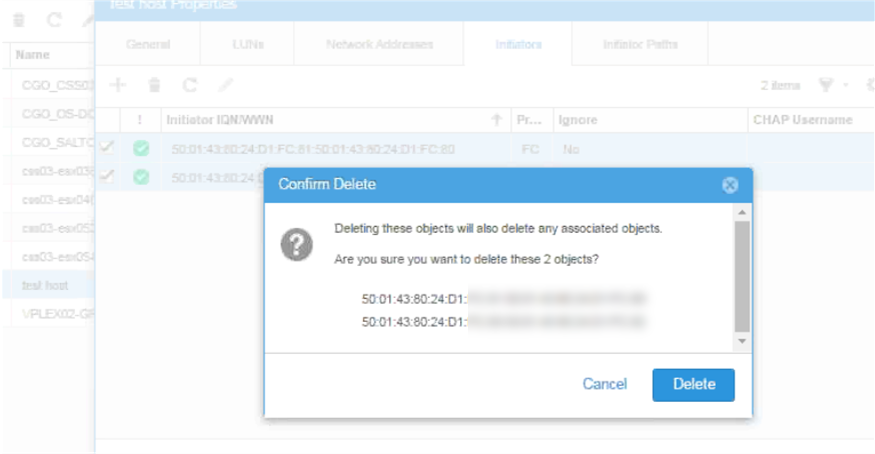
- From the new host, delete the Initiators.
-
Affected Products
Dell EMC Unity FamilyProducts
Dell EMC Unity FamilyArticle Properties
Article Number: 000056865
Article Type: Solution
Last Modified: 20 Oct 2025
Version: 4
Find answers to your questions from other Dell users
Support Services
Check if your device is covered by Support Services.