IBM AIX 7.xプラットフォームでOracle RMAN Agentバージョン19.9をインストールして構成する方法
Summary: IBM AIX 7.xプラットフォームでOracle Agentバージョン19.9をインストールして構成する方法について説明します。
This article applies to
This article does not apply to
This article is not tied to any specific product.
Not all product versions are identified in this article.
Instructions
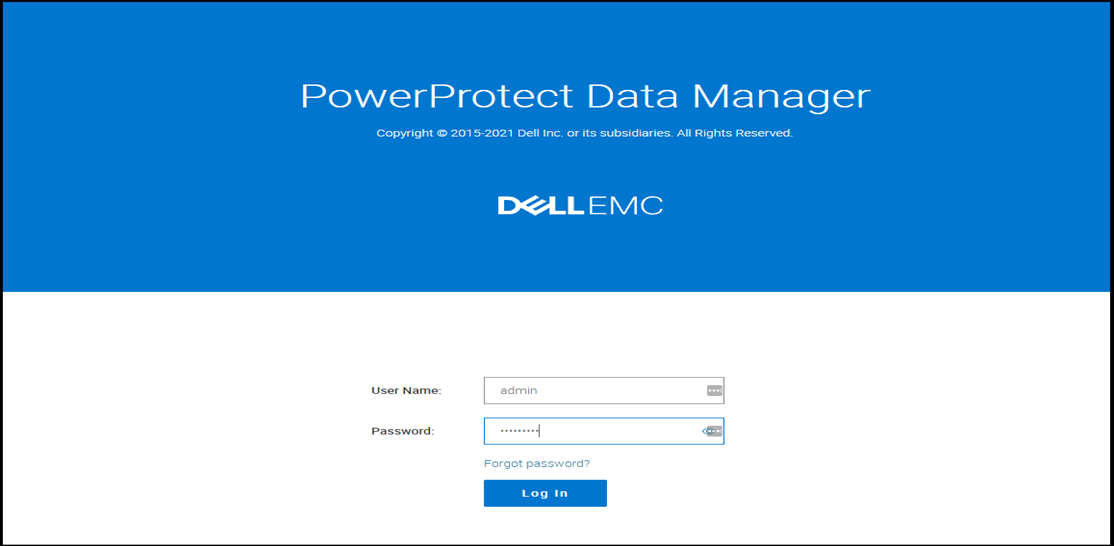
- PowerProtect Data ManagerのUIにログインします。
- 右上隅の[System Setting]メニューをクリックし、[Agent Downloads]をクリックします。

- 次のメニューが開きます。[Oracle]の下にある[Download Agent]をクリックし、[Download for AIX]を選択します。これにより、AIX向けOracle RMAN Agent 19.9がホスト マシンにダウンロードされます。

- WinSCPまたは同様のプログラムを使用して、ダウンロードしたエージェント ファイル(ddrman199_aixpower71.tar)をOracleサーバーの「/Home/Oracle」下にコピーします。
- AIXサーバーにOracleとしてログインし、次のコマンドを実行して「tar」ファイルの所有権をoracleユーザーに変更します。
chown -R oracle:oinstall ddrman199_aixpower71.tar
- 次のコマンドを実行して、tarファイルからファイルを抽出します。ファイルは「/home/oracle/ddrman」下に抽出されます。
tar -xvf ddrman199_aixpower71.tar

- 「/home/oracle/ddrman」からinstall.shスクリプトを実行します。
install.shスクリプトは、次のプロンプトを表示します。
「Do you want to install under the default installation directory /home/oracle/opt/dpsapps/rmanagent? (y or n)」
メモ:デフォルトのインストール ディレクトリーは、/opt/dpsapps/rmanagentです。これは、デフォルトの$RMAN_AGENT_HOMEの場所です。
ご使用の環境にORACLE_HOMEが設定されている場合、install.shスクリプトは次のようなプロンプトを表示します。新規インストールに必要な場合は、「n」と入力します。
「The Oracle RMAN agent library, libddobk.so, does not exist in /u01/oracle/app/oracle/product/12.1.0/dbhome_1/lib.
Do you want to update settings in /u01/oracle/app/oracle/product/12.1.0/dbhome_1 directory so that RMAN scripts from previous installation can be reused? (y or n) n」
以下のスクリーンショットは、install.shの出力を示します。
「Do you want to install under the default installation directory /home/oracle/opt/dpsapps/rmanagent? (y or n)」
メモ:デフォルトのインストール ディレクトリーは、/opt/dpsapps/rmanagentです。これは、デフォルトの$RMAN_AGENT_HOMEの場所です。
ご使用の環境にORACLE_HOMEが設定されている場合、install.shスクリプトは次のようなプロンプトを表示します。新規インストールに必要な場合は、「n」と入力します。
「The Oracle RMAN agent library, libddobk.so, does not exist in /u01/oracle/app/oracle/product/12.1.0/dbhome_1/lib.
Do you want to update settings in /u01/oracle/app/oracle/product/12.1.0/dbhome_1 directory so that RMAN scripts from previous installation can be reused? (y or n) n」
以下のスクリーンショットは、install.shの出力を示します。

- インストールされたOracle RMAN Agentのバージョンを確認するには、次のコマンドを実行します。
$RMAN_AGENT_HOME/bin/ddutil -i
RMAN Agent Version: 19.9.0.0(10)
RMAN Agent Version: 19.9.0.0(10)
- RMAN Agent 19.9をPowerProtect Data Manager (PPDM)19.9と統合するには、Oracle AIXサーバーでrootユーザーとしてログインします。
- 次のコマンドを実行して、PowerProtectエージェント サービスをインストールします。
installp -a -d /ddrman powerprotect-agentsvc.rte
例えば、コマンドおよび出力は次のようになります。
例えば、コマンドおよび出力は次のようになります。

「installp」が使用できない場合は、次のようにSMIT UIプログラムを使用して、PowerProtectエージェント サービスをインストールすることもできます。
- 次のコマンドを入力します。
smitty install_latest
- [Entry]フィールドに、ソフトウェア インストール ファイルを含むディレクトリーの完全なパス名を入力します。
- インストールするソフトウェア オプションを選択します。
- インストールを開始するには、次のいずれかのアクションを実行します。
- デフォルトのを選択し、インストールするデフォルトの入力ソフトウェアでEnterを押します。
- [F4=List]、[powerprotect-agentsvc.rte]の順に選択して、Enterを押します。
- インストールが成功したことを確認するには、次のコマンドを入力します。
lslpp -L all | grep -i powerprotect-agentsvc
powerprotect-agentsvc.rte
powerprotect-agentsvc.rte
コマンド出力にpowerprotect-agentsvc.rteが含まれている場合、インストールが成功したことを示します。
- PowerProtect Data Managerの7000 TCP通信ポートを有効にします。rootユーザーとして/opt/dpsapps/agentsvc/configfw.shスクリプトを実行します。
コマンド出力は次のように表示されます。
/opt/dpsapps/agentsvc/configfw.sh
configuring inbound rules for AIX OS
IPv4のフィルター ルール3が正常に追加されました。
- PowerProtect Data Managerで必要なアドオンの構成と登録を完了するには、RMAN Agentのアドオン ディレクトリー$RMAN_AGENT_HOME/addonからconfigureAddOn.shスクリプトを実行します。
例えば、コマンドおよび出力は次のように表示されます。

- PowerProtect Data ManagerのUIに移動します。ログアウトしている場合は、adminとしてログインします。

- UIで、左ペインから[Infrastructure]を選択し、[Application Agent]をクリックします。RMAN Agentホストが登録されていることが確認できます。

- 左ペインの[Infrastructure]の下にある[Asset Sources]に移動します。使用可能な資産ソースの一部としてRMAN Agentホストが表示されます。

- 左ペインの[Infrastructure]下にある[Assets]を参照します。Oracleデータベースが使用可能な資産として表示されています。

- 資産が使用可能になったら、次のように、[Protection]>[Protection Policies]に進み、[Add]をクリックして、バックアップを管理する保護ポリシーを作成できます。

Additional Information
次のビデオをご覧ください。
Affected Products
PowerProtect SoftwareArticle Properties
Article Number: 000192030
Article Type: How To
Last Modified: 01 Feb 2022
Version: 5
Find answers to your questions from other Dell users
Support Services
Check if your device is covered by Support Services.