PowerFlex 3.X:交换机性能指标在 PFxM 中不可见
Summary: PowerFlex Manager交换机性能指标为空,PFxM 中的性能指标未更新(使用 https 协议显示)。
This article applies to
This article does not apply to
This article is not tied to any specific product.
Not all product versions are identified in this article.
Symptoms
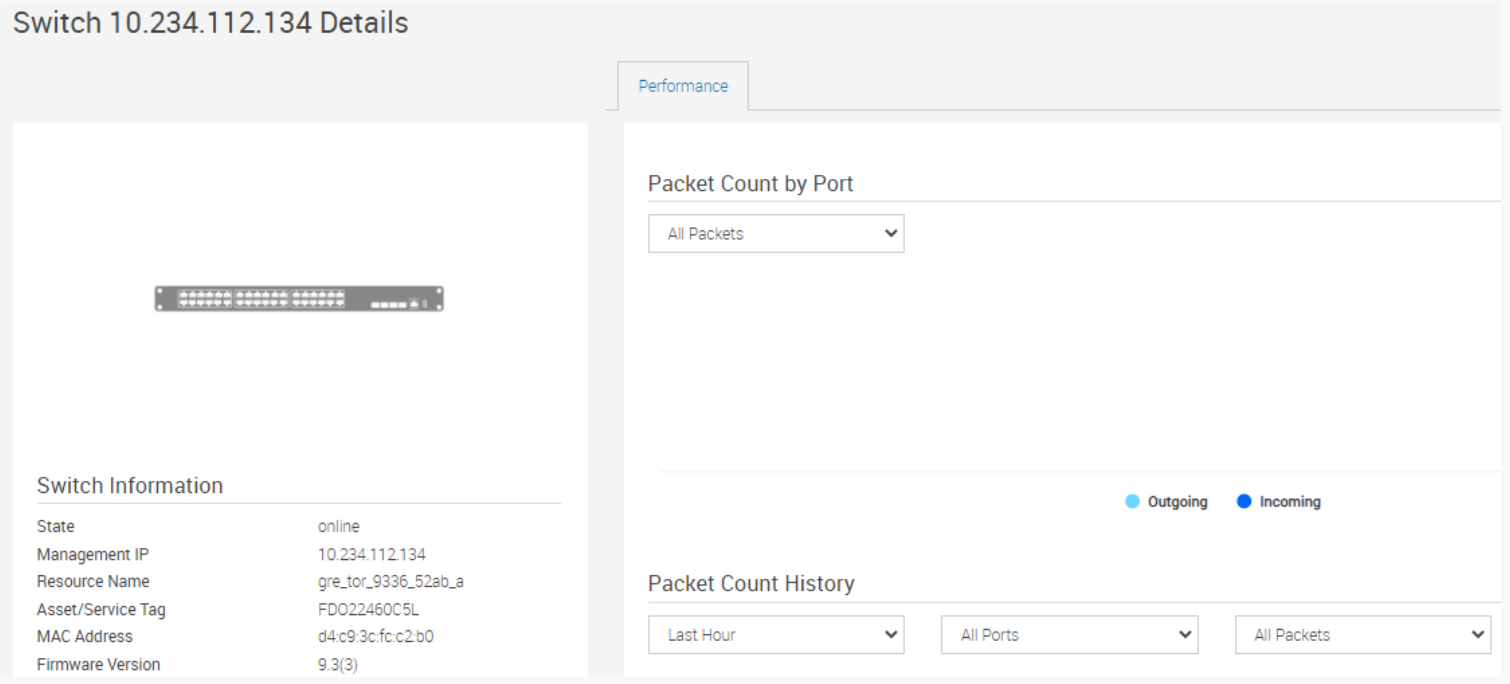
PowerFlex Manager > 相关资源 > Cisco 9 K 交换机 > 查看详细信息:
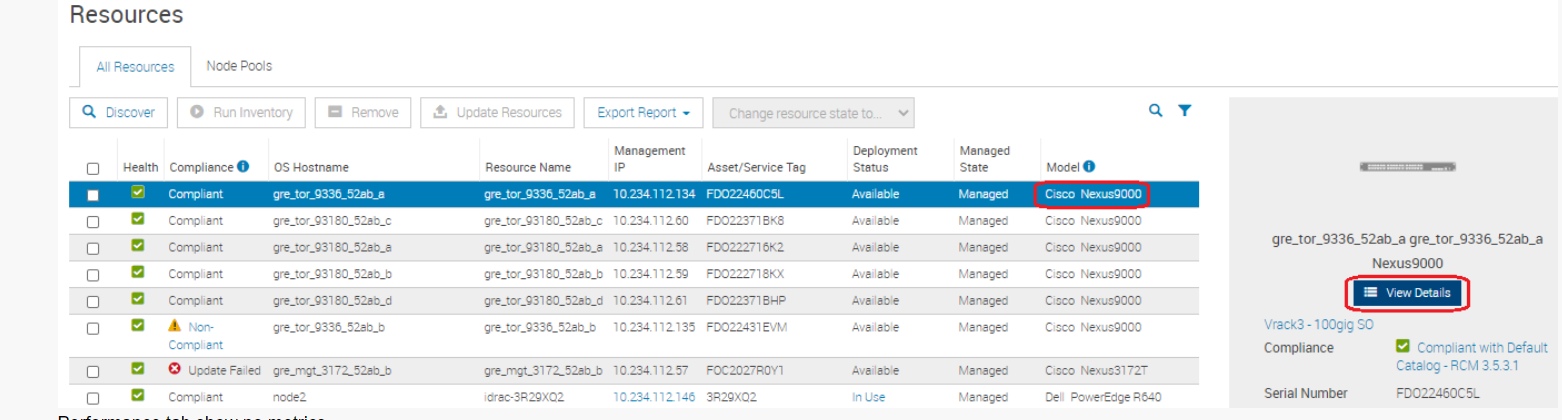
性能选项卡不显示任何指标。
Cause
原因:在 Cisco Nexus 交换机上,命令行界面 (CLI) 仅在交换机上运行。NX-API CLI 通过使用 HTTP 或 HTTPS 使这些 CLI 在交换机外部可用,从而改进了这些 CLI 的可访问性。
NX-API 使用 HTTP 或 HTTPS 作为其传输。CLI 编码到 HTTP 或 HTTPS POST 正文中。
从 Cisco NX-OS 版本 9.2(1) 开始,默认情况下,在 HTTPS 端口 443 上启用 NX-API 功能。HTTP 端口 80 已禁用。
NX-API 使用 HTTP 或 HTTPS 作为其传输。CLI 编码到 HTTP 或 HTTPS POST 正文中。
从 Cisco NX-OS 版本 9.2(1) 开始,默认情况下,在 HTTPS 端口 443 上启用 NX-API 功能。HTTP 端口 80 已禁用。
Resolution
溶液:
1) 登录以交换机 > 启用 NXAPI 功能:
conf t
feature nxapi 注:
注:
PFxM 3.6 及更高版本使用 https(而不是 http)进行状态检查和指标获取,因此出于安全原因,可以在 http 上禁用 nxapi。
!启用和配置 NXAPI。
config t
功能 nxapi
!禁用 http,为确保安全性,仅支持 https。
no nxapi http
!仅使用管理接口为 NXAPI 进行通信。
nxapi use-vrf management
PFxM 3.5 及更早版本使用 https 和 http 进行状态检查和指标获取,因此请为 http 启用 nxapi。
提醒:如果我们启用具有 nxapi 功能的 nxapi 命令,它只侦听 HTTPS 而不是 HTTP,因此我们需要 NXAPI 侦听 HTTP。
!启用和配置 NXAPI。
config t
feature nxapi
nxapi http port 80
2) 更改交换机后,转至“>运行资源清册”旁边的“资源>添加”复选框。 3) View details now show switch performance metrics.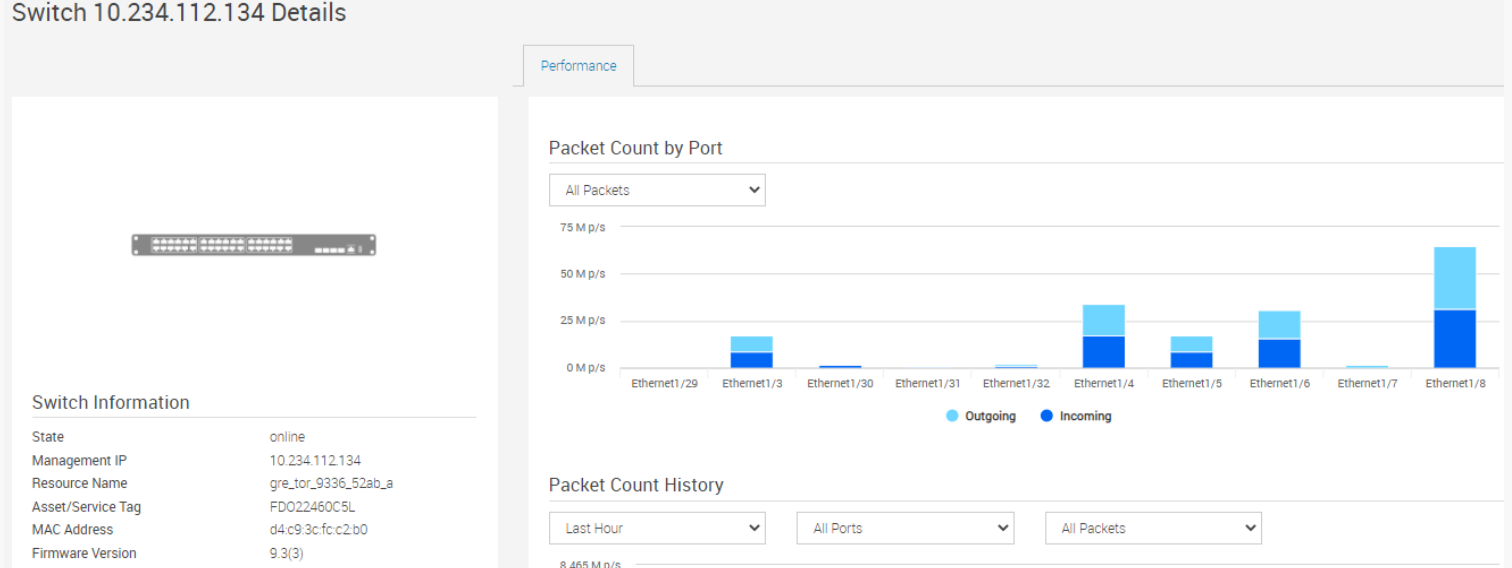
Additional Information
Cisco 交换机 (3K/9K):
- 必须在 Cisco 交换机上启用 HTTP 和 HTTPS。
- PFxM 使用 HTTP 检查 NXAPI 状态,然后使用 HTTPS 收集指标
戴尔交换机:
- 必须为 OS9 交换机(REST API — HTTP 端口 8008)启用指标收集
- 必须为 OS10 交换机 (RESTCONF API -HTTPS) 启用指标收集
Affected Products
PowerFlex rack, PowerFlex ApplianceArticle Properties
Article Number: 000198385
Article Type: Solution
Last Modified: 19 Nov 2025
Version: 2
Find answers to your questions from other Dell users
Support Services
Check if your device is covered by Support Services.