PowerEdge:应用默认设置时出现戴尔 E810-2C 网络适配器错误
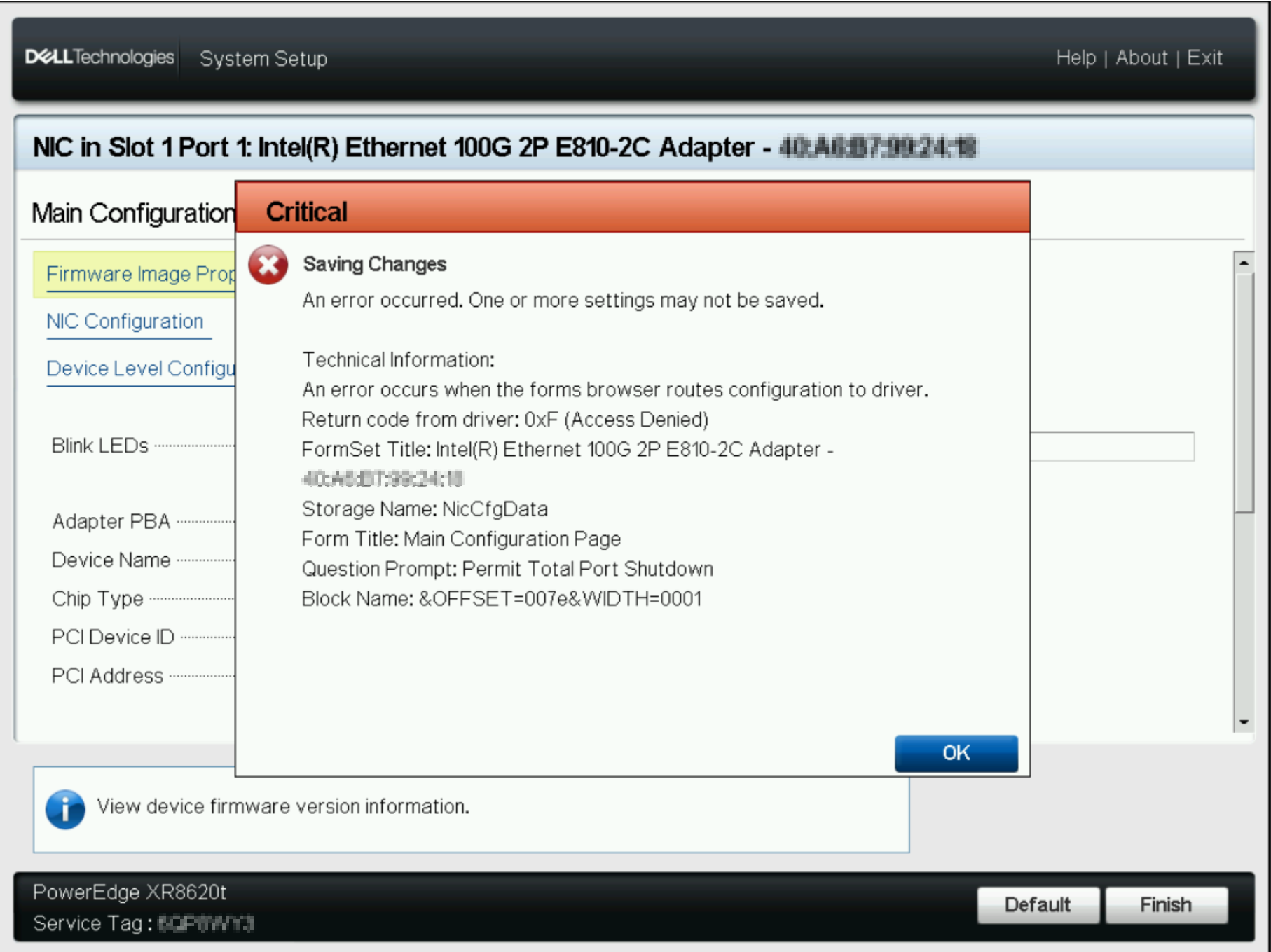
Summary: 尝试将默认设置应用于戴尔英特尔 E810-2C 以太网适配器时发生错误。这些适配器配置为启用允许全部端口关闭。两个端口的端口选项都设置为 4x25。
This article applies to
This article does not apply to
This article is not tied to any specific product.
Not all product versions are identified in this article.
Symptoms
设置为默认值时,可能会看到以下错误。
Cause
这是与端口枚举相关的设计限制。更改端口选项时,不应进行任何其他更改。当设置为默认时,所有配置选项都会立即更改。
Resolution
要解决此问题,请手动将这些设置更改为默认值:
- 允许总端口关闭:禁用
- 端口选项:选项 0:2 个 1 个 100G
Affected Products
Intel PRO Family of Adapters, PowerEdge R350, PowerEdge R440, PowerEdge R450, PowerEdge R540, PowerEdge R550, PowerEdge R640, PowerEdge R6415, PowerEdge R650, PowerEdge R650xs, PowerEdge R6515, PowerEdge R6525, PowerEdge R740, PowerEdge R740XD
, PowerEdge R740XD2, PowerEdge R7415, PowerEdge R7425, PowerEdge R750, PowerEdge R750XA, PowerEdge R750xs, PowerEdge R7515, PowerEdge R7525, PowerEdge R840, PowerEdge R940, PowerEdge R940xa, PowerEdge T350, PowerEdge T360, PowerEdge T550, PowerEdge T560, PowerFlex appliance R650, Powerflex appliance R750, PowerFlex appliance R640, PowerFlex appliance R740XD, PowerFlex appliance R7525, PowerFlex appliance R840
...
Article Properties
Article Number: 000221407
Article Type: Solution
Last Modified: 19 May 2026
Version: 4
Find answers to your questions from other Dell users
Support Services
Check if your device is covered by Support Services.