PowerStore:UI 控制面板中的 CloudIQ 状态显示连接挂起
Summary: PowerStore:UI 控制面板中的 CloudIQ 状态显示连接挂起。
This article applies to
This article does not apply to
This article is not tied to any specific product.
Not all product versions are identified in this article.
Symptoms
系统运行状况显示连接挂起,如下所示。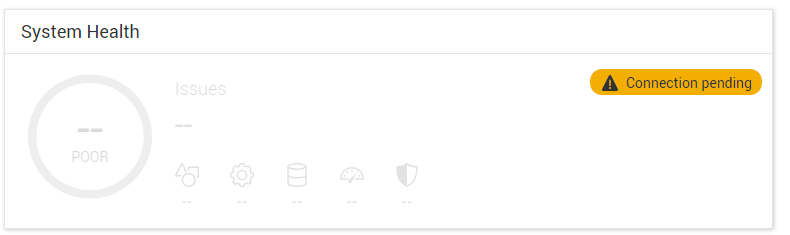
Cause
当系统首次连接到 CloudIQ 或在连接到 CloudIQ 时升级到 PowerStoreOS 版本 4.0.x 时,它会收到运行状况评分。
如果在升级之前未启用 Support Assist,则运行状况评分将不会显示在控制面板中。
按照设计,在升级后启用 Support Assist 后,系统将不会向 CloudIQ 发送运行状况评分请求。
如果在升级之前未启用 Support Assist,则运行状况评分将不会显示在控制面板中。
按照设计,在升级后启用 Support Assist 后,系统将不会向 CloudIQ 发送运行状况评分请求。
Resolution
需要集成服务脚本才能连接到 CloudIQ 并接收分数。
使用 SSH 作为服务登录并运行
svc_modify_autodownload -hs
这可能需要长达 10 分钟或更长时间才能连接并收到分数。
运行后,可以在监视 >作业下监视作业。
正在运行和完成的作业的示例如下所示。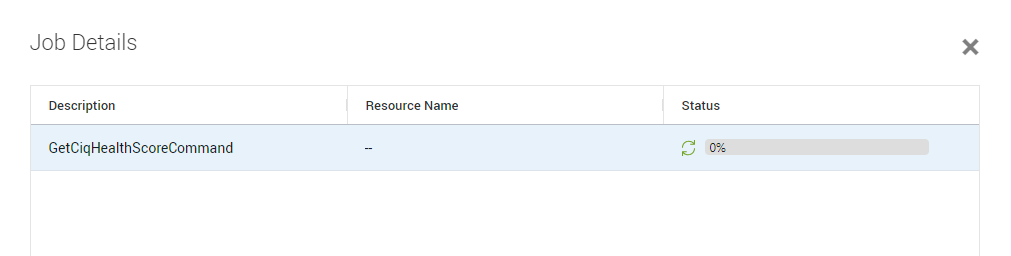
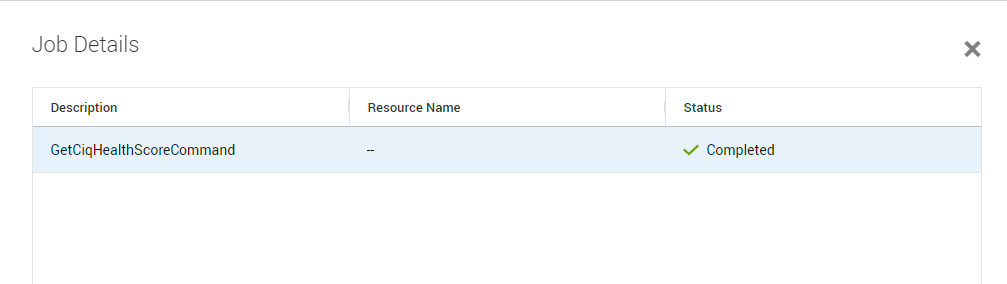
完成后,分数应显示在仪表板下,如下所示。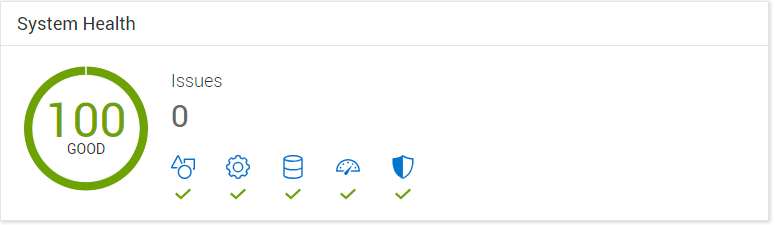
Affected Products
CloudIQ, PowerStore, PowerStoreOSArticle Properties
Article Number: 000227411
Article Type: Solution
Last Modified: 29 July 2025
Version: 4
Find answers to your questions from other Dell users
Support Services
Check if your device is covered by Support Services.